
“This has been one of my largest dreams of my entire life. I’m really excited for the next chapter of filmmaking.”
– Joshua Otis Miller
Index Template
Joshua Otis Miller, our CEO, has been voted into the Director’s Guild of America
Joshua Otis Miller, our CEO, has been voted into the Director’s Guild of America! This is a monumental achievement for Joshua. Being voted into the Director’s Guild of America is THE highest level of recognition for a director in the production industry.
We couldn’t be more proud of our commander in chief and his achievement! To have been voted in means that other members of the DGA like Steven Spielberg, Christopher Nolan, and Ron Howard recognized the immense talent and dedication Josh puts into every one of his films.
Thank you, Director’s Guild of America members!
We would like to thank the members of the Director’s Guild of America for this golden opportunity you handed to Joshua. Becoming a member of the DGA has been Josh’s goal for a while now and being able to achieve this goal is a testament to how dedicated Josh is to making sure that every production, be it corporate work or a feature film, is produced at top-quality. This is an incredible accomplishment for Josh and one that we will continue to celebrate, but not too hard because there is more work to be done.
And a big o’ thank you, to you!
We want to take a second and say a big thank you to you, our clients and friends, for supporting Josh over the years. It’s because of your loyalty and trust that he was able to achieve greatness like this. We can’t wait to work with each and every one of you again, or for the first time, and show you what we can do as a crew run by a DGA director! Thank you for your continued support and thank you for being a part of this journey!
Congratulations, Josh! We are beyond proud of you for leading C&I Studios to greatness. We can’t wait to see what you achieve with this power. You deserve it!
What does this mean for US??!
Well, for one, this means that C&I Studios is destined for even greater productions. It cements our place as one of the top production companies in the industry because we are ran by one of the top directors in the world. We have limitless opportunities. With Joshua’s lead, C&I Studios will take over the film industry. Get ready to see more of Joshua Otis Miller and C&I Studios!
What does this mean for our clients?
It means that you are working with the best of the best, but I’m sure you knew that! Our crew’s skills and experience are only going to continue to grow. We will be among the best in the industry and will continue to produce the highest quality productions you all are used to.
Related Reading
Crew Call: The Tattoo Project [Luke Adams]

THE TATTOO PROJECT

Crew Call The Tattoo Project
A new date. A new promo. Still quarantined.
Crew Call: The Tattoo Project was originally scheduled for March 21, 2020. However, the coronavirus events forced us to reschedule. From March 21st, we pushed the date back to April 18th. We’re staying optimistic, but with no foreseeable end in sight, we may have to move our date yet again.
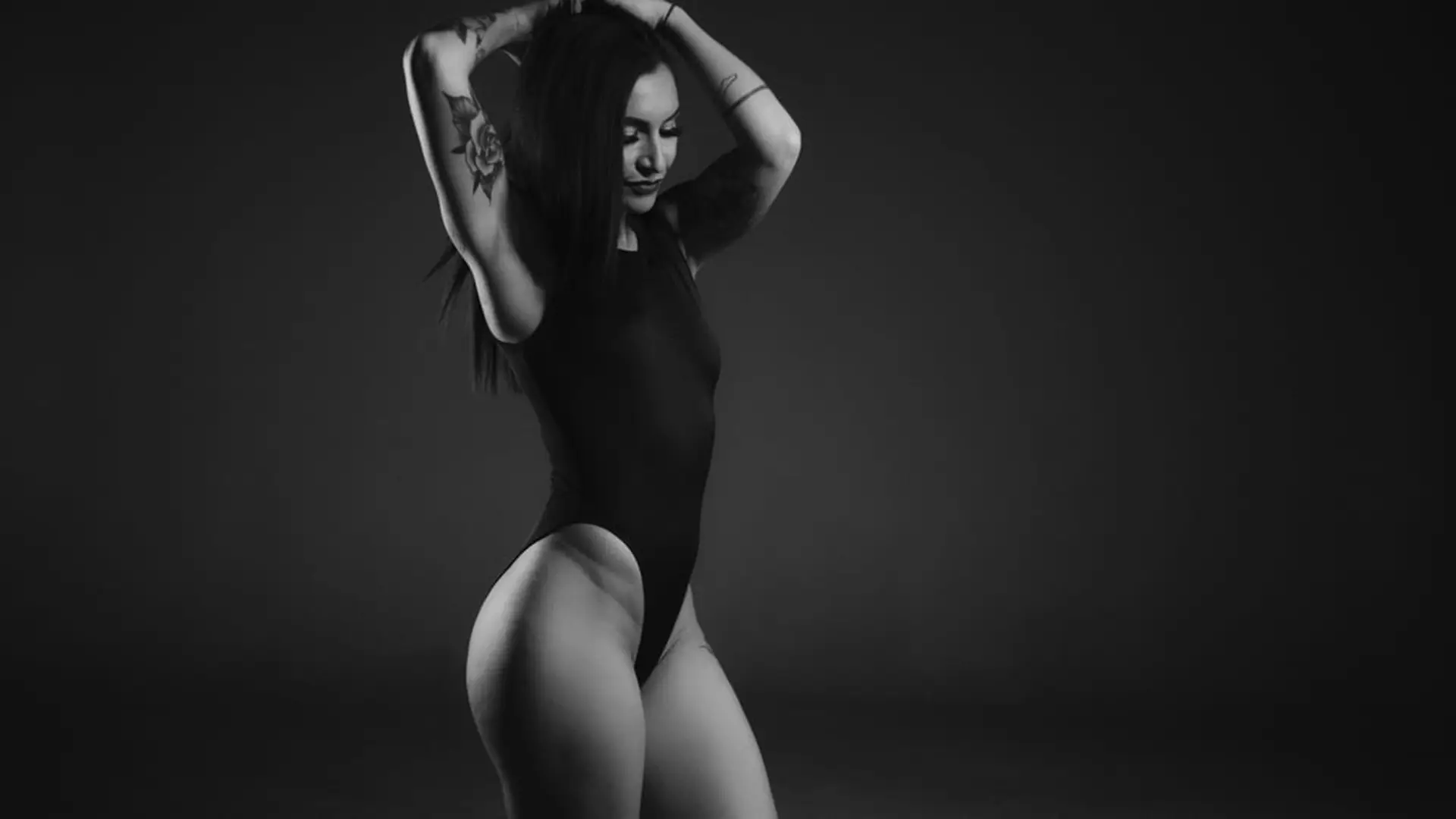
It’s only natural that a new date should be accompanied by new promotional material. So, we harnessed the creative energy from our promotional shoot with Jaquelyn Puma — a local model and tattoo artist with Borrowed Time Tattoos in Fort Lauderdale — and reenvisioned Crew Call: the Tattoo Project with a male model.
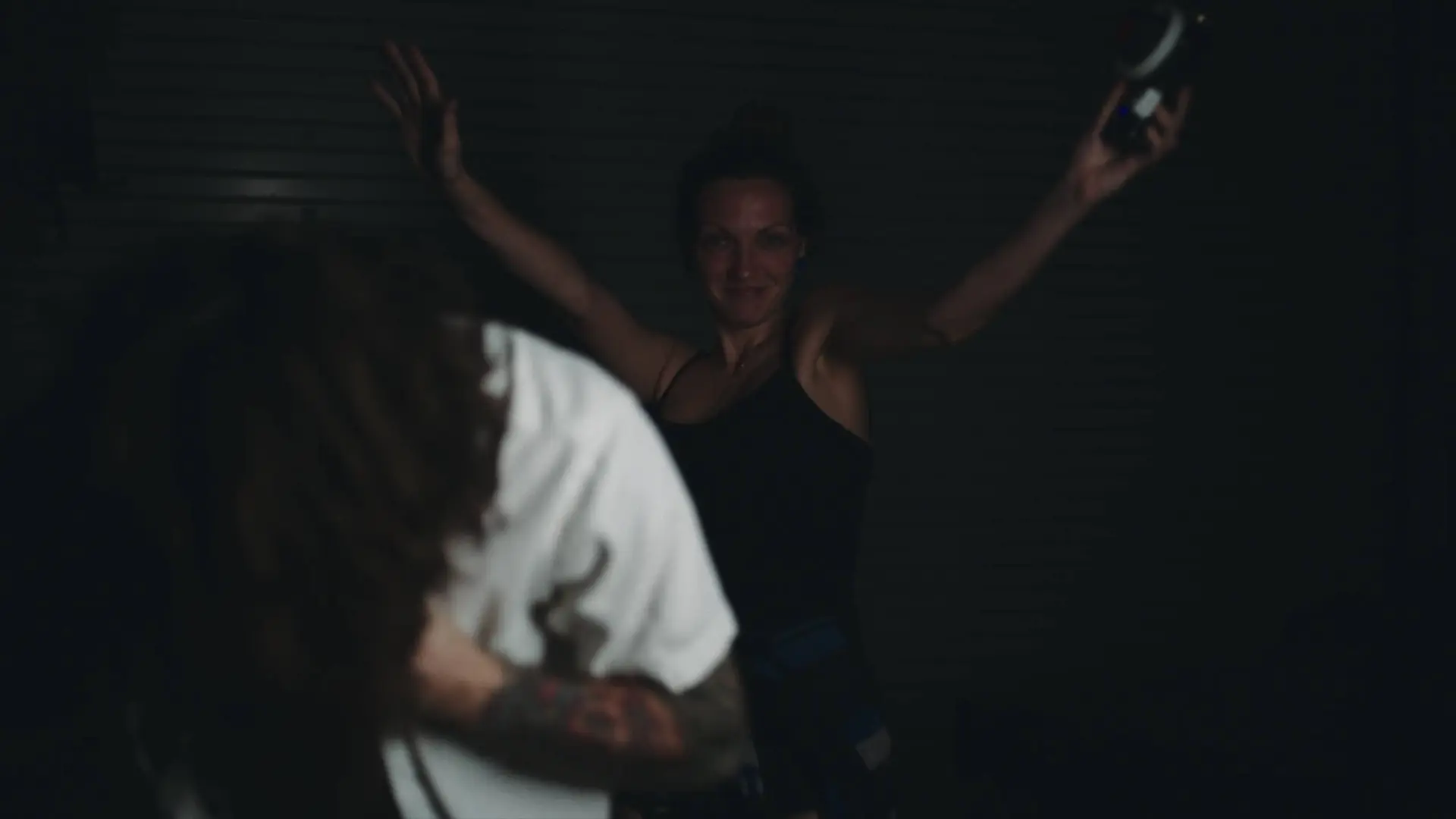
Luke Adams was a perfect fit for this production. In a way, his mannerisms summarize how everyone in the world is feeling right about now… a little fed up, a little isolated… trapped in their thoughts. Yeah, we can relate.
We’re living in a boring dystopia right now and most of us can’t wait to get out of the house and socialize again. It’s only been 4 weeks of quarantine. How many more we’ll be forced to endure, we cannot say. But at least we have Crew Call: The Tattoo Project to look forward to once life returns to a state of normalcy.
We hope this promotion makes you want to get of the house; we hope this excites you for what’s to come. We’re all in this together. We just have to wait it out.


Related Reading
Crew Call: The Tattoo Project [Jaquelyn Puma]
THE TATTOO PROJECT

Crew Call: The Tattoo Project
The first creative talent event of 2020 [ April 18th]
A lot of brands won’t work with models that have tattoos. They either hire talent whose body is a blank slate or force the model to cover their artwork. That way, they can modify their image to reflect their brand. We don’t do that…
We prefer to work with people with personality; people who embrace their artistic senses; people who wear their art on their sleeve (literally)… Because real artwork doesn’t compromise. And it most certainly doesn’t restrict the artist or the subject. Instead, it rallies the charisma of the outcast and encourages expression in its most wild and untamed fashion.
That’s one of the reasons we use live models at Crew Call. It’s why we invite everyone and anyone to join in and do their thing…whatever that may be. If you want to model, no one will stop you. Seriously, at our first Crew Call event, many of the guests attending the event (who happened to be models by trade) joined in and activated some of our stages. Who are we to stop them? Our industry deserves more freedom like this. Rules are boring. You don’t have to follow them.
We felt it was important to start Crew Call 2020 with a theme that defies the industry standard. What better way to do that than invite the black sheep of the modeling industry to the studio.


Visual Storytelling Transcends Media
Tattoos are one of the most unique forms of storytelling. They’re abstract, vague, extremely direct, and deeply personal. They tell of moments passed and those we yearn to bring to life.
Each time someone adds a tattoo to their body, they’re adding a new chapter to their story. But the really cool thing is that the story isn’t linear like we’re accustomed to. It’s cyclical. It can be read in any direction. Front to back; side to side; top to bottom; and on and on. And with each reading, the message evolves…
The first tattoo that someone gets inked on their body is not always going to be the start to their tale, nor is the last tattoo the ending.
Tattoos are stories you can read to your own beat. And that’s how we hope you will treat Crew Call on April 18th. We hope you will make it your own and move at your own pace. We hope you will use your art to transform someone else’s tattoos into your own story.
We are a turnkey agency, in that we take each project from concept to delivery.
Because of this, we house a full creative suite of editing and post-production software. One of our most powerful editing software, which we used to put the final touches on Gio Henao’s artist profile, is DaVinci Resolve. This is a color correction and non-linear video editing application for macOS by Blackmagic Design.
Since editing is one of the most critical steps in our process, nothing is overlooked. DaVinci Resolve helps us zone-in on key points of interest to create maximum clarity and outstanding color harmony. In this phase, we take all the footage, audio, and additional assets and lay them on a timeline to arrange the absolute best narrative flow. This process is extremely time-consuming. According to the industry standard, every minute of shooting translates to an hour of editing, which makes sense since this is where true storytelling comes together.
After editing, the project moves to color correction and audio mixing. This is where we balance the footage for proper exposure and grade the footage to give it a look that improves the overall story. Audio mixing is similar to video editing. While video editing pertains to video only, audio mixing has to take all of the audio sources and blend them to broadcast quality sound. All of this is done by our very strong and talented post-production team, who work around the clock to meet our client’s deadlines.

About The Artist | Jaquelyn Puma
When we were searching for talent for this promotion, we decided that we wanted to work with someone in the tattoo industry. For us, it was more important that we had a model who was more than a model — someone whose life and career was firmly cemented in tattoo art. Turns out, our search was much closer to home than we expected…
Jaquelyn Puma is a tattoo artist at Borrowed Time Tattoos in Flagler Village, just a few blocks from our studio headquarters in Fort Lauderdale. She was trained in art in New York City at many prestigious schools, such as Pratt, FIT, and Pace University. This is where her unique style was born — a style that blends provocative imagery with twisting shapes and psychedelic energy. You can check out her gallery of art here.
In addition to being an artist, Jaquelyn is also a model, hence why she was selected for this shoot. Her style was perfect for this production. She emitted a strong, cavalier aura and mixed that boldness with shy, bashful postures, which really set this off. Her demeanor is almost inviting, yet so intimidating. It’s the ability to blend emotions like this that separates decent models from the talented ones.


Related Reading
Miller’s Notes Pg. 2: Coronavirus Is Killing Small Business
MILLER'S NOTES
Coronavirus Is Killing Small Business
DO NOT READ

03.18.20
Building Business During Coronavirus
Well, everyone is officially freaking out.
The coronavirus is spreading and businesses, events, restaurants, you name it are shutting down and closing. Needless to say, most, if not all small business owners, have the same fear in their gut: “What the hell am I going to do for money?”
This is something that we are all facing. But the entertainment industry is usually the market that is hit first. People cancel events, shoots, projects, and go into panic and freeze mode. It reminds me a lot of how the holidays are. Around Christmas time people just stop working. Even when they get an email, a simple response is out of the question. This situation is a lot like that business-wise. People are scared for their business, and they should be.
Since I’m in the same boat I wanted to share what we are doing at C&I Studios to combat this.
First, we have to practice what we preach. So, we increased our marketing spend on our business, our advertising budget, our SEO budget up, and content budget. You name it, we are putting more money into it.
Why?
Because a massive amount of consumers are just sitting at home on the internet browsing their phones. When they are tired of reading news articles about this coronavirus they are looking at products and brands online that interest them. This is where your marketing comes into play.
We aren’t just spending more because we are a marketing company and that sounds good. No, we actually need it to work. We still have projects in the works and are expecting more contracts to be signed. Business will ramp back up in time, and when it does and the economy rebounds you’ll want your business to be ready for the uptick. Ours will be.
Change is good for brand growth, which means this is a great time to adapt and modernize your brand.
I was thinking about the restaurant industry… If you are a restaurant owner, you’re probably freaking out. The lunch rush is gone; the dinner rush is gone. So, what can you do? Well, Uber Eats and Postmates are skyrocketing right now. Everyone is at home ordering in because they have limited options.
Now more than ever, your video content, photo content and social media are THE MOST IMPORTANT PART OF YOUR BUSINESS. How you present your business online is why people will Postmates from you rather than another restaurant. You have to continue working on building and marketing your brand if you want to stand out and profit. Run some sales, promote discounts, create specials and market them to people in your area. This is the time.
Life goes on. People are still spending money. If you don’t think they are, check out grocery stores, Target, and Walmart. And, yes, people are scared, but a lot of people are also shopping online. So why aren’t they shopping at your store? This is when your digital presence matters more than anything. If you aren’t selling then it’s time to make some moves.
Finally, work on YOUR BUSINESS. You have been so focused on your company’s operations that you are now being forced to think outside the box. Now is the best time to do all those web changes you’ve wanted to do, or setup that campaign, or make that video production project happen. This is the time to plan. Will it all cost money? Yes, but if you don’t get ahead, you will be left behind. Some restaurants and business will remain in business because they will adapt. Others will die because they didn’t want to do anything. That’s the biggest difference right now.
Thankfully all of this can be done from your home communicating with your Advertising and Marketing Agency. Products and commercials can be shot without getting 10 people together. Web projects can be done remotely. Things can happen, you just have reset your mindset from fearful and reactionary to proactive.
Don’t just think about how you can make your business survive; think about how you can make it kick ass. Set yourself up for when the coronavirus is done. When life returns to normal you should be in a position to implement the projects that you created during this lull in business. Not picking up the pieces once it passes.
We will get through this. Do you remember what it was like when you started your company? Good. Stay scrappy, get strategic, and spend money where you know you need to. It doesn’t matter what you sell and who you sell to. If no one knows about your business, then no one cares.
Related Reading
Miller’s Notes Pg. 1: Why We Hire Creative People, Not “Creatives”
MILLER'S NOTES
Why We Hire Creative People, Not "Creatives"
DO NOT READ

03.03.20
This is a pretty big step for me. I normally do not put a lot of things online, nonetheless my feelings. I usually only write about traditional business dealings, and though this has to do with my business, it’s deeply personal. And I’m going to be very real here.
There is so much that happens in business that those in leadership don’t really get to talk about. But here, on this new blogging segment, I’m going to talk about them. A buddy of mine told me that I should speak up more about what actually happens in this company and our industry, so I thought long and hard about how to do that.
Anyway, here I am.
I own and run a production company and advertising agency called C&I Studios Inc. The company is 14 years old and has really grown from starting in the 2nd bedroom of my apartment to a 40 person staff with offices in Fort Lauderdale, FL, New York City, NY, and Los Angeles, CA.
The main services we specialize in are Video Production, Photography, Web Development, TV & Film Production, Graphic Design, Branding, and Digital Marketing and Distribution. We do it all.
We also have a clothing line called The Uncreative Shop, a non-profit called C&I Reach, a magazine called Frame Magazine, a coffee shop and bar called Next Door (which is attached to our studio in Fort Lauderdale), a radio show called Uncreative Radio, and a bunch of other initiatives that I could go on and on about.
It’s a very busy studio and there is never a dull moment. Everything I just mentioned — all of the brands, all of the artwork, and creativity — sounds really awesome and if you went on our website you would see all of these amazing things and probably think the same thing. But what looks great always takes a ton of hard work. And that is where the business side comes in.
Running C&I Studios is hard because we rely on people. People are always the variable. You have to manage personalities, feelings, emotions, and, most commonly among all “creative” men (not women) that I have dealt with over the years, egos.
The disconnect between what C&I is and how people see us is largely the reason why we attract a certain type of person. If you looked at our company website, our various brands, our Youtube and our Instagram then you’d think our work life is super fun. And it is!… BUT it’s also a lot of work. Comparing our online brand personality with the hard work it took to create this culture, and seeing the types of “creative” people that want to work for us has revealed several things.
And they’re not really all that positive…
First, the studios headquarters is in South Florida — downtown Fort Lauderdale to be exact — and the talent pool there is just god awful. I’m from D.C. and up north people know how to actually grind and work hard. People in South Florida don’t understand how to really work. Now there are some diamonds in the rough. We have some people from Florida who are spectacular, but we have gone through soooo many duds because their work ethic just is rarely there.
Being at the top of the company poses some unique challenges. You’re constantly damned if you do, damned if you don’t. But something that is unique to my business is the fact that I am an artist too. I write, shoot, produce, plan, and create all sorts of things for all parts of the company. I have no ivory tower, and I grind harder than anyone I work with. Not because it’s a competition, but because that is how I work.
If I don’t already have a camera on my shoulders, I’ll climb a ladder to fix the ac, clean the toilets on the weekends, and do whatever it takes to keep the business running at full efficiency. We don’t have millions in the bank to throw at the little things, so it falls on us to be attentive and effective. I constantly have to work at being really creative and innovative and also be very logical and strategic. As I like to say, you have to know when to be Yosemite Sam, and when to be a tactical sniper. You need to know when to kick the door down and go for it, and also know when you need to stop, plan and think. So, in these posts, get ready for real examples from a real business person that is still working hard. I’m not rich. I’m still fighting to get the company where I want it to be.
Our goal is simple. Change people’s perspectives with the media that we create. Meaning we are going to create art that moves people, changes the way they think, and inspires them to act. We are going to do all of this with excellence, using only the best gear and the best people.
We are not a cheap $500 dollar studio or anything like that. We are expensive, like all good things. You won’t see our staff running around with little Sony A7s and tight jeans. We are not the type of people who care more about what they look like than what they are producing. Our art is how we express ourselves; our art is how we carry ourselves…not the style of clothes we wear or the personality we want people to see.
We got rid of the word “creatives” at our studio, because “creatives” are petty, and have fragile egos. They can’t produce unless they are inspired. Creatives need to show everyone they’re working at 2 AM; they need to post constant photos of themselves because they think it makes them sound and look more creative.
But from my experience, creatives don’t deliver on time, nor do they do what they say they are going to do. Every single “creative” that we have hired, when they get here, with real people that are actually educated in their craft… Well, let’s just say its funny to talk technically with a creative, because they don’t know basic things at all — lighting, frame rates, how to write an email, do administrative tasks, find out where the closest Fedex is, its mind-numbing to watch them run this obstacle course. They know enough to post on Instagram, but ask them what kelvin this light is at and all you’ll hear is, “uhhh uhhh.”
At C&I, we are professionals. We can create anytime, anywhere, for anyone in any industry. And we call ourselves An Idea Agency, because that is what we do first. We come up with great ideas. Our ideas for you brand or company will be better than anyone else’s. That’s not me bragging, thats just facts. Try me if you think I’m lying. We fall asleep thinking about how to be better, dreaming about your company, our company and how to develop our craft more.
We are craftsmen (and women).We are C&I Studios.
Related Reading
Crew Call | Rain & Water
Crew Call
Rain & Water
To master the elements one must learn to bend water. Rain is not easily illuminated on film. An artist must understand their model as much as the element itself if they wish to turn their union into beautiful art. To focus on only one of the two would produce lifeless art; art devoid of passion and reason. Do you possess the will to create an ally out of water and rain; to see past the curtain and into the soul of your model?


Related Reading
Why Your Non-profit Organization Needs Professional Photography
Why Your Non-profit Organization Needs Professional Photography
Why Your Non-profit Organization Needs Professional Photography
When you’re starting a non-profit, there are so many things to consider that photography might be at the bottom of your non-profit business plan.
Even worse, you could completely overlook it. Your non-profit is nothing without its supporters, though, and photography is a key way to bring in more donations.
Now that everyone has a good camera, it’s easy to think that anybody can take the photographs you need.
Maybe that intern you hired or your colleague who takes lovely vacation photos can handle it?
It might save precious budget funds, but it won’t help your cause.
Professional photography is more than the quality of the camera. Great photography that connects with the audience requires years of experience and talent.
Your images need to convey a message and capture the attention of a diverse audience. It would help if you had a photographer who understands how to do it.
Keep reading to find out why professional photography is essential to the success of your non-profit and why it should have a secure place in your business plan.
The Power of Visuals
We process visuals more quickly than any other type of data and 60,000 times quicker than words.
That’s essential information for every business, especially non-profits that might want to keep spending to a minimum.
If you’re prioritizing your copy to the detriment of your photographs, your audience might scroll past it.
Us homo sapiens also judge images for quality and meaning.
If your photographs don’t make an instant, eye-catching impression, the viewer won’t receive your message.
Photographs aren’t just lovely to look at; they invoke emotion.
This is crucial if you want people to learn more about your non-profit and to take action for your cause.
How Professional Photography Can Help Your Cause
Using a professional photographer is essential for non-profits because professionals understand how to capture more than an image. They can capture emotions, meaning, and stories.
Photography might look like it only involves pressing the shutter button, but it’s a lot more than that.
Emotions
Your non-profit will rely on people donating their time and money to your cause. People don’t give these things away randomly, though.
They need to feel emotions that cause them to want to help.
A professional photographer can use emotion to great effect.
They will both capture the emotions of the people or animals in their photographs and produce images that generate feelings in the viewer.
Images that bring out our compassion can push us to want to help the cause. These emotions are vital to getting support and creating change for the betterment of society.
Connection
Emotions are powerful, but only targeting them might cause you to lose your audience. Instead, you can use professional photographs to create a relationship with your audience.
This connection might be a shared theme or location that people can relate to. We all have unique and diverse lives, but it is universal issues that keep us connected.
From childhood disease and animal cruelty to environmental disasters and water shortages, we all have some experience with many non-profit causes.
Finding these areas of shared experience allows you to curate photographs that form a deep connection with your audience and show the world how they can help you make a difference.
Storytelling
Storytelling has huge importance for how we live our lives. It helps us remember things, connect with others, and find meaning all around us.
Storytelling is also an essential factor in successful marketing. It allows you to show others why they should support your non-profit.
Professional photography helps you tell the story of your cause and how you’re doing good in the world. You can use it at the start of your non-profit business and throughout your projects to form a greater connection with your supporters and audience.
They say images speak a thousand words, and it’s true. Using photography to tell stories is a powerful way to show your audience how they can help your cause.
Authenticity
Stock imagery is the enemy of authenticity, even in a world where there are fantastic stock images available.
By using a professional photographer, you can make sure each photograph is personal to your non-profit and its cause.
When you use photographs specific to your non-profit and your cause, your business will come across as authentic and create a bond with your supporters.
Sharing Culture
Word-of-mouth marketing is the most powerful way to spread the news about your non-profit.
Today, word of mouth means that you need a social media presence. Twitter posts, for instance, see a significant increase in retweets if an image accompanies them.
With engaging images that capture imaginations, users are more likely to share your social media posts, increasing audience exposure.
Your social following can do a lot of marketing on your behalf, as long as you provide high-quality content like professional photographs.
By choosing a professional photographer with experience in non-profit photography, you’ll get shareable photographs for use across all platforms.
PR Images
Unlike advertising, PR can help build brand reputation in a less sales-based way.
By sharing your goals and messages in print and online, you can begin building brand awareness and stick in readers’ minds.
Many publications will search for print-quality images to help them tell the story of your non-profit. Having these on hand is essential, as low-quality photographs might dissuade journalists from writing about your business.
Outstanding photographs will help you draw more attention to your cause and assist in PR efforts.
Make Professional Photography a Key Part of Your Non-Profit Business Plan
When you’re creating your non-profit business plan, marketing will be a top priority.
Professional photography is a vital part of marketing. It allows you to build authenticity, tell your story, and capture your audience’s emotions.
Amateur photography is easy to spot and can do more harm to your non-profit than good. Professionally taken photographs go further than being beautiful to look at.
Instead, they tell stories and convey a much deeper meaning.
To make your non-profit stand out with professional photography, get in touch with us today.
At our studio, we go beyond great photographs. We create powerful images unique to your cause.
Related Reading
History Matters | Michael Jordan

The Sporting Life of Michael Jordan
by Charlie Villanueva
Charlie Villanueva tells the story of Michael Jordan, who by acclamation, is the greatest basketball player to ever play the game. He played fifteen seasons, winning six championships and five MVP awards. He turned the basketball court into his kingdom and was hailed by all as His Airness. His legacy is marked by one of the most iconic shoe brands — a testament to his soaring and leaping style of play, which was unlike anything the league had seen before.
Related Reading
History Matters | Jean-Michel Basquiat

The Artistic Life of Jean-Michel Basquiat
by Brandon Allen
Brandon Allen tells the story of Jean-Michel Basquiat – a Brooklyn-born painter who was one of the most acclaimed contemporary artists of his generation. His graffiti-inspired style was evidence of his intelligence and a testament to poetic justice. Despite his lack of formal training, his art contained immense depth. His complex painting style, teeming with bursts of colorful imagery and controversial writings, entranced the New York art scene.
Related Reading
History Matters | Frederick Douglass

The Free Life of Frederick Douglass
by Lexi Taciak
The lovely Lexi Taciak joins us in this episode of History Matters. She discusses Frederick Douglass who escaped from slavery and became a leader of the abolitionist movement. His writings are highly acclaimed worldwide. Lexi tells us about his life, his achievements, and his legacy today.
Douglass wrote three autobiographies in throughout his life: Narrative of the Life of Frederick Douglass, an American Slave, Bondage and My Freedom, Life and Times of Frederick Douglass, where he details his experiences as a slave and his life thereafter.
Related Reading
History Matters | Shawn Carter

The Entrepreneurial Life of Shawn Carter
by Joshua Miller
Joshua Miller, the CEO of C&I Studios, tells the life of Shawn Carter – an American rapper turned entrepreneur who single-handledly created a new culture through his music and business pursuits.
Related Reading
History Matters | Matthew Henson

The Adventurous Life of Matthew Henson
by Katy Seymour
Katy Seymour, photographer and video editor at C&I Studios, tells the story of Matthew Henson – an African American explorer who is credited with exploring the North Pole. His geographical exploits helped map a new world, allowing for a new era in cartography and worldly discoveries.