
Index Template
Why branding is the most important step in the web design process
Why branding is the most important step in the web design process
Branding needs to part of your web design to ensure you carry a consistent message across all of the ways you engage with your audience, including social media, blogs, and packaging. Branding tells the world who you are and what you stand for, and every element of your marketing need to be on the same page. This ensures that the audience receives a cohesive view of your brand across all of your platforms.
Remember that your website is often a potential customer’s first experience with your brand, which means your branding must be fully integrated into your web design. Your site is where you are connecting with your clients and communicating what your brand stands for.
What is branding in web design?
Branding in web design extends well beyond logos and brand colors. It calls for the full integration of your brand and all it stands for in your web design. Your goal is to make a connection while also building your brand identity. Brand integration in web design means much more than using the right logos and colors. The messaging, user experience and the entire content must all come together to tell your story compellingly and coherently that will be mirrored in all of your other communications across all platforms. The usability and customer support will say as much about your brand as the actual logo and, like all the different elements of your web design, tell your customers who you are and what they can expect from you.
Your website is your “store,” and this is your opportunity to shine or to fail. It may be the first interaction a consumer has with your company. When all of the web design elements work together, you have an opportunity to make a personal connection with a customer and tell them what your values are. Your site is where loyal customers are made!
When you build or redesign your site, branding should be part of every step. You will need to have a fully articulated brand identity to optimize your web design for success.

What is a brand identity?
Brand identity is expression of your brand, including your appearance, communications, and engagement. In other words, it is how your brand looks, feels, and interacts with people. It can be what differentiates or elevates your brand and builds relationships with people. And often, it is much more.
What does a golden arch mean to you? What does a silver apple say to you? These are perhaps some of the best and most well-known examples of brand identity. These two brands have gone beyond representing a hamburger or a computer. They represent an entire experience and concept with which you will have a set of associations, whether positive, negative, or even indifferent, that include expectations for innovation, service, value, consistency, and other attributes, depending upon the brand.
Another great example is the brand Toms. Their brand has come to stand for much more than shoes. They symbolize goodwill, charity, and doing good.
What is branding in web design?
The building blocks of brand identity in web design are the basics that most people get. This is the brand strategy and messaging, the logo and identity, and brand guidelines that many agencies can deliver. The real challenge in brand building and brand development comes into play in the actual brand experience. This is where strategy gets executed and where many companies fail. The overlooked elements are the actual content strategy, the technical strategy, and the support that ensures a smooth and brand forward experience.
It is essential that your brand strategy’s execution has been well thought out and that you have the proper systems and support in place to make this happen seamlessly. Remember, your website is likely one of your most important assets. It must speak to your clients in the most consistent and brand-forward way possible through every step of the engagement and reflected in all other platforms where you engage with a client.

What are the steps (elements) of branding?
- Brand Strategy
Brand begins with a well thought out and articulated brand strategy. This is a detailed plan that lays out what you are trying to achieve and how you will get there. Your plan begins with your company’s vision or mission and your purpose. Increasingly, companies are communicating their values, making them more prominent in their branding. This is perhaps the most essential step of your branding journey, and a consensus must be reached with all stakeholders before moving on. Ideally, your planning team should include a brand lead who aligns the business goals with the brand. A creative leader would oversee the brand guidelines; a marketing lead will craft marketing strategies and content creation. In contrast, a communications lead would create a brand library that documents the brand and shares it with the company.
- Brand messaging
Brand messaging is essential when it comes time to execute the brand. It includes your brand voice, personality, value proposition, tagline, and brand pillars’ pillars. This messaging becomes the foundation for all future communications across all platforms and all purposes, whether promotional, sales, public relations, or content.
- Visual elements of brand identity
Your brand identity helps you communicate your brand visually to support and reinforce the brand strategy. The elements include your logo, color, typography, imagery, and other graphic representations of your brand. Your brand identity needs to be applied and work across a variety of media, so plan for that.
These are some of the visual basics:
- Logo – All design elements begin with the logo. It’s important to remember that your logo must work across many applications and be scalable and flexible.
- Colors – A strong color palette is usually built around a single color that often comes to represent your company. A palette is built around it to allow choice in design. There is usually the main color and a couple of primary and complementary colors and accents.
- Typography – The typography should be built off the logo. Try to keep your typography simple and limit the number of font families to a couple. There should be primary and secondary brand typefaces for specific purposes, such as headlines or body copy.
- Design System – This is a hierarchy and layout used for all design—for example, the order of the content, headers, subheads, body copy, and images.
- Photography – Photography is one of the more critical elements of design, and you must establish guidelines around what images are and are not appropriate. It may also address filters.
Other elements that may be required for your brand include interactive elements and motion graphics. Video is increasingly important, and of course, web design is at the heart of it all and must be maintained and continually-audited.
- Audit of the current identity
A branding project should include an honest evaluation of the current brand, all marketing assets, your website, and any other platforms.
- Identify your customers
Identifying a clear persona of who your customers across your various segments if very useful in and make a great litmus test as you move through the web design phase in making reliable decisions.
- Evaluate the competition
Do a competitive evaluation of who your competitors are. How and where do they communicate? Who is the competition targeting, and what are their brand personalities and unique selling propositions?


What makes a strong brand identity?
Strong brand identity needs to work from all perspectives, meaning for your internal team who needs to execute it and your customers who you want to engage with it.
This means it should have some key characteristics.
A checklist:
- Stand out – Is your brand distinctive enough to stand out and catch the attention of your target
- Impact – Is it memorable, so people will remember who and what you are?
- Flexible – As your brand grows and changes, can it evolve and hold up?
- Well-integrated – Do all of the pieces work well and support one another?
- Executable – Can your team members easily apply it across platforms and for a variety of purposes?
When it comes time to create or revisit your web design, be sure you look behind the simple visual appeal and integrate all of the other essential elements that contribute to a great user experience that clearly communicates who your brand is and what it stands for. A good web design agency will integrate the creative strategy into the web build to ensure you have a web design that engages the right audience in the right way for your brand.
The Art of Film Editing – C&I Studios
Film editing has been referred to as the “invisible art.” The better the film editing is, the more transparent it becomes. Film editing is the balance of art and technique of boiling down hours and hours of footage and assembling those shots into a compelling and coherent film.
Good film editing transitions us from one image to another in a way that establishes the film’s rhythm and moves us through the story without us noticing the changes in images because they seem natural. Naturally, editing is integrated into the script, the acting, and the actual filming to create a whole that fulfills the film’s vision and purpose.
What makes good film editing?
Good editing builds up every moment to get the most out of each and create a sequence that fulfills the scene’s purpose. The editor is creating the flow of the scenes. Some people call editing the “third writing” of a film, after the script and the filming.
Each edit should move the story forward, either for plot development or for emotional impact. Sometimes it is just a pause to let the viewer assimilate what is happening.
What are some signs of poor editing?
In general, if you are noticing the editing, there is a good chance it’s poor editing. A film may be edited too much if you notice scene jumps that are confusing or pacing that is so fast you don’t have time to absorb the action. There is probably room for improvement.
Another sign of poor editing would be not cutting enough, so the story feels over-told, and the outcome of scenes are too obvious.
Lack of continuity that is confusing to the viewer is a sign of editing that could be improved. A shot that does not have a purpose, such as moving the story ahead and is slowing down the pace; this is known as a flat edit.

What are the main elements of film editing?
Editing is looking at the footage and from it constructing a scene. The editor is deciding on camera shots, such as wide shots and close-ups. They are establishing the film’s pace and deciding where to pick up the action or the emotion or so slow it down. All this must serve the purpose of keeping the viewer engaged in the story.
Some main elements of editing are ellipsis, cross-cutting and parallel action, juxtaposition, transitions, and montage.
- Ellipsis is one of the most basics concepts of film editing. It is the omission of a section of the story that is already obvious or that is being held back for suspense. In other words, you don’t present the mundane details that offer no relevance to the story or character development. The ‘boring parts” need to be stripped out.
- Cross-cutting or parallel editing is the technique of alternating between two or more scenes that are usually happening at the same time but in different places. They often lead to a scene where the two parties end up together. Cross-cutting is used to add interest and build excitement and suspense. It adds visual value and suspense.
- Juxtaposition. (The Kuleshot Experiment) A Soviet filmmaker experimented with the effects of juxtaposition. He cut an actor with shots of three different subjects. The actor did not change expression, yet the audience described the actor differently in all three cases, based on what else was in the scene with him.
- Transitions. Transition refers to how one shot ends, and the next shot begins and the filming technique that unifies them. There are numerous types of transitions, and each type will create a different response and emotion in the viewer.
- Cut. The most common transition is the cut. This happens when one shot ends and is abruptly replaced with the new shot. Cuts are essential to the effects of juxtaposition and often exist because they are technically needed. Cuts are an industry standard, cost-effective, and less distracting than some other transitions.
- Fade in/ Fade Out. Fade ins are when something gradually reveals a picture, often at the beginning of a movie. Fade outs are when the picture is slowly replaced by a solid color or black screen and are used at the end of a film. They are the most common transition but not often used by editors. Aside from the beginning or end of the film, they may be used sparingly to give the audience a moment to catch up after intense action.
- Dissolve. Dissolve, also known as overlapping, occurs when one shot gradually disappears and is replaced by a new shot. For a few seconds, both shots are visible. This often is used to show the passage of time.
- Wipes. A wipe is a dynamic technique when one shot pushes another out of the frame. Think of Star Wars, which used it throughout.
- Iris. An old fashioned technique that is rarely now used when a circular masking closes the picture to a black screen. This mimics a closing aperture and was sometimes used in cartoons as well.
- Montage. A montage in film editing is when shots are juxtaposed at a quick pace that compresses time and information into a short period of time. There are several types of montages. An example of showing a voyage might use still pictures, sepia tones, slow-paced editing, orchestral music, and no dialogue. Another approach to showing a voyage might use video footage, quick shots with lots of cuts, house music, and narration. A montage is not effective in creating emotion in the audience and is used to inform the audience. An excellent example of a well-known montage is the famous training montage in Rocky.
What are the tools for film editing?
Video editing tools have evolved tremendously and have resulted in much of filmmaking now happening in post-production. A “rough cut” is now much closer to the final product, .often close in sound and visual effects, color correction, and music. They use a variety of film editing tools, including programs and equipment
Some tools the pros commonly use in post-production:
- Non-Linear Editor (NLE)
The standard for an NLE features timelines, media bins, and editing tools that help an editor stay organized. Prices for NLE’s have come down in recent years, and an NLE can be purchased for as little as $239 per year. This will let you handle special effects and complicated edits. Some top products are Avid Media Composer, Adobe Premiere Pro, and Final Cut Pro. Your selection will depend upon your level of experience, your hardware, and your preferences. Some NLE’s offer free or trial versions, so it’s possible to test a few before you commit.
- Digital Audio Workstation ( DAW)
A digital audio workstation is a software app for editing audio from various sources. There are free programs that will work for small projects and more powerful pro-level projects. Again, test a few before you purchase. Some popular brands are Avid Pro Tools, Apple Logic Pro X, and Audacity.
- Closed- Captioning and Subtitling
Now trending is providing closed-captions and subtitles to make content accessible to the deaf or hard-of-hearing, or those who speak a foreign language. Closed captioning and subtitling can be a great differentiator for your work. Some NLE’s have this functionality built in. There are many programs, some that are even free.
- Editing Workstation
Good editing requires a monitor with high resolution, a large display, and good color accuracy. A powerful computer is also critical. Be sure to check the system requirements of any software you use.
- Audio Equipment
Your workstation must have great speakers and headphones. The speakers should have studio monitors and pro production speakers.
Remember, it all starts with a great script, and good videography is essential, but never underestimate the power of film editing. When you want the best in all three, consider a full-service film agency like C&I Studios.
Top 10 Essential Video Filming Techniques
Cinematography is about weaving together art and technique to visually tell your story in a way that moves or changes the audience. Our top video filming techniques will show you that it takes much more than equipment and a script to bring your story to life. Here are some top techniques to manage what the viewer sees and how they are viewing. These filming techniques will drive what the viewer sees and his interpretation of your visual story.
There are hundreds of experienced cinematography techniques to get just the right tone, image, and scene. Here are the essentials you’ll need to master to up your videography game and create a compelling and persuasive video and bring your story to life.
Planning – One of the most critical video filming techniques
A successful video starts with meticulous planning. Put together a storyboard and a shooting script to help you figure out what shots you’ll need before you even begin. This will inform you location, the equipment you’ll need, and much more. Time spent planning will save you time later on doing reshoots. This is also an excellent time to think of what B-roll footage you may need.
The rule of thirds
The “Rule of Thirds” can be used whenever you’re filming anything. Just imagine your shot is divided into nine sections by two horizontal and two vertical lines. Compose your shot, so the subject is positioned where two of the four anchor points meet. This draws the eye to the main point of interest in the shot. This rule can even be used in landscapes.
Some essential shots – filming techniques to add creativity
To make a great video, you must learn to play with various shots. Put yourself in the middle of the action to get great images. Many beginners shoot everything from a corner of the room or away from the action. Here are some top shots to experiment with to add variety and interest to your video.
- The long shot
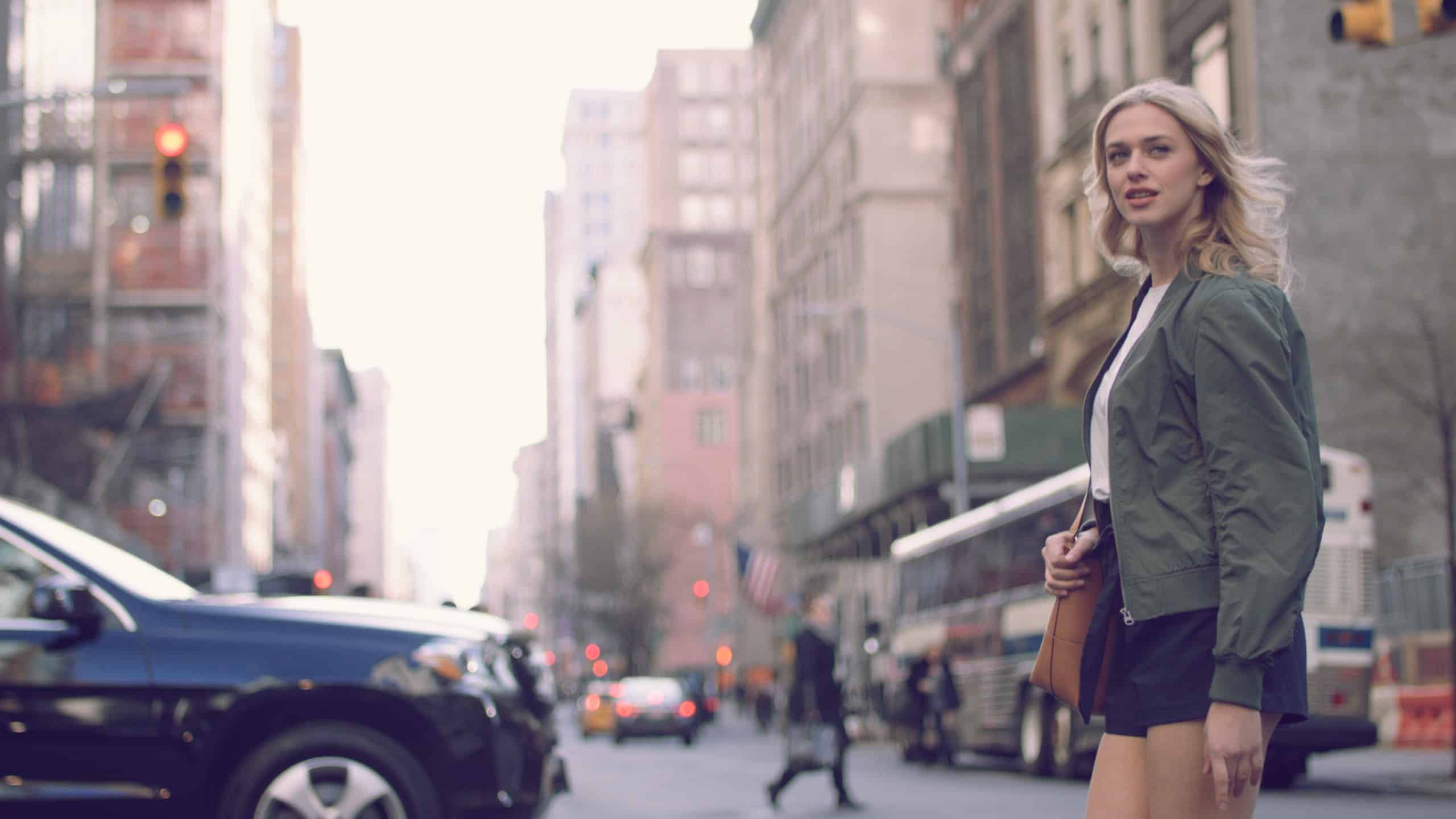
The long, full, or wide shot is a closer shot of an area where the viewer can see what’s going on but are not yet emotionally involved in a scene. The subjects are closer to the camera but far enough away that their entire bodies are in view. They may be walking or crossing a street, for example. You can move in a little closer to a medium-long shot where the subject is seen from the knees up.
- The medium shot
The medium shot takes the viewer close, so it is more informative but still not emotionally involving the viewer. This might be a group scene with dialogue. Moving in closer shows a little more of the expressions and emotions of the actor.
- The close-up shot
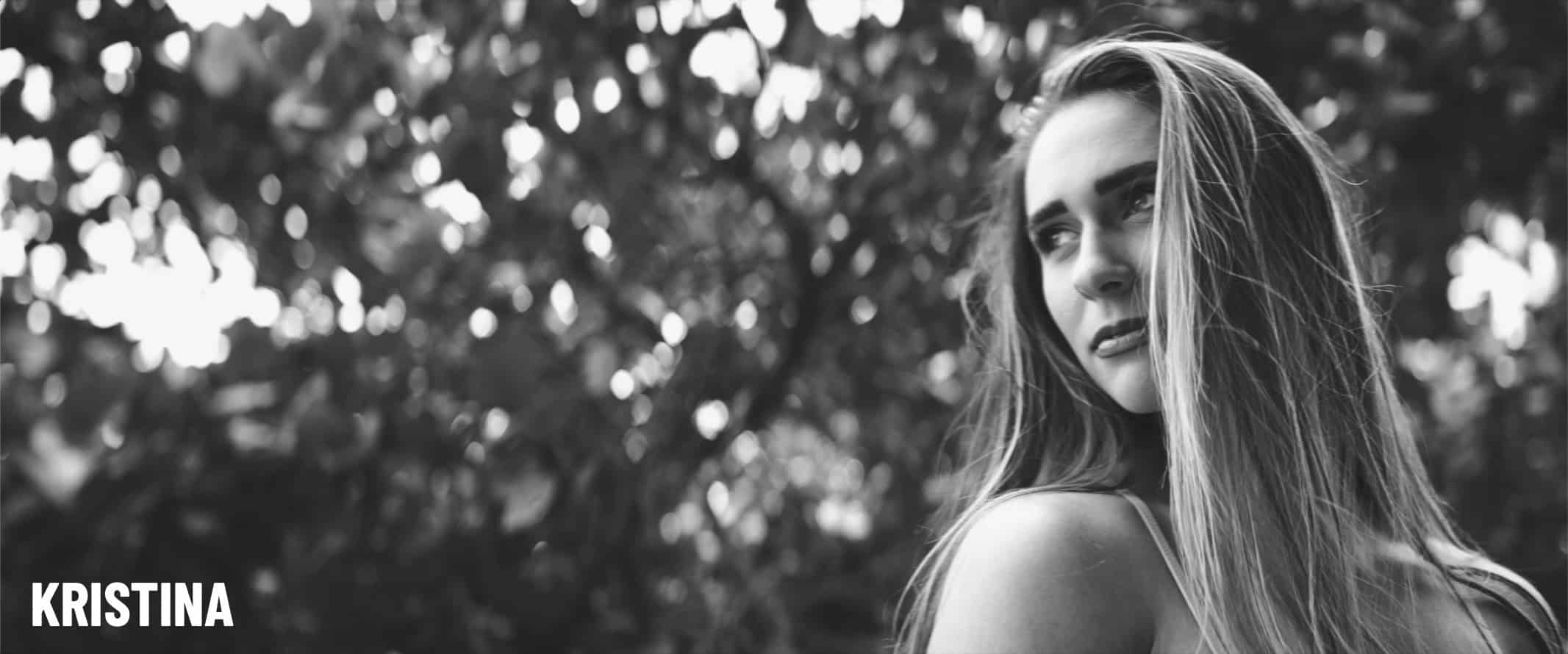
With this shot, only the head or neck up are shown. We engage the viewer and create more impact by focusing on the actor’s expressions and not the background.
- Over the shoulder shot
This essential shot is used to add depth to a shot and to make conversational scenes seem natural. It shows an out-of-focus shoulder and head in the foreground while another person or object in the background is in focus.
- Tilt Shot
The tilt shot is simple to execute but can be very useful. Try to coordinate the careful upward or downward camera movement with the scene’s action to establish a wide-angle view of or slowly reveal something.
- Panning shot
The panning shot is the same as the tilt shot, but horizontal. It is used to show the surroundings and can be great when done smoothly and stably. It has to be perfectly executed to look natural and not distract the viewer.
- Zoom Shot
A zoom shot can be elegant when done slowly and smoothly. It increases the focus on a scene or object. Please don’t overdo it!
Hold it steady! Filming Techniques 101
The first mark of an amateur is a video that is shaky or has excess movement.
It’s easy for a beginner to become dependent upon a tripod, which means lugging extra gear, and frankly, sometimes just doesn’t work. Practice positioning yourself, so your breathing is not moving the camera. Take advantage of your surroundings to brace the camera – a wall, the ground, or other objects. This will also help you discover new visual perspectives and gives you the freedom to move around the scene or the subject.
Lighting – one of the often overlooked filming techniques
Shooting outside is often desirable or even required. Outdoor shooting brings the challenge of lighting that changes very quickly. Shoot with the sun behind you, which unfortunately puts your actors looking directly into the sun, but it is preferable to having them silhouetted against the sun.
An overcast day is often better for shooting as the lighting is more consistent. Plan your shoot with ample time to wait for just the right conditions and, if possible, scout your potential location before the shoot at the same time to look for distractions and monitor the lighting.
Indoor video shooting requires special preparation. They often require additional lighting to avoid making your videos too dark. When you are shooting people, you’ll want as much light in their faces as possible. Overhead lights can be deceiving and leave faces shadowy.
Lighting is about more than merely adding more light. Positioning the lighting is critical to getting a natural effect. The standard 3-light setup (one on the subject, a backlight, and a fill light) allows you to experiment to get more dramatic results.

Avoid “spotlighting” your subject
Try to avoid putting your subject in bright pools of direct light. It can ruin our contrast and cause reflections on the subject. If using a light ring, don’t just point it at your subject. Light the shot evenly and use a diffuser to reduce shadows
The importance of audio
Good audio is essential to a food video. It adds depth, complexity, and brings the story alive by complimenting the video. Less experienced videographers often overlook two vital points. Don’t forget to caption the audio. For example, if you are filming an event or a party, you likely won’t want a silent video. Beware of unwanted sounds around you, such as planes overhead, traffic, or fans. It is easy to overlook this, so be sure to monitor the sound around you to avoid getting unusable video.
Multiple takes
Be sure to do multiple takes of the action, particularly if doing an interview or scripted shot. This gives you back up, just in case, and allows for more flexibility in editing. Even if it seems flawless, do another take!
Go easy on the transitions and effects – the most often overused video filming techniques.
Beginners often overdo the zoom into their subject or panning across the horizon. Don’t make your viewer dizzy! Focus instead on the motion that is happening and let it take over the scene. Random zooms and pans will distract from the action. Zooms and pans are sometimes appropriate, but they should be used judiciously and be dictated by the action itself.
Our essential video filming techniques will be helpful to you, even if you’re working with a full-service video agency like C&I Studios. An informed client can better participate in the planning process, which means you’ll get the results you want.
The difference between shooting photography in LA vs NYC
Shooting photography in LA vs. NYC – What’s the difference?
Shooting photography in Los Angeles brings both opportunities and challenges that are not present when shooting in New York City. Beginning with content, New York is the mecca of street photography and the star of many epic films made on location. At the same time, Los Angeles, home of the entertainment industry, brings the lighting, weather, and Hollywood film culture that’s unique to the City Of Angels.
Photographers are always on the lookout for subjects, which often creates unique and moving street scenes. New York is famous for offering up amazing street scene after street scene. The “city that never sleeps” lends itself to photography in a unique way with its diversity and an ever-changing tableau of humanity.
Los Angeles brings a diversity of locations that go beyond street and urban photography to star a variety of sites that include sunny beaches, hillside vistas, arid deserts, exciting and culturally diverse street scenes, and carefully designed sound-stages and sets.
Lighting
Lighting is more nuanced than many realize, and can be volatile and fast-changing, particularly in Los Angeles. With an average of 320 sunny days annually, Los Angeles is likely to offer up what every photographer is looking for. It’s challenging to resist natural lighting, but it is essential to remember that natural light casts shadows and can change in a moment. Many people prefer a studio’s controlled environment but are lured outside by the fascinating range of locations that Los Angeles offers.
Winter skies and tall buildings can create low light conditions in NewYork City. These can result in beautiful images. The main issues are that longer shutter speed is required. This can result in camera shake (use a tripod) or underexposed images that lack shadow detail. Shooting landscapes when the light is low (the golden hour) can be ideal. Shooting in black and white can yield amazing photographs, once you learn to “see” in monochrome.
Shooting at night in New York City can be much more interesting than during the day. There is a glow that makes everything seem more vibrant and alive. The camera will pick up more than your eyes, and using long exposures, you may even get light trails in your nighttime image. Street scenes move very quickly, and finding the right balance of shutter speed and aperture to catch the perfect light for your image takes practice.
Locations
SHOOTING PHOTOGRAPHY IN LA
SHOOTING PHOTOGRAPHY IN NYC
Los Angeles has a wildly diverse range of iconic locations and a coastline that spans miles, topography that includes the desert, sand dunes, and urban spots. The cultural centers and unique location opportunities are vast. As the film industry’s home, the city offers a rich talent pool and an excellent filming and photography infrastructure.
When it comes to filming, Los Angeles eclipses New York City in terms of the pure volume of TV and film being shot. Los Angeles offers most anything a photographer could want in terms of breathtaking vistas, a rich city underbelly, luxurious mansions, and lush city centers. Some of the most popular locations to shoot photography in Los Angeles are the famous Hollywood sign, Malibu and the iconic Malibu Pier, Venice Beach with all of its eccentricities, or the azure waters and rock formations of El Matador State Park. The many production companies and location scouts in Los Angeles will make it easy to cast your perfect location.
The City of New York has been home to many iconic films and offers a rich tableau of subjects and locations around every corner. From Times Square to Grand Central Station or the Empire State Building, or the gritty underbelly of New York, the city is awash with photographic opportunity. New York City is considered one of the top 10 cities for street photography in the world. It is full of iconic street images most any time during the night or day. It’s tough to find a scene in the city that is not full of distractions, and city shooting requires a unique talent and focuses on harnessing those distractions and weaving them into the photographic story. Whether its traffic, trains or the fabric of humanity, the opportunity to add to your story in New York is rich.
Some of the iconic locations that frequently find their way in front of the lenses are the Brooklyn Bridge, Grand Central Station, or the natural beauty and respite of Central Park. Some of the less recognizable locations are the multitude of New York streets, a plethora of local restaurants, or fashionable and trendy shops and ethnic neighborhoods. The Hamptons pull back the curtain on the charming and wealthy villages and hamlets of the super-rich just outside of the city.
Talent and Headshots
Looking at the difference between Los Angeles headshots and New York City headshots offers an interesting microcosm of some of the critical differences between shooting in these two robust and cultural cities.
Headshots done in NYC are often darker and more serious than those in LA. Even the wardrobe is different, with New Yorkers wearing more black and dark colors with a chic and minimalist feel. The images are often shot in a studio with more shadows and mood. You’ll see more natural light used and warmer tones in LA, with the subject on more colorful and provocative clothing. This tonality makes for an interesting contrast between the style and the tone of the two cities.
Weather and seasonality


Each season in New York is vastly unique. With the changes in weather come profound changes in lighting, temperature, the dress and posture of the people, and the landscape itself. The holidays bring the magic that is unique to NYC and a bustle that is palpable. Rains and harsh weather can be limiting in terms of ideal shooting conditions.
Of course, Los Angeles has its seasons as well, but it may take a true Angelino to catch the subtleties of the seasonality of this city. Seasonality puts few restrictions on your shooting but also limits much of the diversity, interest, and range that East Coast seasons can offer. Winter sunsets and sunrises in LA are legendary. With over 300 sunny days, the opportunities for year-round photography are ample.
Permits, licensing, and safety.
Some legal considerations that will apply whether shooting in NYC or Los Angeles.
When shooting simple photography in public, a model release is not always required but, be sensible. People are entitled to a “reasonable expectation of privacy.” In other words, no window peeping, and if a subject waves you off, respect that. When in doubt, ask and get a release.
Places considered “public” might not be! Theaters, shopping malls, or restaurants, for example, may have restrictions applied by the owner, which they have every right to do. Other “public” locations such as airports, museums, or courthouses may also have limitations. When in doubt, ask!
Talk to the film commission about any permitting or licensing required.
Safety tips
Be smart about where you shoot and how you carry yourself. Carrying lots of equipment or shooting in more deserted times and spots can make you a target. Use your head.
Be careful crossing streets, and watch for bicycles as well as cars.
Regardless of where you shoot, both New York and Los Angeles have very active film commissions that will provide guidance and direction on all you need to know about permitting, licensing, insurance, and more when shooting in New York City.
Whether you’re working on the West Coast or the East Coast, a full-service agency like C&I Studios will know how to select the best locations, lighting, timing, and talent for your photography shoot.
Need video production in New York? Explore C&I Studios NYC video production services.
The first 6 steps in advertising and why they’re the most important
The 6 essential steps of a powerful advertising campaign
An advertising campaign is the most valuable marketing tool you’ll have in building your brand and your sales. Planning is key to creating an effective advertising campaign. Follow these top 6 steps to bring your message to life, get it in front of the right target audience, and get the most from your advertising and marketing budget.
Learn about these six steps to a successful advertising campaign.
- Determine your advertising goals
- Identify your target audience
- Set your advertising budget and optimal campaign timing
- Determine the advertising channels you’ll use.
- Create your message and design your creatives.
- Measure and analyze your results.
Determine your advertising goals.
This first step is the most important. In simple terms, ask yourself why you are running this campaign. What are your goals? Advertising campaigns are run for many reasons. Here are some common campaign objectives
- Finding new customers – Are you expanding into new markets or verticals, are targeting a new demographic?
- Building your brand awareness – Branding is critical to the success of any company. It is your statement and promise, both visually and intellectually, of what your company stands for. Your branding tells your potential clients what they can expect from you.
- Launch a new service or product – Are you expanding your services and products and launching or promoting these new products?
- Take advantage of seasonal opportunities – Many retail companies rely upon seasonality for the lift they need in product sales and will allocate much of their marketing dollars and efforts to these peak times. Some examples are Black Friday, the Christmas season, Cyber Monday, Presidents Day, or back to school.
- Your overarching goals – Regardless of your goal, your overarching goal of any campaign should always be to reach the right people with the right message at the right time, and get them to take action.
When setting your campaign goals, be sure to set very specific expectations and goals for your campaign. What is your sales goal, your impressions, or other results you are looking for? What would a successful campaign look like?
Identify your target audience.
Knowing your target audience will inform many decisions you’ll make about your advertising campaign. Look back to your stated advertising goal to help with this targeting. Are you targeting your current users, attracting influencers, or talking to the general consumer market?
Some examples of target audiences:
- Expanding into new geographic markets.
- Introducing a new product or service.
- Building brand awareness and reinforcing what it stands for.
Research and learn from your competition. Analyze what the leading brands are doing. Look at their messaging for clues to your competitive advantage.
Segment your audience so you can speak to them in precise and personal terms. If you are talking to everyone, you may not be resonating with anyone.
Look for ways to take advantage of any opportunity to learn from your current customers. Find out they chose your product and what their impressions were. Always read your reviews and look for nuggets you can use in your promotion. Learn from your customer service team. What are your customers’ pain points, and what do they want from you? This will be your key to targeting your best prospects. In a nutshell, you want to know who your ideal buyer is, why they buy from you, and what they think of your products.



Set your advertising budget and optimal campaign timing
Again your campaign goals will drive your budget decision.
Are you running a holiday promotion that accounts for a substantial amount of your annual revenue or launching a continuous campaign to build your brand?
A full-service creative agency can be the best one-stop shopping to get the best and most comprehensive result for your advertising campaign. The right agency brings an entire team of talent. It can help define the campaign, and campaign goals will bring all the resources you’ll need like models, video equipment, creative direction, and can bring your vision to life in a way you can use again and again.
If you are creating and implementing an advertising campaign on your own or working with freelancers, remember to
consider all costs like copywriting, design as well as the paid media when setting your budget.
Look at each advertising channel and consider how you can leverage a mix of organic (free) promotion and paid promotion such as Google or Facebook ads.
You will start the campaign with a detailed budget but carefully monitor each channel and be prepared to adjust. The great advantage of digital advertising is the ability to test and quickly adapt your messaging and mix.
Decide on which advertising channels will best reach your target?
Once you understand your target, it is simple to create your media mix or a combination of media used, and each’s timing and frequency. Where does your target audience hang out? Be sure your tactics align with your target audience.
Consider whether you will create a hub such as a landing page or microsite to focus on what action or step you want your audience to take. Another tip is to consider rolling out in phases to gain learning as you go and adapt accordingly. If one channel is outperforming the rest, be prepared to adjust.
Social media can be great for word-of-mouth and cost-effective. Just be consistent across all channels to create a synergy where the whole is greater than the parts.
Create your campaign message and design your creatives.
Use simple, relevant messaging to get your message out in a clear way. You may want to adapt messaging for specific segments, but your overall branding and messaging should be consistent in all channels.
Some tips for creating effective messaging:
- Your creative should be designed to bring your product to life. Show the transformation your users will have, the end result they can expect, and how it looks in use.
- Think in terms of the results your buyer will get and not your product features. Use the power of emotion to show or tell the audience how the product will satisfy a need. Talk benefits and use powerful and emotional buying motives.
- Look for consistency in fonts, logos, layouts, and color.
- Use the same spokesperson, catchphrases, or music.
- Think carefully about the content, the structure and format, and the channel.
- What is your unique value proposition (UVP?) This is the key to your product differentiation and often becomes part of your headline or slogan.
- Be sure to adhere to any regulatory standards – FTC, FCC, FDA, that may apply to your product or media.
- Spend the time to get your headline right. Your headline is critical to your success and works the hardest.
- Don’t forget a call to action. What exactly do you want your audience to do next?
Measure and analyze.
Did you reach your goals? What worked and what didn’t work. What did you learn?
You set your goals upfront in terms of how to measure your campaign’s effectiveness. Carefully analyze each channel separately.
With digital marketing, we can measure most everything. Take the time to create a “post mortem” report to have a blueprint moving forward. Do more of the good stuff and learn from the stuff that didn’t work. If your campaign was not sales related, consider a survey to your target to see if they understood their message, if it was compelling, if it did their job.
Marketing is about learning. Follow these six steps to make your next campaign your most successful campaign.
C&I Studios offers professional advertising services from our 30,000 sq ft facility. Get a free consultation.
Agency Secrets – What Makes Killer Product Photography?
The importance of product photography
As consumers, we all fall victim to information overload daily. We all want info served up to us in the most straightforward and most easily digestible form. Enter the product image. Your product images give your viewer a look into your product’s quality and insights into your brand. In our online world, the product photography is everywhere. With Amazon, Shopify, and so many other online sources, we see it daily. The right product image that is well presented immediately creates your first impression and shapes whether the viewer stays with you or discounts your product and moves on.
A good product image carries a heavy load in the marketing funnel and can either engage and convert clients or take you out of consideration. They will nurture your customer and edge them along to the buy decision. Good photography can increase your conversion rate since they become a view of your product’s perceived quality and value. Your product images must be spot on for your brand and target market in quality, content, color theme, and tone.
What is product photography?
Most purchases come from an emotional response to how a product will make them feel.
A 2018 study reports that product images had the largest impact on digital purchases, with 83% of respondents saying product images and photos were “very” or “extremely “influential in their buy decision. Sounds like a good place to invest your marketing dollars, doesn’t it?
Product photography uses the best photographic and creative processes to evoke emotion and showcase your product online and in the print world. Product photography must speak directly to your target audience with relevance and quality. The images are one of the most essential elements in your branding and should present a consistent view of your products across your website, social media, and all other digital and print advertising.


What are the two main types of product photography?
Product only images
Product only images are a clear view of your product against a simple white background. They often feature the product from various angles to highlight the features and showcase the full use of the product in the best possible light. They are often photographed against a white background so you can show consistency across various views and other products. Many times, a product will require 10 or 12 images to represent your product adequately.
Lifestyle photos
Lifestyle or in context photos show your product being used and bring your products and brand to life. These shots are often used to tell more of a story and work well in social media, blog posts, or other digital marketing channels. They can let the viewer identify with the people or places and activity in your shots. This is the beginning of creating an emotional connection.
Specialty Shots
There are several shots in addition to the main product and lifestyle shots that may be useful in showcasing your product.
- Scale shots – These shots help your user get an idea of the size of the product.
- Detailed shots – These are close up views that will highlight specific features of the product
- Group shots – Group shots show groups of products together. Often they are related products or your product in a range of colors.
- Packaging – This is an image showing our product’s packaging. Packaging can support the quality and value of your product and manage your customers’ expectations. In may cases, packaging can be a selling point or a competitive advantage.


The basics of good product photography
There are a few golden rules of the product photography that apply to professional and amateur photographers alike. If you’re hiring an agency and professional photographers, understanding these basics will help you be a more discriminating client and make the best choice for your brand. If you have basic photography skills, these basics will help you stage, shoot, and process your product images.
Pick the right camera for the job
If you’re limited on budget and access to equipment, a good smartphone can do the job. Professional cameras are always preferable, but with some research and forethought, you can make this work with our phone smartphone camera. A pro will no have a range of equipment and lenses and will be able to accomplish shots that will not be possible for you. You won’t have the range of options offered by a DSLR camera, but you still can create compelling and attractive images.
The main settings you will work with are ISO, shutter speed, and aperture. Your ISO is what controls your camera’s light sensitivity, so you’ll use a higher ISO on simmer lighting. Your aperture (or F-stop) controls your image’s depth of field or how much of the image stays in focus. A lower aperture will have a higher F-stop and keep more of the product in focus.
The third setting is shutter speed, which is how quickly the shutter opens and closes. Slower shutter speed can yield a very sharp image but is susceptible to blur from motion.
It’s all about lighting and focus. Use a tripos whether you are using a smartphone or a professional camera. On your smartphone, a setting you’ll use is autofocus, which helps direct the shot to feature your product. You will not use zoom and flash, since they will lower the image quality.
Filters should be avoided in your product photography but may be used later on social media like Instagram, Facebook, or applications where you seek special effects.
Setting up the right background
A good backdrop can highlight your product or add mood and style to the shot.
Your main options for a backdrop are:
- Lightbox – This is designed to produce soft light and background for your product.
- Sweep – This is a curved background that can be created at home with a sheet or poster board.
- Natural light or setting – Your product is highlighted in its natural setting. Lighting is perhaps the most essential element of your shoot. It impacts the visual appearance of your product.
Always consider your product and branding before making this decision
- Get your lighting right.
Natural light is cheaper and easier to come by, but can be challenging with time constraints, the moving sun, and other elements. Artificial light is more consistent and easier to control
- Styling and composition
This decision will be based on your product and your brand. For example, food photography is often highly styled and makes use of overhead photography. They are styled with props and colors that will enhance the shoot. A professional photographer will bring this element to your shoot.
- Editing
Editing is a big part of the process. Whether you are working in Canva, Adobe Photoshop, or using other tools to color balance, color correction, white balance, and do additional image editing to make the best of your photoshoot, there is only so much you can correct after the fact.
Top pro hacks to look for in your product shoot.
Many photographers get creative and play around with producing unique images for you.
Here are a few techniques we’ve seen used very effectively.
- Unusual Angles
Think outside of the box. It’s natural to place the camera at the same level as the product, but there are more creative ways to approach this. You don’t want an angle that will distort the image but experiment with shooting from below, offside, or from above.
- Micro Shots
Get up close to feature detail and create an artsy image. These need the context of a traditional product shot but can add to the product’s emotion and branding.
- Interesting Backgrounds
A product rule of thumb is to use a plain background to keep the product front and center. But rules are meant to be broken. Find ways to stage unique background and props to add interest to your shot and separate your product from the pack. Backdrops can also be used to bring a sense of place to your shot.
- Use a reflective surface to set our products on
Putting your product on a reflective surface can crate a stunning reflection that takes the interest of your shot up a notch. Lighting can be used to enhance the reflection further. Good editing will complete the effect.
Do I need to invest in professional product photography?
Yes. If you can afford to hire a pro, you most certainly should. Your product and lifestyle images are some of the most critical elements of your marketing and will speak for you and your brand to clients who are not touching and seeing the product firsthand. They have a heavy load.
Don’t underestimate the value of using good images in your marketing. Clear, crisp, and creative photos will improve your conversion rate and the performance of your marketing. Talk with a full-service agency like C&I Studios to see how they can tell your brand’s story and bring your products to life.
7 Reasons Why Content Creation is Important for Your Social Media Strategy
Why is content creation important?
Your social media strategy and social media content are among the biggest influencers. By incorporating these content creation tips for crafting engaging posts, you can have on your audience, their connection with you, and, ultimately, their buying decisions.
Great content marketing can be the key to your success, regardless of whether your goals are growing your audience, increasing audience engagement, building your brand and brand presence, or driving sales.
Content marketing allows you to build trust and answer your audience’s questions. With the plethora of content available today on the web, your content must consistently bring value to your audience and be high-quality, devoid of poor writing and typos. In a word, you must produce killer content.
What is the goal of social media content?
- Social media content allows you to hone in on your customers’ needs and interests in a way that previously was not possible. Be that “fly on the wall” where they hang out, and to listen to what matters to them.
- Think of social media as a way to chat with your target people, engage with them, and then find more people like them. Engage. Listen. And, then create content that talks to their interests and problems.
- Create products that speak to their felt needs. Get the correct message out at the best possible time.
- Finally, an overarching benefit of stellar social media marketing and great original content is building brand awareness, brand voice, reinforcing your brand, and hone in on your target audience demographics.
In our guide to social media content and social media strategy below, we take you through content strategy basics, including content format, content analytics, and sharing content and some pro tips to help your social media content work for you!
What are the top benefits of excellent content marketing?
Build and retain your target audience
A steady flow of killer social content will be one of your business’ most important assets. Consistently create engaging, informative content relevant to your target audience, and they will be back again and again for more. Engage with them, make it easy for them to share your message, and you will build your tribe of fans. You are building more than a social network. You are building a community for your brand through your digital marketing.
Work to establish you and your site as an authority and trusted source in your niche.
Create content that is consistent in its messaging, that answers your audience’s needs and feels like you are speaking directly to them. Give them value without asking anything in return. You’ll soon be on the road to and audience that trusts and values you and your recommendations. That’s how a community is built.
Lead generation
Content marketing is an excellent opportunity to turn followers and fans into customers. If they like and trust your content, they will be likely to buy from you at some point. Create the funnel by offering free high-value opt-ins, or lead magnets in return for their email. You are now beginning to build a list of your followers. Add CTA’s in your content, on your hello bar, in pop-ups, or side panel. Be sure it is super simple for your readers to take advantage of your great extras. Lead readers to a landing page, where you can eventually upsell to an entry-level product known as a tripwire. The more relevant and powerful your content is, the easier to transition your readers to leads and customers.
SEO Ranking and authority
The more often you produce high-quality content, the more it will help your SEO efforts. Create content that is targeted to your niche, using well-researched SEO terms, and you’ll be paving the way to becoming a trusted authority in your niche and to great Google rankings.
Content Strategy 101
Good content flows from a solid content strategy. One or two posts that get substantial organic traffic can be a fantastic source of traffic and leads to your site and will allow you to embed your site link to a lead generating opt-in that will ensure list and audience building. Knowing what and when to publish is the key to a social media strategy that will connect with your audience, solve their needs, increase your reach, and build your brand visibility.
Content Creation Tips for building your content strategy
Before you start creating great content, you need a digital plan that includes a social media marketing strategy. Your strategy must be well planned out and based on your target audience, their needs, and their habits and how they will support your marketing goals and business objective. Think about the importance of evergreen content that can continue to bring your traffic, and the careful use of keywords to establish you within your niche and help your readers solve their problems.
If you already have created some sort of social media strategy, you should revisit it annually. Platforms change, the market changes, and your business goals will likely change. Competition changes, and your place in the market changes.
If you are active on social media, take the time to audit all of your channels. Which channels are active and growing and which are stagnant. If a channel is not performing well, is it because you have not been posting there, or is it the wrong channel for your target audience? Make the time to put together a solid content marketing plan to establish or maintain your relevance in your target market.
What is a content strategy?
A content strategy starts with establishing a clear picture of your target audience. Who are they, what do they need, and how can I help them? This data will help determine the optimum channels to focus on and what type of content will best engage them. From that, you will build a content plan that will serve as your blueprint. Did you know that in 2016, visual content was more than 40X more likely to get shared on social media than other types of content? (buffer.com)
What felt need are you solving for them?
Start here. If your target is too broad, a great first step is to survey your audience. When we try to serve everyone, we sometimes serve no one. Get clear on the problem your target audience and potential customer most needs to address. This information will help you niche it down and get very specific with your content.
Sometimes, your content will educate your audience and help identify their problems. Other times, it may help them to address and work through their problem. Your content curation must be based on your ongoing engagement with your target audience. What works? What content are they engaging with? Use your social media analytics, google search volume, sign up rates, and other metrics to inform your content strategy as you move along.
Why are you worth your readers’ time?
There are millions of blogs and information sources on the web. Your goal is to communicate with your potential customers as quickly and clearly as possible why you are worth your readers’ time. How can you help them? Will you inform, entertain, guide them through something that matters to them?
Pin down your unique selling propositions (UVP’s) and use them! You aren’t the only game in town. Tell your readers why your products or services are better than anything out there, or how you are different. Prove that you are worth the gift of your readers’ time.
What formats will you use?
A complete understanding of your audience will help you in the next decisions. There are many ways beyond a blog post to reach and engage an audience. Think about the best format for your potential audience. Will you work mostly in blog posts, can you create short videos or populate your blogs with infographics to illustrate your key points?
Facebook is excellent for text, image, video, and links, whereas Instagram is limited to images and videos. Twitter works for text, image, and video, while interest is great for image, video, and links. LinkedIn has its place with text and links. Take all of your findings into consideration as part of your plan. What’s the best way to tell your story to your particular audience? It is often a mix of media that best keeps people engaged, Experiment, and see what works for them.
Don’t overlook the competition. Where are they active? Do a search of each channel for your niche keywords and see who is active there. You may uncover some new competition. When you search on Google, don’t overlook both paid and organic. Set your Google Alerts for your keywords and review your competition’s social media presence, logging their friends, followers, posting schedule, and engagement and learning from them. Can you replicate, improve, or change their strategies?
Where do your people hang out?
Audience demographics provide great insight into the next topic. Use your analytics from your website as well as your social platforms. Confirm your convictions about who your audience is. If your audience skews slightly older, they may hang out on Facebook. A younger group may be more Instagram, Snapchat, and TikTok.
Don’t waste time being where your target audience isn’t. There are many platforms out there. You do not have to be active on all of them. Choose the social media channels that will be most effective for your audience and your product or service. Consider the use of both channels you own, like your website, blog, and email list. And work on social media channels such as Facebook, Twitter, YouTube are more. Do the research and find out where your people are.
PRO Tips for Optimizing the Right Metrics
1. Ensure your content aligns with your social media metrics and goals. You need to understand the end goal before you can decide what to measure.
- Want to generate traffic? Measure the unique visitors coming from social websites as a result of your campaigns.
- Want to build a following? Your key metric is subscribers and followers on your social channels.
- Are you looking for interaction with your potential customers? You should measure the quantity and type of commentary you see, such as Facebook comments, Twitter replies, likes, and sign-ups.
- Is revenue your end game? (isn’t it always eventually?!) Measure the dollar value of every lead generated from each social post. Follow the lead of big brands and measure and analyze everything.
2. Find out where your customers talk and get in there!
Do your research and find the best place for you to engage with your people. Look at what they are commenting on and engaging with and do that, but better! Don’t overlook the importance of groups as a great place to find your avatar hanging out. Create content that your people will want to talk about and share and make it super easy for them to share.
Be “the fly on the wall” Listen in on your customers via social media and get to know them.
3. When developing your content calendar, use the data from your social media channels and data from the marketplace.
- What is the market mood right now? For example, COVID19 has changed the way we learn and the way we do just about everything. How about an online challenge or course?
- What are today’s relevant issues? Does your audience want to know about when they can next travel to your destination or create a safe staycation? Do they want to learn about homeschooling the kids or how they can find online work for themselves? Give them what they want.
- Do competitive research. Why recreate the wheel? Research your competition and see if you can improve on what is working for them.
- Where is your audience showing interest? Do you notice a topic that surfaces again and again? Does it look like videos always create more engagement, comment, and sharing? Look for the patterns and get ahead of the curve with your content and format.
4. Don’t just talk about engagement.
A great way to engage with your audience in a meaningful way is to be responsive in real-time with authentic and throughout responses. People love having a personalized reply. Be genuine and prompt in responding to comments and questions, and you’ll soon have a loyal fan. Others see it and read it too, so let your responses be your ambassador.
5. Stay informed of what is happening on platforms.
This means staying on top of Facebook changes. Set a Google Alert to be sure you know what’s happening and what it will mean to you. Get to know how to work with the New Google Analytics Social Reports. You’ll find lots of great insights into Data Hub Activity and Trackbacks. You’ll see how people are talking about your site content and what they are sharing. You’ll also see the sites that are linking to your content. Backlines rule, so try to build a relationship with others in your space, or complimentary space and be responsive to them.
6. Illustrate your content!
Harness the power of infographics! An infographic is a graphic visual representation of information or data present information quickly and clearly. A picture is worth a thousand words. Infographics are shared more on the web, Twitter, and Facebook more often than any other content. They’re easy to read and consume, and people like to share them.
7. This one can’t be said enough.
Your blog MUST be mobile-friendly. Mobile is king, so make your mobile content valuable and concise. Keep your landing pages simple, and make sure your site is designed for multiple browsers and provide a link to the full site. Focus on the mobile user experience and make speed your top priority.
Tips on Filming a Video Production Abroad
Filming A Video Production While Abroad
Filming on location always brings fantastic opportunities for stunning or high impact backdrops. When filming abroad, you have a chance to also showcase different cultures and film people and products immersed in their own culture. Filming abroad does bring a host of new hurdles and challenges, but the rewards of shooting abroad are many. The best way to have a successful shoot abroad is through planning, preparation, and more planning.
Keys to planning a shoot abroad
Pre-travel Prep and planning
If there is one tip that will ensure the best chance for a successful film production abroad, it is the pre-travel preparation and planning.
- Understand the project goals – The time for the client and creative brainstorming is well before any travel plans are made. Take the time for a final review of the goals and expectations for the production and the budget. Create a solid production calendar reflecting any local holidays, deadlines, indicating weekends and weekdays, critical tasks such as hiring the crew and talent, arranging visas and vaccinations, and all other deadlines. Then pad it. Expect the unexpected.
- Understand the destination – Do your research and be sure you have a basic knowledge of the countries you’ll be traveling to. Many countries have unique laws and regulations. For example, there are some countries that limit the number of cameras you can bring. Learn the entry requirements for every country in your shoot, and the distances between locations. Ask about the time required to secure any visas and required immunizations and carnets.
- Local film commissions can be a wealth of knowledge and very helpful. Contact your destinations’ film commissions or destination organizations to ask about any possible tax incentives they may provide for U.S. productions. Review any rules and ask for help with local talent and crew, permitting, or other challenges. Start with reaching out to the Association of Film Commissioners International (AFCI). They will get you in touch with any local commissions or organizations that can be helpful. Ask about any tax back rebated or even discounted airfares. They can also help you with local crew and film equipment rentals.
Documentation
The quickest way to get off on the wrong foot is not to have all of your documentation in order. Here are the basics. Use this as your checklist to make sure nothing is overlooked, and deadlines are met.
- Ensure everyone in your production crew traveling with you has a valid passport in order with six months left on it. Check the nationality and docs of your entire crew and cast and review all visa applications to ensure they are in order. Make copies of everyone’s passports.
Bring contact details for all crew and talent, including emergency contacts, just in case. - Learn about required local laws, filming permits, fees, and how long they take for approval. Your permit application will likely be in the local language, so be sure to get a translation service to be sure you fully understand the permit.
- As in the United States, you will need release forms to get legal consent to use the footage any people may appear in. Consider any language differences and bring translations of the forms.
- Secure your carnet if that applies – See below.
- Insurance – Get the best you can afford for you and your insurance and be sure you understand the coverage.
- Language translation services are critical so be sure you understand all the documentation, permits, and releases you will be using. Get them translated from or into the native language when appropriate.
When will you need a carnet?
A carnet is an important document that allows you to travel across borders with your equipment without paying import duty or taxes every time you enter or leave a country. Import fees can be very high, and the inconvenience and delays can be significant. There are 80 participating ATA countries, so check to see if your destination is included.
Contact either your local film commission or your destination, and they can assist and direct you to a broker to arrange this. Budget for the cost of your carnet and don’t wait until the last minute. You may be asked to guarantee up to 40% of the equipment value, which will be returned if no claims are made on the equipment. A carnet is valid for one year. If you lose equipment, it will be charged against your carnet. A carnet costs $500 or more depending on the equipment’s value and the countries you’re visiting.
Tips for Traveling with Your Production Gear
Avoid the urge to bring it all! Airline baggage fees can be costly, and lugging extra equipment can be a chore. Be sure to check with the airline, so there are no surprises at the airport. Bring only what you need, and remember, you can usually rent equipment in the destination if a need comes up.
Consider hiring some of your equipment from a local production company in your destination country to lug less and avoid excess baggage charges.
Bring your own camera lenses, hard drives, computer equipment, etc., and rent boom poles, tripods, lighting, microphones.
Spend the money on hard cases to protect your equipment. Airlines can be rough on gear, and it will be moved many times during the trip. Check with the airlines on their size limitations.
Check with customs before you travel. You may be able to pre-clear your equipment. Bring proof of the U.S. purchase of your equipment just in case.
Bring extra batteries. Power and charging opportunities may be limited. Know the voltage requirements. Be sure your charger is good for 110 and 220 volts and bring a plug adapter. Don’t forget to bring extra memory cards
Getting There
- Flights – Forget about first class unless you have an unlimited budget. Save it for production! Always book flights as far in advance as possible for best rates and to minimize connections – the less your equipment is handled, the better.
- Baggage limitations – Speak to the airline about their limits and costs for excess baggage. Avoid the urge to bring everything “just in case!” Essentials only. Ask if the airline will give you a break on your equipment.
- Try to book accommodations as close to your filming location as possible to minimize travel expenses and time. If that is not possible, get close to the main transport to keep travel costs down. Don’t overlook the hotel staff- they may be helpful with special requests like storing your gear, or tips for getting around, or a good and affordable meal.
- Remember to budget for airport transfers. It may make sense to hire a car to get around.
- Try to hire a fixer to help with local knowledge, cultural issues or differences, setting up craft services, and other things you need to keep your production running smoothly. Consider working with a local production company as an alternative.
Dress for comfort
- Check the weather and the terrain before you go. Monitor it for a few days.
- If your destination is cold, be sure to bring a warm and waterproof coat. And lots of layers.
- If your destination is warm, bring natural, breathable fabrics, and again, lots of layers.
- Don’t forget your sunscreen, hat and lip balm, and in some cases, bug spray.
- The right footwear is essential. It is not the time for high fashion. Bring sturdy and comfortable shoes or boots that suit the terrain.
Editing Tips While Abroad
If you want to do some editing on the fly, there are ways you can edit and create an outstanding video with your laptop. Here are a couple of editing tips for when away from your editing bay.
- Be sure to log and archive your footage well.
- Consider using an external SSD in a protective case when traveling.
- Shoot what you need, and then add a lot more! You don’t want to come up short in the editing room when you get home.
Final Tips for Success Shooting Video Abroad
Always expect the unexpected. When it comes to your production budget, add something for unplanned extras like tolls, tipping, unexpected transportation, medical expenses, or equipment repair.
Be respectful and plan for local customs. You may need to shut down, shooting for an hour at lunch each day for a leisurely meal. Plan your schedule accordingly.
Best lenses filmmakers use when shooting in Los Angeles
Best lenses for Filmmaking in Los Angeles
Los Angeles is the mecca of the entertainment industry. Video production in Los Angeles is the backbone of the excellent content you’ll find on TV, in theaters, and on social media. Any production company’s goals and specialties are specific, and they may be for pure entertainment, to sell a product or service, or to introduce a brand.
Any Video production company in Los Angeles or anywhere in the world will call upon a series of lenses to create precisely the right effect and mood when shooting. The diversity of locations in Los Angeles that range from sunny beachfront, hillside vistas, seedy street scenes, and or carefully lit soundstage require that a great production company rely upon an arsenal of lenses to bring your idea to life.
Filmmakers use dozens of lenses, ranging from basic functionality and affordability, to super sophisticated with a price tag to match. Our guide to lenses filmmakers use will walk you through the basics of lens types and some factors to consider when choosing a lens.
Video production companies in Los Angeles
Video production companies in Los Angeles will often specialize in videos, such as VFX, which are visual effects, music videos, or documentaries. Shop around, so your project does not get pushed in a direction that does not fulfill your vision.
You’ll have no difficulty finding a full-service agency like C&I Studios that brings expertise across various projects, including product videos, music videos, and brand introduction or promotion.
Types of lenses
One of the most critical decisions a filmmaker will make is his choice of lenses. There are some basic lenses that a serious filmmaker should have. Most good video production companies are fortunate enough to have a budget that allows for an extensive collection of lenses that will provide tons of options to the videographers in creating their films. An independent videographer will need to be more selective in building their set of lenses. Some may work with as few as two lenses.
Any videographer will need a basic understanding of the main types of lenses used in filmmaking, even though they may not have the luxury of buying all of them. Understanding the options and how they are used will provide a vision of what’s possible and a wish list for moving forward.
Here is our primer on the basic types of lenses used on filmmaking and an overview of how and when they are used.
Prime Lenses
Prime lenses, which are also known as fixed focal length lenses do not have zoom capability. So if a filmmaker wants a tighter shot of their subject, they will need to move closer to the subject or change out to a lens with a longer focal view and a narrower field of view such as a telephoto lens. Conversely, for a wider view, they would move the camera away from their subject or change out to a lens with a shorter focal length and wider view, such as a wide-angle lens.
Although it can be inconvenient to change out lenses during a shoot, prime lenses provide a superior quality image. Many pros prefer using prime lenses.
Zoom Lenses
Zoom lenses, or varied focal length lenses, are very popular with most consumers. Many video cameras come equipped with a zoom because it makes it convenient to go wide-angle or telephoto quickly. This saves time and the trouble of constant lens cleaning.
For a videographer who is doing interviews, or documentaries, there is often no option for second takes and changing lens, so this is often the lens of choice. They will be sacrificing the image quality they would get with prime lenses, and most filmmakers will stick with prime lenses unless they are going for a very specific effect.
Telephoto Lenses
Telephoto lenses are longer than a prime and can get a very tight shot on a subject, showing fine details even for a subject that is far away. Telephoto lenses make people and objects appear closer together than they are. An example of good use of this lens would be shooting a freeway scene where you want actors to appear running close to cars.
A challenge of using a telephoto lens is that any shakiness or movement will be more noticeable. Think about it! Even if the camera moves only slightly, the framing can move much more. A tripod is always recommended, if possible. This lens is excellent for tight shots, closeups, and shallow depth of field to produce a soft focus.
Wide-Angle Lenses
A wide-angle lens, also known as a short lens, could be considered the opposite of a telephoto. They have a broad field of vision and are great to show sweeping vistas like mountains or oceans. There is negligible shakiness with a wide-angle, so this is a great choice when the working handheld is necessary.
The depth can be exaggerated with a wide-angel and can make subjects appear farther apart and make your subject look heavier! Use this lens for wide or long shots.
Factors to consider when choosing a lens
The investment a filmmaker makes in getting the right lenses is just as important as buying a camera body. A lens can also last for many years, while camera bodies change every year. Once you have decided what kind of lens you want, there are many review sites that will take you through various brands and price points. Take a look at our overview below to help you decide the best options and essential features for the kind of filming you plan to do and your budget. You may not be able to go “high-end,” but there are many lower-priced options and workarounds that will support the result you are looking for. Some of the key features you will want to consider are explained below.
- Mount system
It seems basic, but critical consideration is what cameras you are using and plan to use in the future. Each camera maker has a different mount system to connect their lenses to the camera, known as the mount. Some lens will pair only to their brand camera, and some are interchangeable. This is one of the first things you must consider when investing in a lens. You should be forward-looking and also think about what camera you may use in the future as you upgrade your equipment. Compatibility is key!
- Focal length
The focal length will be the next big decision. It is one of the main factors that will determine what your image looks like and is a key in how your story unfolds on video. The focal length is expressed in millimeters, with a lower number being a wider angle, and capturing more of the scene. Lenses in the range of 20mm to 100mm are used a lot in the video, and 50mm comes closer to a normal human eye’s view. A zoom will cover a range of focal lengths.
- Effective Focal Length (EFL)
What is “effective focal length”? Your camera has a sensor that can increase the effective focal length of your lens. This is a result of a crop factor. Be sure you know your camera’s crop factor, so you are getting what you think you’re getting!
- Prime vs. Zoom
We talked about prime vs. zoom above. A prime lens has a fixed focal length while a zoom can cover a range of lengths. Prime lenses will have a faster maximum aperture and get you clearer images. Zooms are usually more expensive, but they can take the place of several lenses, so factor that into your planning. Zooms can be internal zooming and external zooming with external zooming lenses being more affordable. Remember, both prime and zoom lenses have advantages and disadvantages, so your decision should be based on the type of filmmaking you plan to do and your budget.
- Aperture
The aperture is the opening in a lens that lets light into our camera. You will hear the size of this aperture expressed as the F-stop of the lens. A smaller F-stop will allow for a wider opening, allowing more light in. A wider aperture will also make your depth of field more shallow. If you see an image with a sharp focus on the subject but blurred background, this would be the sign of an open aperture like f/2.8.
Zoom lenses often have a fixed aperture, which is easier to work with, but they will be more expensive. Adjusting an aperture can make a huge difference in the cinematic effect a filmmaker gets.
- Sensor Size
The sensor format of your camera is essential. The main types of formats are full-frame, APS-C and Super 35, and Micro Four Thirds (MFT.)
Full frame sensors are the largest and work on any camera. They cover the smaller sensor. But a lens for a crop sensor used on a full-frame camera will result in vignetting your image. A lens with full-frame coverage is more versatile and more expensive.
- Adapters
Adapters are used to attach your lens to your camera if it is made for a different mount than what you have. They come in many combinations but are not without drawbacks. Sensor size will still need to be considered, and most adapters do not allow for digital communications. This means you can’t use autofocus and may even be unable to change the aperture. So be careful with this decision. An adapter can also affect the light coming in and can cost you a full F-Stop on exposure. Think through the drawbacks and weigh them against the convenience.
- Cine Lenses
Cine lenses are different than still lenses in that they are more robust, have a longer focus, and manual apertures. They are made for use in bad weather and are more costly than a still lens.
Aperture on a cine lens is expressed in T-stops rather than F-stops. T-stops express how much light is hitting the sensor vs. how wide the aperture is. This provides a more consistent control. Cine primes are more affordable than cine zooms.
Special Options for lenses
- AF or autofocus can be useful but is used more in stills than videos. AF will lock your camera on an object and keep it in focus.
- IS or image stabilization can be very helpful in taking the shakiness out of some of your videos when doing handheld work. It can be convenient but is not a replacement for a Steadicam or gimbal.
- Aperture Control: Many older lenses had a ring for manual control of aperture, much like a focus ring. This can be great when your camera does not have digital communication, and most Cine lenses offer manual aperture control.
There are many decisions to make when selecting the right lens, which can be a considerable investment. Start with a clear view of how you plan to use it and what kind of projects you’ll focus on. Think about the best lens for closeup work, for video interviews, special effects like a blurred background, and whether your work will be indoors or outdoors? Most lenses will cover a range, but you want to be sure you pick a lens that is most in your zone.
Be sure you have a full understanding of your camera system, and it’s specs. Think about the benefits and drawbacks of each lens, and of course, don’t leave the house without a reasonable idea of your budget.
Now that you understand the basics, its time to start your shopping! As an informed consumer, you can be discerning in weighing out the features and benefits, limitations, pricing, and reputation of the many products you’ll have to choose from.
If your video project is commercial and will be representing you and your products and services, you’ll want to make the best impression possible.
When it comes to video production in Los Angeles, there are many choices. Be sure to work with a full-service company like C&I Studios, who will be able to bring the right talent, skills, and equipment together to bring your vision to life.
Looking for a professional production team in LA? Learn about C&I Studios video production services in Los Angeles.
The Agency Guide On Creating Product Videos That Sell
How to Make Good Product Videos
Great product videos are one of the best ways to introduce, promote, or market your products and your message. Product videos are sharable, affordable, and according to Hubspot 2020, will increase the chance of a purchase by 144%. A high-quality video will let you compete across all platforms – Facebook, YouTube, Pinterest, and more, and can be used in paid, organic, affiliate, or social channels. Our tips will show you how to make a great product video that will help you inform, convert, and sell.
Why create product videos?
Video, in a nutshell, is an extremely compelling way to reach and engage your target audience. Video engagement on mobile is very high, and YouTube’s reach is enormous. According to SEO expert Neil Patel, Google loves videos, and they currently appear in 70% of the top 100 search listings. It may be time you got in the game with a killer product video.
What are your product video goals?
Your first step in creating a killer product video is to be clear on your project’s goals. Product videos are used in various ways at different points in the client journey. Some ways a product video can be used are building brand awareness, introducing a new product, generating leads, education to promote usage and retention with past clients. This decision will often dictate the tone and type of video you make and the all-important call to action.
The second part of understanding your goals is to be clear about who you are talking to. Remember, when you are talking to everyone, you are often talking to no one. Identify that one perfect customer, and use the tone and language that will most resonate for him to increase the relevance and effectiveness of your product video.
What story is your product video going to tell?
Storytelling is fundamental to any good product video. Use words, images, and sounds to harness emotion and take the viewer on a quick and precise journey. Make it personal and put your product into a context where a viewer sees a familiar problem, and your product is the star that solves that problem. Talk to them, not at them, and be clear on how your product will make their life better.
Avoid the common pitfall of talking features! Your viewer wants to know what it means to them, and your job is to show them in an engaging and sometimes entertaining way.
What style of product video are you making?
Three basic types of product video formats are commonly used. An on-camera demonstration might feature you or an actor and is a great way to show your product in action, such as an exercise machine or cooking product. Remember, context is everything. “How does it help me?”
Voiceover videos are also a very common way to showcase a product, as are videos that use titles and captions. Your decision will be driven by the nature of your product or service and your budget.
Tips for creating a great product video
- Planning your video
The planning stage includes clarifying the project goals, deciding on the budget, production timeline, and video format. This is the time to brainstorm ideas and think about how the video will be used moving forward. You’ll want to have your overall marketing of the video in mind before you move forward.
Now is the time to work with your video production company to decide the best way to increase trust, engagement, and conversion with your target audience.
- Scripting your Video
Your script and your storyboard will happen hand-in-hand. A good creative team will need to understand your product, the unique value your product can bring, and how it will transform a user. They will know the goals of this project and how the video will fit into your marketing plan. A talented team will weave these elements together into an engaging, concise, informative, and persuasive way to tell your story.
Be sure you have clearly explained the product and what it will do for them. Use captions, messaging, and other cues to help tell your story. Don’t assume they know anything about the product and break it down, so it is super clear. Tell the story, tie it up, and then tell them what to do next. What do you want them to do? Contact you, buy a product, visit your site? That is your call to action.
Your script is the backbone of the video. Think about it like a movie. Create conflict (the problem your product solves). Set the conflict up in a way that is relevant to your target audience. Present our project as the solution to that challenge. Be sure your unique value proposition is front and center.
Depending on your video’s purpose, you may want to add a unique value or discount for the viewers of the video. Consider adding that at the end where you can later easily remove it. It can be something of value to the viewer or a special rate specific to those who have seen this offer.
This is not a place to be longwinded! Pare it down and stick to the essential points to tell your story. Pare it down!! Be sure the language, the tone, the imagery, and the feel of your video are consistent with your brand. Make space for logos, standard imagery you may use, and any other pointers to your brand.
Once you have agreed in concept with the script and the storyboard, the shoot will take place. A good video production company will carefully pick the best location and video for your format. They will shoot extra video footage to allow for choices in the editing room to help you get your story told perfectly. Remember, engagement is everything, so be human and have a conversation with your potential customer.
- Sound
Music or other sound elements can transform a video project. An upbeat song with happy music certainly creates a different vibe than what you may want for more serious products. If you are using voiceovers, don’t add music that is going to compete with the content. Beware any ambient noise or soundtrack instructions. If you are using Facebook, remember that Facebook required the viewer to click for sound. Will your video get attention without sound?

PRO TIP – Your production company will ensure they acquire rights to any music used in the video.
- Bring your brand forward.
Bring the personality of your brand forward. Your brand must be consistent in all of your marketing platforms and showcase your brands look and feel. Use proper logos, consistent language and, and maintain a tone and style that your fans will recognize.
- Call to Action
Once you’ve told your story, it’s time to wrap up. We need to tell your viewer what we want them to do now! This is called providing a call-to-action.
What do we want them to do? You need to tell your viewers if you want them to download, buy, subscribe, call, or visit your website. There are several ways to show your call to action. You may want to choose one method or combine several.
- Title cards can be added to the end of your video.
- A voiceover on camera can be added and can bring continuity to what they have heard during the spot.
- You can add a call-to-action button on the video so the viewer can click on it. (This option is not going to be available with all platforms.
How to create a video marketing strategy
Your video is only as good as your promotion of it. Be sure your video is produced with SEO in mind. It should have a well-written description that is tagged with relevant keywords and help boost it.
Create a great title and promote it everywhere.
Once your video has been perfected, get the most out of your investment by using your video to tell your story across all platforms.
- Include your video on your website homepage.
- Create a landing page that sets up the video and point any ads from there.
- Syndicate this out to Facebook and other social media using ads and organic promotion and taking them back to your landing page.
- Many people host their videos on YouTube. Remember, this will take them off your page, though.
A well-produced video can be the key to taking your digital marketing to a new level. Video is an amazingly effective way to tell your story, but it needs to be well done. That means the casting, the scripting, the production, the music, and the location all need to work together to tell your product’s story.
Your marketing video needs to be responsive to mobile devices and of high quality. Invest in an experienced video production company like C&I Studios to bring your product to life!
Inside the Editing Room
Anything can be made perfect in The Editing Room
THE TATTOO REMOVAL
Tattoos are awesome. They look stunning. They’re dope to photograph and film. Many people we work with sport some serious ink. If you have a tattoo you want a new one ALWAYS. Yup, tattoos are great. Even our client thinks so. But once we got into the editing room to work on their latest video, they decided they didn’t want to see the model’s tattoo — a minor detail that would make all the difference in the quality of the final product.
So, what did we do?
Well, we didn’t just say “oh well, nothing we can do about it.” We also didn’t say it needed to be reshot. Come on! That means rebooking the location and rehiring talent. It’s just not an option. Instead, we said no problem and used our skills in the editing room to make the shot perfect. That’s the only true workaround.
We used DaVinci Resolve and After Effects to remove the model’s visible wrist tattoo from every scene then blended the editing to make the sequence flawless.
Here’s the BEFORE & AFTER.




The Importance of Sound on Your Video
The importance of audio engineering and mixing on a video production can easily be overlooked. This oft-overlooked element of your creation is powerful and can be as important to your brand as a logo or tagline, and as important as the video content itself.
Music or sound is often tied to an emotion that can transport us in time or propel us along a new journey. The right sounds can set the mood for your production or help your video teach, transform, or inspire your audience. Think about the roar of a Harley or the tinkle of ice in a perfect crystal cocktail. Just a couple of short sounds and the audience is transported.
Finding the perfect music to marry with your video is an art. And picking those few notes that work, at just the right time and the right level, is what sound engineering is all about. It may be only those few perfect notes or an entire symphony.
When thinking about the soundtrack of your production, there is much more to think about than music. The voiceovers must be perfect, the ambient sound managed and sometimes brought forward to star in your production, and any music perfectly timed and applied. There is never just one take! Excellent editing skills and the best editing technology are essential.
When it comes to sound on your video, audio clarity is critical. You may not notice perfect audio clarity, but you will undoubtedly notice poor audio clarity. It has ruined many a production. While the technical aspects of audio engineering and mixing are very complex and exacting, it’s the art of mixing and working with the producer to get the perfect sound that will fulfill the creative vision, and that sets good audio engineering apart.
Every production company does not have sophisticated audio engineering and mixing capability. When deciding on a production partner, ask about these capabilities, and meet the team. Quality sound can make or break your project.
A top agency like C&I Studios will be proud of their audio engineering team and will be happy to showcase some of their work or share behind the scenes videos with you.
What Is A Sound or Audio Engineer
Audio engineers, also known as sound engineering technicians, work on software and equipment that records, mixes, or reproduces music, sounds, voices, and sound effects. They record the actors, athletes, or other sounds of video production to create one cohesive final soundtrack that helps deliver audio quality the message or story a video sets out to tell.

What is sound editing?
Sound editing is collecting the sounds that are needed for any video production. The editor is a creative, who will select and compile any sounds and sound effects required, to prepare them for audio mixing and mastering. Their job is to deliver high-quality audio based on sound video editing.
There are several techniques for audio editing, depending upon the sophistication and tools available to the editor. These techniques are burning the audio onto a disk, copying it to a drive, or fading.
Some terms you’ll hear in a sound studio that describe the audio process include adjusting gain, which refers to the sound level and keyframing levels, which applies to secondary audio, which is often music. Editing will address background noise or ambient sound. Even though the unexpected is planned for, there are always surprises like a plane overhead or an air conditioning unit that kicks in at an inconvenient time. So an editor will “de-noise” the audio.
You’ll also hear about crossfades. This is the sound equivalent of video fade-ins and fade-outs and is usually just a few frames long. Finally, you’ll hear about panning, which means panning the audio along with the video creating a natural feeling of movement with the action and building suspense or interest in the action.
What is Audio Mixing and Mastering
Audio production is an essential part of the overall video production process in which all the individual elements create the cohesive whole of a video that transforms or moves the audience and fulfills the client’s creative vision. Mixing and mastering are two equally crucial basic core audio production functions. People often confuse the two elements as the difference can be subtle. It is possible to have a good mix and a poor master and vice versa.
Mixing takes place before mastering and involves adjusting various tracks to produce an audio file. That file is then mastered, which makes sure all of the sounds are polished and work together.
The audio mixer is often on the set and will process the sound in post-production. They may use multiple mics, creating several layers of audio that can then be split.
What audio equipment does an audio engineer use?
An audio engineer will perform various functions like recording, editing, mixing, and mastering. Studios are mostly digital these days. He will rely upon several tools to do this. He will need microphones, good headphones, a console or mixing board, computers, and various software packages. A sophisticated studio will have an array of equipment beyond the basics to allow them to be more efficient, nuanced and professional
Can a mastering engineer correct a poor quality mix on a song or audio track?
A good video production company will focus on getting it right from the start. That’s why you’ll see multiple takes on the set, even though the variance seems to be so subtle. Multiple takes allow both the video editor and the audio editor to find the best possible takes for the final product.
A mastering engineer can “fix” certain things. He will likely “hear” things in a studio that were missed on set. Mastering can improve the sound quality of an audio track, and put the emphasis on or off certain parts of the audio. They can also address tonal imbalances. They may notice pops or other unwanted noise, The mastering engineer will use the tools they have to work around any problems, but it’s always desirable for these “fixes” to be minimal and that you get it right from the start.
What is the difference between audio engineering and acoustic engineering?
An important distinction between an audio engineer and an acoustic engineer is that while they are both involved in creating good sound, specifically music, an audio engineer will deal with all aspects of audio. In contrast, sound designers focus on the specific job of designing sound for films, games, or Television.
What training do audio engineers have?
Audio engineers working on the creative side of the business, such as with films and music, come from a mix of backgrounds. They may train in audio, fine arts, music, broadcasting, or electrical engineering. Many colleges offer education in audio engineering and sound recording. On-the-job training is essential, and many audio engineers have not formal training.
Audio engineers do also work in research and development. They will usually have a degree in acoustics, physics, engineering, or computer science. They could work in consulting, or with an audio company like the producer of headphones and other equipment. Research and academic positions are also potential career tracks for people with this training,
C&I Studios offers professional audio engineering services from our 30,000 sq ft facility. Get a free consultation.