
Index Template
Video Marketing Statistics 2026
Video Marketing Statistics 2026
When we sit down with brand teams at our Los Angeles studio to plan the year ahead, the conversation almost always circles back to the same question: what do the latest video marketing statistics actually tell us about where audiences are spending their attention, and how should that reshape the work we ship? After more than a decade producing campaigns for Nike, Coca-Cola, AT&T, the NFL, NBC, H&M, Calvin Klein, and SiriusXM, our team has learned that raw numbers are noise without interpretation. The right data points, read correctly, can rewire an entire marketing calendar.
This is our 2026 working file: the figures we keep pinned to the wall in our edit suites, sorted by what they actually change about strategy. Some of these numbers will surprise you. Some will validate what you already suspected. Together, they paint a picture of an industry that has matured past the question of whether to invest in video and has moved into far more interesting territory, including where to publish, in what format, at what length, and for which audience.
We have organized everything below into ten categories. Skim what you need, then look at the section at the bottom where we translate the data into a working playbook our video production services team is using right now.

The State of Video Marketing in 2026
Video is no longer the experimental line item in a marketing budget. It is the line item. The figures below describe an industry that has gone fully mainstream and is now expanding into territory that even five years ago felt speculative.
91% of businesses use video as a marketing tool
According to Wyzowl’s annual State of Video Marketing report, adoption has crossed a threshold that essentially makes video table stakes. The remaining nine percent is largely composed of niche B2B verticals and very early-stage startups. If you are still debating whether to invest, the debate is over. Your competitors already did.
Global video advertising spend is on track to exceed $240 billion
Total worldwide spend on video advertising, including connected TV, social video, and digital display with video creative, continues to climb at roughly 11% year over year. That growth is not coming from net-new budget. It is coming from migration away from static display and audio-only formats.
96% of marketers say video is an important part of their strategy
This number has barely moved in three years, which actually tells us something important. We have reached saturation on the question of importance. The interesting differentiation in 2026 is no longer about whether to use video but how strategically each team deploys it across funnel stages.
89% of consumers want to see more video content from brands they support
Audience demand outpaces brand output in every category we track. When our team meets with clients about their content creation services needs, the gap between what audiences want and what brands publish is almost always the easiest opportunity to capture.
Video marketing budgets grew 26% in the past 12 months
The average year-over-year budget increase reported by marketing leaders is the largest of any single content category. For context, written content budgets grew 7% and podcast budgets grew 14% over the same period.
78% of marketers plan to increase video spending in 2026
This forward-looking number is the one we pay attention to most when planning capacity for our facility. It means demand for production capacity is going to stay tight through the back half of the year, particularly for premium and connected TV formats.
How People Actually Watch. Consumption Statistics
Strategy starts with viewing behavior, not platform features. The way audiences consume video has shifted dramatically since 2022, and the video marketing statistics in this section explain why so many brand playbooks need a refresh.
The average person watches 17 hours of online video per week
That figure is up from 16 hours in 2024 and 10.5 hours in 2018. Video viewing is approaching the upper limit of available leisure time for many audience segments, which means brands are now competing for attention against entertainment, not other ads.
75% of all video views happen on mobile devices
Mobile-first is no longer a planning principle. It is a production constraint. We design vertical and square cuts as part of the original shoot plan, not as an afterthought in post-production.
Consumers watch an average of 84 minutes of online video daily
Daily consumption has more than doubled since 2018. That sustained growth is the single strongest signal that connected TV, short-form, and creator content are still expanding their share of total media time.
92% of mobile video viewers watch with the sound off at least some of the time
Captions and visual storytelling are not accessibility nice-to-haves. They are the primary delivery channel for the majority of mobile viewing sessions. Every cut our team finishes goes through a sound-off review before approval.
50% of viewers decide whether to keep watching within the first six seconds
The six-second decision window is a hard constraint on opening shots, sound design, and on-screen text. The conventional cinematic build is a luxury that mobile attention does not give you.
Average attention span on long-form online video has dropped to 1.7 minutes
Pure long-form is not dead, but the cadence has changed. Audiences will stay for 20 minutes if you earn each minute, but they will tap out at 90 seconds if the pacing feels lazy. We re-edit director’s cuts aggressively for this reason.
Video Marketing ROI and Conversion Statistics
Of all the video marketing statistics we share with new clients, the ROI numbers are the ones that actually unlock budget. Here are the conversion and revenue figures our team uses most often when scoping engagements.
87% of marketers report direct positive ROI from video
That figure is up from 33% in 2015, which is one of the most dramatic shifts in any marketing channel in the last decade. The improvement is partially due to better measurement, but more of it comes from production teams getting smarter about format-platform fit.
Video on a landing page can increase conversions by up to 86%
The ceiling is high, but realized lift varies dramatically with the video’s placement, length, and integration with the page’s primary CTA. A 30-second hero video usually beats a 90-second one on a SaaS pricing page in our experience.
Emails with the word “video” in the subject line have 19% higher open rates
Even the suggestion of video lifts engagement upstream of the actual click. The implication for nurture campaigns is that video thumbnails belong in your email program even when you are linking to a landing page rather than embedding inline.
90% of consumers say video helps them make purchase decisions
This is the figure we cite most often when explaining why product video belongs on the PDP, not buried on a separate page. Decision-stage video changes outcomes more reliably than awareness-stage video, despite getting a fraction of the budget at most brands.
Product demo videos increase purchase intent by 97%
The lift on purchase intent from a well-produced product video is roughly equal to the lift you would get from cutting your price by 15 to 20 percent. Most marketing teams do not realize they have a cheaper lever sitting unused.
Including video in a sales outreach email triples reply rates
For B2B teams, the personalized video reply is the single highest-leverage tactic we have seen in years. Cost per response drops dramatically even when production quality is intentionally rough.
Video SEO and Search Statistics
Search behavior has shifted dramatically toward video, and not only on YouTube. The video marketing statistics below show why SEO teams now treat video as a core ranking surface rather than a supplementary asset.
Pages with video are 53 times more likely to rank on Google’s first page
The Searchmetrics figure that produced this multiplier is several years old now, but follow-on studies have continued to confirm the directional finding. Google’s preference for multimodal results favors pages that combine text, image, and video.
YouTube is the world’s second-largest search engine
Roughly three billion searches happen on YouTube every month. For categories where users actively look for how-to, comparison, or review content, YouTube SEO often produces more qualified traffic than Google SEO at lower cost per visitor.
Video can lift organic traffic from search engines by up to 157%
The lift is not automatic. It comes from properly tagged, transcribed, and structured video content that search engines can crawl and surface. Skip the metadata work and the lift evaporates.
Video appears in 26% of high-volume Google search results
Video snippets have become a fixture of the SERP for product, how-to, and entertainment queries. Brands not producing video are not just losing a content channel. They are losing real estate inside the queries their customers run.
70% of YouTube watch time comes from algorithmic recommendations
YouTube SEO is increasingly an algorithmic discovery game, not a keyword game. Watch time, click-through rate, and audience retention on individual videos now matter more than title and description optimization in isolation.

Live Streaming and Connected TV Statistics
Live and connected TV have absorbed budget from traditional broadcast at a pace that surprised even the most optimistic forecasts. The statistics here track that migration.
Live video gets 6x more engagement than recorded video
Live streaming consistently outperforms pre-recorded video on engagement metrics. The format works particularly well for product launches, behind-the-scenes content, and Q&A sessions. Our live streaming services team has watched live event budgets nearly triple at enterprise clients since 2023.
80% of audiences prefer watching live video to reading a blog post
The substitution effect is real. Audiences who used to consume blog posts as their primary information source now default to live or recorded video for the same content, particularly for product education and category research.
Connected TV ad spend reached $33 billion in 2025
Connected TV has effectively become the new primetime. Premium long-form video is now produced primarily for CTV distribution, with broadcast TV serving as a secondary outlet for most national brands.
67% of viewers are more likely to buy event tickets after watching a live stream
For event marketers, the live stream is not a competitor to in-person attendance. It is a marketing channel that drives future ticket sales. This is particularly true in the music and entertainment categories where our music video production team works.
US live commerce sales are projected to exceed $50 billion in 2026
Live shopping was the format that everyone predicted would explode in 2021 and then visibly underperformed for two years. It is finally catching on at scale, primarily on TikTok, Instagram, and Amazon Live.
AI, Production, and Format Statistics
Production economics have shifted under our feet over the past 18 months. These video marketing statistics describe how AI, vertical video, and changing format preferences are reshaping the cost and structure of video programs.
75% of marketers experimented with AI video tools in the past year
The vast majority of brands are now actively testing AI generation, editing, or enhancement tools in their workflows. The productive use cases are narrower than the hype suggested, but they are real. We use AI heavily in storyboarding, rough cuts, and asset variation, less often in final delivery.
AI-assisted production can reduce costs 40-60% for certain video formats
The cost savings are concentrated in specific categories: product variant videos, localization, social cutdowns, and B2B explainer content. Hero brand films and premium creative still require human craft from start to finish.
51% of consumers can identify AI-generated video content
The uncanny-valley problem has improved but not disappeared. Consumer skepticism toward fully AI-generated brand content is high enough that the safer creative strategy combines AI efficiency with human-shot footage and real on-screen talent.
Vertical video has a 90% higher completion rate on mobile than horizontal
If you have not converted your mobile-targeted creative to native vertical, you are leaving most of your potential engagement on the table. The completion-rate difference is the single largest format variable in social video performance.
Captioned video earns 12% more view time on average
Captions are no longer optional. We caption every cut by default in our audio and post-production workflow, regardless of platform. The engagement lift more than pays for the additional production step.
60% of brands plan to use vertical video as a primary format in 2026
The vertical-first shift is now planned, not reactive. Brands that built their 2024 and 2025 programs around horizontal hero content are restructuring their creative pipelines to lead with vertical, then derive horizontal cuts where needed.

What These Video Marketing Statistics Mean for Your 2026 Strategy
Statistics describe the world. They do not change it. What follows is the working playbook our team uses to translate the figures above into actual production decisions, and the patterns we believe will define the next 18 months.
First, video is now a system, not a campaign. The brands posting the strongest growth in our portfolio are running continuous video programs that produce 80 to 200 assets per quarter rather than one or two hero films per year. That requires a different organizational structure, a different relationship with a production partner, and a different way of thinking about creative reuse. Brands looking to make that transition often start with a branded content series as the spine of their program, then build short-form derivatives off the master shoots.
Second, format-platform fit is the new creative brief. The single most consequential decision in any video brief is no longer the script or the visual treatment. It is the answer to a more boring question: which format goes where, in what aspect ratio, at what length, with what end card? Brands that answer this question in pre-production save twenty to forty percent in post and ship faster. Brands that figure it out in post pay the cost twice.
Third, the production stack has shifted. Modern video programs blend high-end studio production for hero work, location capture for documentary and authentic content, and AI-assisted variant generation for the long tail of social and personalization. Our facilities in Fort Lauderdale, Los Angeles, and New York are increasingly configured to handle all three workflows under one roof. Brands evaluating video production in Los Angeles, video production in New York, or video production in Fort Lauderdale are usually evaluating whether their partner can flex across these modes, not just deliver one of them well.
Fourth, the talent pool has reorganized around versatility. The most valuable producers, directors, and editors in 2026 are the ones who can move fluidly between cinematic long-form and platform-native short-form without losing craft. The siloed structures that defined creative agencies for thirty years have not held up well against this reality. Our hiring at C&I Studios has skewed heavily toward people with this versatility profile for the past three years.
Fifth, measurement has finally caught up to creative. The era of “video is impossible to attribute” is over. Between platform-native measurement, multi-touch attribution, and lift studies that are now affordable for mid-market brands, there is no excuse for treating video as a faith-based investment. Demand the same accountability from video that you demand from search and email. The video marketing statistics in this post would not exist without that shift, and the brands acting on those numbers are taking share from the ones who are not.
Sixth, and this is the most important pattern we see: brands that build long-term creative continuity outperform brands that chase trends. The TikTok trend cycle is real, but the dominant brands on TikTok are the ones whose voice is recognizable across every video, not the ones who jumped on the latest sound. Continuity of voice, character, and visual identity across hundreds of pieces of content is the new brand-building lever. It is harder, and it is the work that matters.
If your team is staring at these video marketing statistics and trying to figure out what comes next, the honest answer is usually some version of the same thing: more video, in more places, produced more consistently, with sharper format discipline. The good news is that the production economics have never been more favorable for brands willing to commit. The bad news is that the bar for what audiences consider acceptable has never been higher.
Our team is happy to talk through any of these statistics in more depth, and to share the proprietary benchmarks we maintain for the verticals we work in most heavily. If you want to compare your current program against the numbers in this post, or want to see the kind of work we ship for clients like the ones referenced above, browse our recent projects or reach out to the team.
Work with C&I Studios
If you are planning a project like this, our team can take it from concept to final delivery. Explore our video production services, browse our work to see how we tell brand stories, and get in touch when you are ready to start.
20 Brand Awareness Campaign Examples That Worked
20 Brand Awareness Campaign Examples That Worked
Every marketing director eventually faces the same problem: the brand is good, the product is solid, the team is talented, and yet most of the target market still cannot pick the company out of a lineup. That is the problem these campaigns are built to solve, and the best brand awareness campaign examples from the last two decades show how creative scale, sharp insight, and unforgettable execution can turn an unknown name into a household reference. We have worked on the production side of campaigns for global brands, regional challengers, and category disruptors, and the lessons across them are surprisingly consistent.
This article walks through twenty campaigns we keep coming back to as a reference, what made each one land, and what production teams and marketers can borrow from them. Some used massive budgets. Some used one studio, three lights, and a smart script. The common thread is not money. It is a clear point of view, an emotional payoff, and content built to be shared.
Why Brand Awareness Still Drives Real Revenue
Performance marketing took over the budget conversation for most of the 2010s. Cost per acquisition, return on ad spend, last click attribution: the metrics rewarded direct response, and brand work got pushed to the margins. That trend reversed once marketers noticed that performance returns flatten when the brand itself does not pull weight. Les Binet and Peter Field made the academic case for it, and a generation of CMOs rediscovered what their predecessors already knew. People buy from brands they recognize and trust.
A strong brand awareness campaign does three things. It widens the pool of buyers who think of you when the category comes up. It lowers the cost of every future performance dollar. And it earns media coverage and word of mouth that paid budgets cannot purchase on their own. Look at any of the WARC effectiveness award winners from the last decade and you find this pattern repeatedly: long-term brand investment compounds.
That is why we still see strong demand for corporate video production and branded content series work even from clients who spend most of their digital budget on performance. The two engines feed each other, and the brand engine is what creates pricing power over the long run.
The Anatomy of a Brand Awareness Campaign That Sticks
Before we go through the brand awareness campaign examples themselves, it is worth naming the shared traits we look for when we sit down to design one for a client. The first is a clear emotional register. Whether the campaign is funny, defiant, sentimental, or absurd, it does not try to be everything at once. The second is repeatable visual or verbal craft. A campaign with a recognizable look, tone, or device travels further. The third is distribution discipline. The best ideas die when nobody sees them, and the worst ideas occasionally win because someone bought enough reach.
Production quality matters too, but probably less than people assume. Some of the campaigns below were shot on tight budgets. What separated them was the idea, the writing, and the willingness to commit to a single bold direction. Our creative services team spends most of its early-stage time on those choices rather than on equipment lists.
Brand Awareness Campaign Examples From the Biggest Players
We will start with five campaigns from companies that already had global recognition before launching the work. The interesting question for a brand of that size is not how to get noticed but how to stay culturally relevant. These examples answered that question with clarity and nerve.
Apple, Think Different
Released in 1997 as the company clawed back from near bankruptcy, Think Different was a one-minute black and white montage of Einstein, Gandhi, Dylan, Picasso, and other rule breakers, narrated by Richard Dreyfuss. There was no product. No specifications. No mention of computers at all. The ad was a declaration of identity, and it reset what the brand meant to a generation of buyers. Two decades later, advertising students still study it. The lesson is permission to subtract: when you trust the idea, you can leave almost everything out and the message gets stronger.
Nike, Dream Crazy
Nike has produced more memorable brand work than almost any other company, and Dream Crazy featuring Colin Kaepernick may be the most discussed of the last ten years. The campaign generated immediate political backlash and even larger sales lift. It reportedly earned more than two billion dollars in earned media within days of launch. The brand stood for something specific, alienated a small segment, and deepened loyalty with the rest. That is the trade brand awareness work always asks marketers to consider.
Coca-Cola, Share a Coke
Personalization at scale, executed through one simple substitution: replace the Coca-Cola logo on the can with the most common first names in each market. The campaign started in Australia in 2011 and rolled out to more than eighty countries. Sales reversed an eleven-year volume decline in the United States. The lesson is that brand awareness work does not always have to be a film. Sometimes it lives on the product itself, and the product becomes the medium.
Dove, Real Beauty Sketches
A forensic sketch artist drew women based on their own self-descriptions, then drew the same women based on how strangers described them. The contrast was the point. The 2013 film became, for a stretch, the most viewed online ad of all time. Dove had been running its Real Beauty platform since 2004, and this single piece of work crystallized everything the brand stood for. Long-running brand platforms make individual campaigns work harder, because each new piece sits inside an established universe.
Old Spice, The Man Your Man Could Smell Like
Wieden+Kennedy and Isaiah Mustafa took a brand most younger consumers associated with their grandfathers and turned it into the funniest thing on television. The first spot ran during the Super Bowl in 2010 and the brand followed up with a real-time response campaign on YouTube and Twitter that pushed two hundred personalized videos out in a single week. Sales of Old Spice body wash reportedly doubled. Comedy is the most underused weapon in brand awareness work, and this campaign showed how far it can carry a category.
Brand Awareness Campaign Examples Built on Bold Video
The next five campaigns leaned heavily on film craft. Each one used the medium to do something a static ad or a social post could not have pulled off, and in every case the production choices were central to the result. These are the brand awareness campaign examples we cite most often when a client asks why investing in proper video production services matters.
Always, #LikeAGirl
Leo Burnett asked adults to throw like a girl and run like a girl on camera, then asked young girls the same questions. The contrast in interpretation was devastating. The film aired during the 2015 Super Bowl, sparked a global conversation, and reportedly shifted brand favorability among young women from low double digits to more than seventy percent. The campaign worked because the documentary technique gave the message its weight. Scripted dialogue could not have done that.
Spotify Wrapped
Spotify turned listening data into an annual cultural event. Every December, users get a personalized highlight reel of their year in music, designed to be shared. The brand essentially gets users to run its end of year advertising for free, at massive scale. Wrapped is now a template that other companies imitate, and it shows how data and design can combine into a self-perpetuating awareness machine. Anyone building a social media marketing strategy in 2026 should study how this campaign turns ordinary product usage into shareable content.
Volvo Trucks, The Epic Split
Jean-Claude Van Damme performs a side split between two Volvo trucks driving backwards in reverse. The film cost less than half a million euros to produce and generated more than one hundred million views and a reported brand consideration lift that paid for itself many times over. The campaign was aimed at a B2B audience of commercial trucking buyers, which makes the result even more interesting. Even the most rational purchase decisions are influenced by brand feeling, and a single dramatic film can shift that feeling more than years of trade press.
Red Bull, Stratos
Felix Baumgartner free-fell from the edge of space in October 2012, live on YouTube, with a Red Bull logo on his suit. Eight million people watched concurrently. The campaign was the culmination of years of brand investment in extreme sports content, and it set a new ceiling for what a brand could produce. Most companies cannot fund a space jump, but the underlying principle scales down: own a content territory that nobody else can credibly occupy. Our team uses this principle when we plan branded content series for clients who want to dominate a niche.
Dollar Shave Club, Our Blades Are Great
Michael Dubin shot a ninety second launch video for around four thousand five hundred dollars in a single afternoon in 2012. The film generated twelve thousand orders within forty-eight hours, set the company on the path to a billion dollar Unilever acquisition, and rewrote the playbook for direct to consumer launches. The lesson is permanent. A single sharp idea, well written and well delivered, outperforms a slick production almost every time. We mention this campaign in nearly every kickoff meeting where a client worries about budget.
How to Adapt These Brand Awareness Campaign Examples for Your Own Work
Most readers of this article are not running Nike’s marketing department. The good news is that the principles behind these campaigns translate down to almost any budget level. Pick one emotional register and commit to it across a year of work. Develop a recognizable visual or verbal device, whether that is a color, a typographic treatment, a recurring character, or a phrase. Plan for distribution before you plan the creative, because reach is what converts a clever idea into a brand awareness asset.
If your audience is local, prioritize the channels where your community actually gathers. We see this constantly with our Fort Lauderdale video production work, where regional brands routinely outperform national competitors by owning local cultural moments. The same logic applies in our Los Angeles and New York markets, where the cultural fluency required to make work that feels native to the city is itself a competitive moat.
For brands moving into new categories or new geographies, documentary techniques have outsized impact. Real people, real stakes, and real footage carry credibility that polished spots cannot match. Our documentary film production team has built campaigns for clients that used this exact insight to differentiate against larger, glossier competitors. According to Google’s research on video advertising, the trust signal that comes from authentic storytelling outperforms higher production polish for most consideration metrics.
Where C&I Studios Comes In
C&I Studios has worked on brand campaigns for Nike, Coca-Cola, AT&T, NFL, NBC, H&M, Calvin Klein, and SiriusXM, and we bring the same level of craft to challenger brands that may be looking at this list for inspiration. Our thirty thousand square foot Fort Lauderdale facility houses production stages, edit suites, audio rooms, and a creative team that handles strategy and writing alongside execution. If you want to see the work, our portfolio covers everything from regional advertising to international branded content.
The first conversation usually starts with a brand audit and a single question: what do you want people to feel when they think about you. The rest of the work follows from that. When you are ready, you can reach our team through the contact page and we will set up a working session to map out what a campaign on the scale of the examples above could look like for your brand specifically.
The twenty brand awareness campaign examples above span thirty years of marketing history, but the underlying disciplines they share have not changed. Have a point of view. Commit to it. Make the work as good as you can. Put it where the audience is. Repeat for years. That is how brands get built, and that is the only formula we have ever seen actually work at scale.
Work with C&I Studios
If you are planning a project like this, our team can take it from concept to final delivery. Explore our video production services, browse our work to see how we tell brand stories, and get in touch when you are ready to start.
Controversial Commercials: 30 Ads That Crossed the Line
Controversial Commercials. 30 Ads That Crossed the Line
The history of controversial commercials reads like a study in what happens when ambition outruns judgment. We have watched billion-dollar brands torch their goodwill in thirty seconds, and we have watched scrappy challengers turn outrage into the most valuable free media on earth. Every year a new spot dominates timelines for the wrong reasons, and every year the same questions get asked in agency rooms across the country: was this courageous, was this calculated, or was this a creative lapse that nobody on the approval chain had the spine to flag. Our team has spent years working on advertising at the level where these questions actually get litigated, and we have opinions about which of these ads were worth the heat and which were unforced errors. Below, we walk through thirty commercials that ignited boycotts, congressional letters, viral hashtags, and in a few cases lawsuits. Some are brilliant. A handful are catastrophic. All of them changed how brands now think about risk.
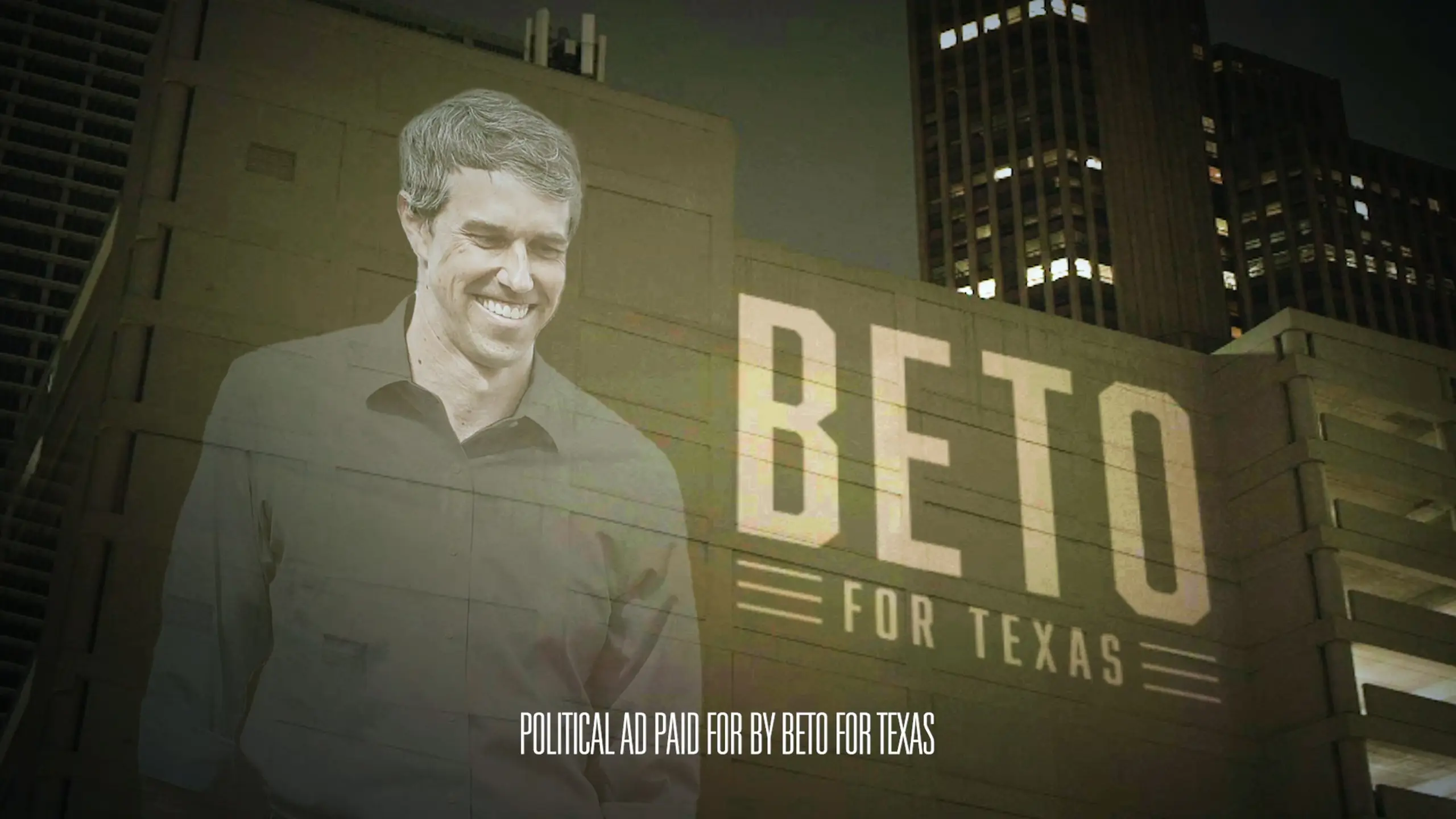
The Strange Math Behind Controversial Commercials
A familiar cliche says any press is good press. The data does not support this. Brand-tracking firms have repeatedly shown that ads generating sustained negative sentiment correlate with measurable drops in purchase intent for four to six weeks after airing. The reason controversial commercials still get made is simpler and stranger: a small subset produce returns so extreme that they justify the risk for the next ten attempts that fail. Nike’s Colin Kaepernick spot generated an estimated 163 million dollars in earned media within forty-eight hours of release. Bud Light’s collaboration with Dylan Mulvaney cost Anheuser-Busch InBev an estimated 1.4 billion dollars in lost American sales and the top spot in domestic beer. Those two examples are why we tell every client at the start of a creative services engagement that controversy is not a strategy. It is a tax you pay for being interesting, and you should know the rate before you sign the check.
Race, Representation, and Cultural Misfires
Few categories produce as much controversy as race and identity. The pattern is consistent: a creative team without sufficient diversity in the room signs off on imagery or copy that lands very differently outside that room. Inside C&I Studios, the only reliable safeguard we have found is structural, not stylistic, and we build it into every branded content production we run.
Pepsi “Live for Now” with Kendall Jenner (2017)
The premise was almost laughably out of touch. Kendall Jenner abandons a glamorous photo shoot to join an unnamed protest, hands a can of Pepsi to a smiling police officer, and somehow resolves systemic tension with carbonation. The internet did not laugh. Bernice King posted a photo of her father with the caption “If only Daddy would have known about the power of Pepsi.” The brand pulled the spot within twenty-four hours, apologized publicly, and the campaign became the textbook case study in how not to commodify protest imagery. Pepsi reportedly produced the work in-house at its content unit, which is part of why we generally recommend an outside creative review on any spot that touches an active social movement. It is the cleanest cautionary tale in the controversial commercials canon.
H&M “Coolest Monkey in the Jungle” (2018)
The Swedish retailer published a product page featuring a young Black child wearing a hoodie with the slogan “Coolest Monkey in the Jungle.” The image was online for less than a day before screenshots circulated globally. The Weeknd cut ties with the brand, LeBron James posted a corrected version, and stores in South Africa were vandalized in protest. H&M issued an apology and committed to hiring a global diversity leader. The failure was not the slogan in isolation. It was the chain of approvals from product photography to e-commerce upload to live publication, where presumably dozens of people looked at the image and nobody flagged it. Process gaps cause more controversial commercials than bad creative briefs ever do.
Dove “Body Wash” Facebook Ad (2017)
A three-second GIF showed a Black woman removing her brown shirt to reveal a white woman underneath, who in turn revealed a woman of color. Out of context, on a fast-scrolling feed, the message looked like a Black woman became a white woman after using Dove. The campaign was meant to celebrate diverse skin types but read instantly as a racist trope with a long history in soap advertising. Unilever pulled the post and apologized within hours. We bring this one up in client meetings because it shows how a perfectly defensible storyboard can collapse on a single platform when the formatting strips the framing out. Channel-specific edits matter, which is why our post production team builds platform variants from the master timeline rather than letting media buyers crop on the fly.
Dolce & Gabbana “Eating With Chopsticks” (2018)
Three short videos showed a Chinese model attempting to eat Italian food with chopsticks while a male voiceover delivered patronizing instructions. Internal screenshots of co-founder Stefano Gabbana making racist comments in a private DM exchange leaked the same week. Chinese celebrities pulled out of the brand’s Shanghai runway show, the event was canceled hours before showtime, and major Chinese e-commerce platforms removed Dolce & Gabbana products. Estimates pegged the China revenue impact at over 500 million dollars in the first year. The brand has not fully recovered in the market. The lesson is that founder behavior is now part of the brand’s creative footprint, and crisis preparedness has to extend to the social channels of every executive on the masthead.
Heineken “Sometimes, Lighter Is Better” (2018)
The spot showed a bottle of Heineken Light sliding down a bar, passing several Black patrons before reaching a lighter-skinned woman, with the tagline “Sometimes, lighter is better.” Chance the Rapper posted that he found the ad “terribly racist,” and the clip went viral within a day. Heineken pulled the work and acknowledged it had missed the mark. The strange part is that the agency had presumably tested the cut, but consumer testing in a homogenous focus group room is not the same as testing across the public internet. We talk about this often with brands launching multinational social media campaigns, where the geography of viewing is unpredictable and the response window is measured in hours.
Sex, Sensuality, and the Provocation Playbook
The provocation playbook is older than television. Sex sells, sex shocks, and sex sometimes generates court orders. The trick is knowing the difference between provoking and pandering, and that line has moved with each generation.
Calvin Klein with Brooke Shields (1980)
A fifteen-year-old Brooke Shields, lounging in jeans, looked at the camera and said, “You want to know what comes between me and my Calvins? Nothing.” CBS, ABC, and NBC banned the spots in several markets. The campaign defined Calvin Klein as a label and pushed teen sexuality into mainstream advertising in a way that still informs every fashion shoot today. Looking back, what is striking is not the controversy but how casually the industry accepted minors in adult-coded contexts for the next twenty years. The cultural recalibration that came later is one reason every contemporary fashion photography brief at our shop now includes age and consent clauses that simply did not exist in the eighties.
Calvin Klein and the Heroin Chic Era (1995)
Kate Moss, Mark Wahlberg, and a string of pale, gaunt models defined the brand’s mid-nineties aesthetic. President Bill Clinton publicly criticized the campaign, saying the imagery glamorized drug use and self-harm at a moment when heroin overdoses were rising in American cities. Calvin Klein pulled some of the executions but kept the broader visual style for years. The cultural conversation that followed reshaped fashion casting, and the term “heroin chic” entered the dictionary. We mention this one when clients ask whether style alone can drive controversy. It can. The aesthetic itself was the message, and no copy line was needed to deliver it.
Carl’s Jr. with Paris Hilton (2005)
Paris Hilton washing a Bentley while eating a Spicy BBQ Six Dollar Burger generated an estimated 1.5 billion media impressions and a Parents Television Council complaint that landed at the FCC. Carl’s Jr. did not pull the ad. The brand owned the controversy and continued the same playbook for nearly a decade with a series of bikini-led commercials starring different celebrities. The campaign helped Carl’s Jr. break out of a regional footprint and informed the brand’s identity for the next ownership group. It also provoked years of organized boycott campaigns that sponsors of family programming continue to cite. The math worked for the brand, even when many viewers wished it had not.
Reebok “Cheat on Your Girlfriend” (2012)
An out-of-home execution in Germany read, “Cheat on your girlfriend, not on your workout.” The line trended within a day, and Reebok pulled the campaign and apologized to anyone offended. The agency had cleared the line internally, which is the part we find instructive. Tagline workshops that get done at speed in a small group will produce a winner that nobody around the table objects to and that everyone outside the room can object to instantly. Test outside the bubble. Our team builds content reviews with an explicit external panel before any global tagline goes to print or to digital.
Burger King UK “Women Belong in the Kitchen” Tweet (2021)
The brand’s UK account tweeted “Women belong in the kitchen” on International Women’s Day, then followed it with a thread explaining a scholarship program for female chefs. The thread did not catch up to the screenshot. The first tweet was deleted within hours after a global backlash that included calls for an account audit. Burger King apologized and acknowledged the format was wrong even if the intent was sincere. We use this one to illustrate why platform-native copywriting needs to be tested as a still image, not as a thread. If the first frame cannot stand alone, the campaign cannot survive a screenshot.
Politics, Identity, and the Brand Activism Era
The 2010s ushered in a wave of brand activism that ran on a simple thesis: take a stand and your audience will reward you. The thesis is partially true and partially false, and the difference is almost entirely about authenticity and follow-through.
Nike “Dream Crazy” with Colin Kaepernick (2018)
“Believe in something, even if it means sacrificing everything.” The spot ran during the NFL season opener and prompted a wave of viral videos of customers burning Nike shoes. The opposite reaction also happened. Nike’s online sales spiked thirty-one percent in the days after, and the campaign won the Outstanding Commercial Emmy. Critics often point to Nike’s overseas labor practices as the reason the activism rang hollow, and that critique is fair. The campaign worked anyway because Nike actually paid Kaepernick, kept him in the brand for years, and committed to follow-on social initiatives. Continuity is what separates real brand activism from marketing tourism. The New York Times documented the early-week stock dip and rebound in detail.
Bud Light with Dylan Mulvaney (2023)
A single Instagram post showing a custom Bud Light can sent to influencer Dylan Mulvaney sparked a months-long boycott that wiped out sales gains and cost the brand the title of America’s best-selling beer. The crisis was not the partnership. It was the response. The brand’s leadership distanced itself from the post under pressure, which alienated the LGBTQ audience the post was meant to court while failing to satisfy the customers organizing the boycott. By the end of the year, Anheuser-Busch InBev had reported losses in the billions and replaced senior marketing executives. The case is now taught in business schools as a study in what happens when a brand neither commits to a position nor retreats cleanly from it.
Gillette “We Believe. The Best Men Can Be” (2019)
The spot retooled the iconic “Best a Man Can Get” tagline as a critique of toxic masculinity, with vignettes of bullying, harassment, and absent fathering. Procter & Gamble took a 5.24 billion dollar writedown on Gillette later that year, although executives publicly denied the campaign was a primary cause. Sales data showed mixed signals. The campaign retained loyalty among younger consumers and drove away an older male base the brand had spent decades cultivating. The takeaway, as we tell corporate video production clients, is that a single sixty-second spot cannot carry a brand identity overhaul. Activism without a follow-up product story tends to read as opportunism.
Audi “The Construction of a Star” China (2017)
An Audi spot in China featured a mother-in-law inspecting a bride at a wedding, checking her teeth and ears like a horse, before a voiceover recommended the same scrutiny when buying a used car. Comparing women to livestock did not land in the way the team must have hoped. Audi pulled the ad and apologized. The spot became a frequent reference in trade press articles about the danger of porting Western humor frames into a market where the implicit gender politics will read very differently. We work with brands launching China campaigns from our Los Angeles studios and the first hour of every kickoff covers exactly this kind of cultural translation risk.
Peloton “The Gift That Gives Back” (2019)
An ad for the connected exercise bike showed a husband gifting his already-fit wife a Peloton, followed by a year of vlogs as she documented her transformation. Critics read it as condescending, dystopian, or both. Peloton’s stock dropped nine percent in a week, and the actress in the spot landed a viral cameo in a Ryan Reynolds Aviation Gin spot that played the same character as a free woman recovering with a martini. The Peloton ad probably was not as bad as the pile-on suggested. The Aviation Gin response is what cemented the controversy in cultural memory. Reactive comedy is the new boycott, and brands need film production partners who can move at meme speed when an opening appears.
Patterns We Notice in Every Controversial Commercial
After thirty examples, the patterns are obvious. Most controversial commercials are not failures of creativity. They are failures of process. A brief that gets approved without diverse input. A tagline that gets cleared in a small room. A founder DM that surfaces in the same week as a brand campaign. A platform-specific edit that strips the framing out of a perfectly defensible idea. These are operational gaps. The rare commercials that succeed despite controversy share three traits: the brand had a credible existing position, the creative was tied to a follow-on product or program, and leadership held the line under pressure. When any of those three legs breaks, the campaign collapses, regardless of how good the original spot was. C&I Studios has seen this pattern repeat across every category we work in, from sports to fashion to consumer packaged goods, and the operational interventions that prevent the collapse are surprisingly consistent.
How Our Team Pushes Creative Boundaries Without Crossing Them
We work on plenty of bold campaigns. Pushing creative boundaries is a different discipline from courting controversy, and the difference is largely structural. Every brief that goes into production at C&I Studios runs through a creative review with at least three audience perspectives represented in the room, and high-stakes work goes through a separate red-team session before final approval. We build platform-specific cuts in motion design and live action so that a tweet-sized version reads correctly on its own, and we keep founder and executive social channels in scope on any campaign whose values position can be undermined by an off-brand post. None of this is glamorous. All of it has saved clients from learning the lessons in this article the hard way. If you want to talk through a campaign that is meant to provoke and you want to know whether the math works, our production team is happy to read the brief. You can reach out directly, and you can browse a sample of brand work we have shipped on our portfolio page. The right answer is sometimes to walk away from the idea. More often, the right answer is to ship the idea with the operational scaffolding that lets it survive contact with the public.
Work with C&I Studios
If you are planning a project like this, our team can take it from concept to final delivery. Explore our video production services, browse our work to see how we tell brand stories, and get in touch when you are ready to start.
Best Animated Video Production Companies 2026
Best Animated Video Production Companies 2026
Picking from the long roster of animated video production companies has gotten harder, not easier, as the field has expanded. We have spent the last eighteen months reviewing portfolios, pricing models, and turnaround data across the studios our clients consider when they ask us for second opinions, and this guide reflects what we found. Some names you will recognize. A few are quieter shops that punch above their weight. The goal is not to crown a single winner, because animation is too fragmented for that. The goal is to help you match the right partner to the actual project on your desk.
Our team has produced animation for Nike, Coca-Cola, AT&T, the NFL, NBC, H&M, Calvin Klein, and SiriusXM, which means we sit on both sides of this conversation. We make animation in house, and we have also brought in specialists when a project demanded a particular visual style or pipeline we did not want to build twice. That perspective shapes the recommendations below. None of the studios listed paid to be here, and we did not exclude competitors. If a shop is on this list, we believe a smart marketing director could hire them and not regret it.
Why Animation Is Eating Live-Action Budgets
Animation went from a niche line item to a core part of the brand video toolkit because the math finally tipped. A live-action shoot in a major market still costs what it cost five years ago, plus overage fees on talent, location permits, and grip rentals. A two minute animated piece can be produced for a fraction of that, scaled across formats, and revised after launch without summoning the original cast back to set. That structural advantage is why the best 2D animation and motion design teams now run waitlists.
The shift is also creative. Audiences have stopped expecting stock-photo realism and started rewarding stylized, story-first work. According to Wyzowl’s annual video marketing report, animated explainers and motion-driven social cuts now outperform live-action equivalents on completion rates in several B2B verticals. We see the same pattern in our analytics. A motion piece we produced for a fintech client converted at roughly twice the rate of the live-action testimonial it replaced, and the production timeline was cut almost in half.
The other quiet driver is iteration. When a brand wants to A/B test ten openings or localize for fifteen markets, animation is dramatically cheaper to fork than a film shoot. That is why our creative services team spends a growing share of its weeks on motion work, even for clients who originally hired us for documentary or commercial production. Animation has stopped being a workaround for budgets that cannot afford live action and has become the first choice for brands that want speed, control, and visual specificity.
How We Ranked These Animated Video Production Companies
We weighted four factors when assembling this list. First, the consistency of the studio’s portfolio, because a single hero piece tells you almost nothing about whether the team can repeat the trick. Second, range across animation disciplines: 2D character work, motion graphics, 3D, mixed media, and visual effects. Third, transparent pricing or at least a clear scoping process that does not require six discovery calls before a number appears. Fourth, post-launch behavior, which includes how the studio handles revisions, file delivery, and licensing of source files. The last factor is the one most buyers underweight and later regret.
None of the animated video production companies on this list are bad. The question is which one fits the project. A scrappy SaaS launch needs a different partner than a Super Bowl spot, and a documentary needs a different partner than a six-second pre-roll. Treat this list as a sorted shortlist, not a strict ranking from best to worst.
The Best Animated Video Production Companies for 2026
The studios below cover a spectrum: full service shops that handle live action and animation under one roof, boutique animation specialists, and a handful of mid-sized studios known for specific styles. We have included our own team because excluding ourselves would be coy, and because clients deserve to see us evaluated on the same axes as everyone else.
C&I Studios
We are a full-service production company with a 30,000 square foot facility in Fort Lauderdale and offices in Los Angeles and New York. Our animation work spans 2D explainer pieces, 3D product renders, motion graphics for broadcast, and VFX heavy hybrid shoots. Where we differ from pure animation shops is the live-action stack underneath. When a project needs animated lower thirds laid over an interview, or product animation cut into a documentary, the same team handles both ends without an external handoff. Recent animation work includes campaign assets for Nike, motion-driven social cuts for SiriusXM, and explainer suites for AT&T product launches. Pricing for a polished two minute animated piece typically lands between $15,000 and $80,000 depending on complexity. See more on our VFX, compositing, and animation services page or browse our work for recent samples.
Buck
Buck is the studio most often named when someone says “the best animation in the world right now,” and the praise is earned. With offices in New York, Los Angeles, Amsterdam, and Sydney, Buck takes on flagship work for Apple, Google, Meta, and similar enterprise clients. Their 2D and 3D character work is widely imitated, rarely matched. The trade-off is access. Buck does not chase mid-market budgets, project timelines run long, and a single thirty second piece can climb past $250,000. If you are launching a global campaign and the brand can support that investment, Buck belongs on the shortlist. If you are launching a Series A SaaS product, look elsewhere.
Demo Duck
Demo Duck has built a sturdy reputation in the explainer space with a clean, character-driven 2D style that fits well for software, healthcare, and finance brands. They are based in Chicago, run a tight project management process, and tend to deliver on schedule. Pricing typically ranges from $20,000 to $60,000 for a sixty to ninety second animated piece, which puts them squarely in the mid-market. The main critique we hear from clients who shopped them against other options is that their visual range can feel narrow once you have seen ten of their pieces in a row. If your brand has a strong art direction already, Demo Duck adapts well. If you are looking for the studio to invent a visual language for you, push them in scoping.
Yans Media
Yans Media is one of the better remote-first animation studios working today. Based in Armenia with distributed staff, they produce 2D explainers, character animation, and whiteboard pieces at price points that look impossible until you remember the cost differential. Expect to pay $5,000 to $20,000 for a typical sixty second animated piece. The catch is communication overhead. Time zone gaps and asynchronous review cycles can stretch a four week project into six weeks if your internal review cadence is loose. For brands with a clear brief and a single empowered approver, Yans is a strong value play.
Wyzowl
Wyzowl is a UK-based animation shop that has industrialized the explainer process. They run a near-formulaic intake, scripting, and storyboarding workflow that produces predictable output in predictable time, usually four to six weeks. Their style leans heavily on flat 2D characters and clean kinetic type. Pricing sits between $5,000 and $15,000 for short pieces, which makes them attractive for in-house marketing teams that need three or four pieces a quarter. They are not the studio you hire for a brand-defining piece. They are the studio you hire when you need volume and reliability.
Explainify
Explainify is one of the longer-tenured animated video production companies focused exclusively on B2B explainers. They are particularly strong with abstract concepts: data flows, infrastructure, financial mechanics. Their team writes the script before they animate it, which sounds obvious but is rarer than it should be in this category. Pricing ranges from $20,000 to $50,000. We have referred technical clients their way when our own queue was full, and feedback has been consistently positive.
Thinkmojo
Thinkmojo carved out a niche by working closely with product marketing teams at companies like Slack, Square, and Atlassian. Their work tends toward UI animation, screen-recording driven explainers, and product launch films that need to feel native to the brand. They charge premium rates, often $40,000 to $100,000 per project, and their availability fluctuates with their enterprise client load. If your brief involves animating an actual product interface in a way that feels alive rather than like a screen capture, Thinkmojo is on the shortlist.
Sandwich Video
Sandwich is technically a hybrid studio, equally comfortable with live action, animation, and the seam between them. Founded by Adam Lisagor, they helped define the modern startup launch video aesthetic. Their animation alone is rarely the whole project, but their motion design within mixed-media pieces is among the best in the business. Pricing starts in the high five figures and climbs from there. Hire Sandwich when the project is a hero brand piece, not a recurring content stream.
Studio Pigeon
Studio Pigeon is a Polish animation house known for character-driven 2D work with a distinctive illustrative voice. They have produced animated series, music videos, and brand films that consistently look like nothing else on the platform they are sitting on. Pricing varies widely, from $15,000 for short branded pieces to $100,000-plus for longer original work. Their queue is real. Plan for a two to three month lead time even on small projects.
Vidico
Vidico is an Australia-based studio that has scaled into a credible global player over the last few years. They handle both live action and animation, but their animation portfolio is what gets them on this list. Strong art direction, fast iteration, fair pricing for the quality, typically $15,000 to $60,000 per project. Their main weakness is consistency at the highest end of the visual quality spectrum, where the very best post production services teams still pull ahead.
Epipheo
Epipheo built its reputation on the early explainer-video boom and has evolved its style alongside the market. They are particularly strong with thought-leadership pieces, internal communications, and anything that needs to convey a slightly more philosophical message than a feature walkthrough. Pricing typically ranges from $20,000 to $60,000. They are a safe choice for a corporate client who wants a polished result without surprises.
What to Look For in an Animation Partner
The portfolio matters less than people think, and the process matters more. We have inherited cleanup work from clients who hired beautiful portfolios attached to broken project management, and the recovery cost was higher than the original quote. When you evaluate animated video production companies, ask the following questions in your first call.
How does the studio handle revisions? Most shops cap rounds at two or three, which is fine if the rounds are well structured. Ask what happens on round four. Studios that quote a flat hourly rate after the cap are honest. Studios that get vague are not. Second, who owns the source files at delivery? Default contracts in this industry vary wildly. Some studios ship layered Adobe After Effects files. Others ship only the final render. If you ever want to repurpose a piece, that distinction matters.
The first mistake is hiring on portfolio alone, without checking how the studio handles communication. A studio with a stunning reel and a Slack channel that goes silent for three days at a time will deliver late and over budget. The second mistake is approving the script too quickly. Animation is hard to change once production has started. Every word should earn its place before the storyboard begins. Studios that push you to lock the script before they animate are protecting both parties.
The third mistake is treating the brief as a list of requirements rather than a description of what success looks like. Telling the studio you want “a fun explainer with our brand colors” tells them nothing useful. Telling them the piece needs to drive a fifteen percent lift in demo bookings from a specific paid social campaign tells them everything. The best animated video production companies write better when the goal is sharper.
The fourth mistake is skipping audio. We see brands spend $50,000 on stunning visuals and then drop a stock music track on top because the timeline ran long. The animation reads as cheap, even though the visuals were not. Budget for original or licensed music and intentional sound design from the start.
The fifth mistake is forgetting about distribution. An animated piece designed for fifteen second TikTok pre-roll has different pacing, framing, and end-card requirements than a ninety second YouTube hero piece. Studios that ask about distribution upfront save you the cost of producing the piece twice. Our advertising services team often joins the kickoff call specifically to define distribution before the script is written.
How to Brief an Animation Studio Without Wasting Six Weeks
The brief is where most animation projects either accelerate or stall. A good brief is roughly two pages long and answers eight questions: what the piece is for, who watches it, where it runs, what they should think or do after watching, what the brand voice is, what visual references the team likes, what visual references the team has explicitly rejected in the past, and what the budget and timeline are.
The negative references matter as much as the positive ones. Saying “we want it to feel like the Apple AirPods Pro launch film” is helpful. Saying “we do not want it to feel like the Mailchimp explainer style that has been everywhere for five years” is more helpful still. Studios that have to guess what you do not want will guess wrong at least once, and revisions are expensive.
Budget transparency saves the most time of all. Studios that know your budget at intake can scope the project to fit, propose creative solutions within constraints, or honestly tell you they are not the right fit. Studios that have to guess your budget will pad estimates, propose oversized scopes, and waste two weeks of your timeline before the real conversation happens. Tell us your budget. We will tell you what is possible inside it.
City Coverage and Production Hubs
Animation is largely remote-friendly, which means a studio in Warsaw can serve a client in Atlanta without anyone losing sleep. The exception is hybrid work that requires live-action production, which is where geography matters again. We maintain crews and studio space in three major US production markets. If your project blends animation with on-camera work, the partner’s physical presence in the city of the shoot is non-trivial.
We service the Los Angeles market through our video production Los Angeles team, which handles a large share of our entertainment-industry animation work. We service the New York market through our video production New York team, which weights heavily toward financial services and editorial clients. And we service the Florida and broader Southeast market from our video production Fort Lauderdale studio, which is also our largest facility and houses our motion graphics suites. Most of our animation clients work with whichever office is closest to them, but the production talent is shared across all three.
Frequently Asked Questions About Animated Video Production Companies
How long does an animated video production project take? A standard sixty to ninety second 2D explainer takes six to ten weeks from kickoff to final delivery. Faster timelines are possible if the script and brand assets are already locked. 3D and hybrid pieces typically run ten to sixteen weeks. Studios that promise a finished piece in two weeks are either using templates, charging a rush premium, or both.
What software do top animation studios use? Most professional 2D work happens in Adobe After Effects, with character animation often handled in Toon Boom Harmony or Cavalry. 3D work is split across Cinema 4D, Blender, Maya, and Houdini depending on the studio. The software matters less than the senior talent operating it. Per Think with Google data, audience engagement on animated content correlates with creative quality far more than with any specific tool.
Should we hire a freelancer or a studio? A senior freelance animator can produce excellent work at lower cost, but you are the project manager. A studio handles producing, art direction, animation, sound, and revisions under one contract. For projects under $5,000, a freelancer often makes sense. Above that, a studio almost always pays for itself in saved hours.
How many revisions are normal? Two to three rounds of revisions are standard at the storyboard, animatic, and final animation stages. More than five rounds at any stage is a red flag that the brief was unclear or the studio is not steering the project well.
Do animated video production companies offer scripting? Most do, and you should generally take them up on it. A studio that animates a script written by your in-house team will follow the script literally, even when a small rewrite would make the animation work harder. Studios that own the script can shape it for the medium.
What is the difference between motion graphics and animation? Motion graphics typically refers to type, shapes, and graphic elements in motion. Animation more often refers to character or environment work where things move with weight, timing, and personality. Most animated video production companies handle both, but a few specialize in one or the other.
The Shortlist. Where to Go From Here
If your project is a flagship brand piece with global reach, talk to Buck or a comparable top-tier studio. If your project is a recurring series with predictable scope, talk to a mid-market shop like Demo Duck, Vidico, or Explainify. If your project blends animation with live action or sits inside a larger video program, talk to a full-service team that handles both, which is where C&I Studios fits in the landscape. Animation is one of several disciplines we run inside our broader video production services, and the integration is what most pure animation shops cannot offer.
The studios on this list are all credible. The wrong move is hiring on reputation alone without testing fit. The right move is shortlisting two or three, briefing them with the same document, and reading carefully how each one responds. The studio that asks the sharpest questions in the first call is usually the studio that delivers the sharpest piece. If we can help, our team is reachable through the contact page, and we are happy to weigh in even if you ultimately hire someone else. Animation is a long enough game that good referrals tend to come back around.
Work with C&I Studios
If you are planning a project like this, our team can take it from concept to final delivery. Explore our video production services, browse our work to see how we tell brand stories, and get in touch when you are ready to start.
Roth and Co Video Production Compared
Roth and Co Video Production Compared
When a brand searches for “roth and co video production,” it is usually because the project is already greenlit and the team is sourcing partners. The brief exists. The launch date exists. What is left is choosing the production company that can actually deliver on both. That last decision is where campaigns either gain momentum or quietly fall behind, and it is the reason we wrote this comparison.
We are a senior production team at C&I Studios. We are not going to spend this article tearing down another studio. Roth and Co has built a real business and serves real clients well. What we will do is walk you through how to evaluate any video production partner, including them, with the same rigor you would apply to a creative agency or a media buyer. If you finish this piece and decide we are the right fit, our contact team is one click away. If you decide Roth and Co is the right fit, that is also a clean outcome. The wrong outcome is signing a contract you did not pressure test.
Who Roth and Co Video Production Serves
Roth and Co (you can find their work at rothandco.com) is a New York based production company. Their reel leans into commercial work, branded content, and a healthy mix of agency partnerships. They are a recognizable name in the metro New York market and the type of shop a brand might pick when the brief is clean, the deliverable is well defined, and the timeline allows for a structured production process.
If your project lives entirely inside Manhattan, Brooklyn, or the surrounding boroughs, and you have an agency partner who is already coordinating creative, Roth and Co is a reasonable candidate to evaluate. They have the local crew network, the relationships with stage and equipment vendors, and the post-production resources that you would expect from a New York shop with their tenure.
Where the conversation gets more interesting is when the brief stretches beyond a single market, when the deliverable list grows past one or two formats, or when the brand wants to consolidate creative, production, and post-production under one roof. Those are the briefs we tend to win, and they are also the briefs where roth and co video production is often weighed against full service alternatives.
The C&I Approach to Production
We treat every project as if the client will judge us on the second one, not the first. That sounds like marketing speak, so let us unpack what it actually means in practice. Most clients do not call back because the first project came in on budget. They call back because the producer answered the phone on a Saturday, the editor turned a revision in two hours instead of two days, and the colorist remembered the brand LUT from the previous campaign without being asked.
Our team is structured around continuity. The producer who scopes your video production project stays with it through delivery. The director who shoots the spot is in the bay during the offline. The audio engineer who mixed last quarter’s campaign already has your brand sound profile loaded. We hold this together because we own a 30,000 square foot facility in Fort Lauderdale and we run our own crews. We are not stitching together a vendor chain on every job.
That continuity matters most when something goes wrong, which is when most production relationships either prove their worth or fall apart. A power outage on a shoot day, a talent cancellation 48 hours before the call sheet, a brand legal review that comes back with new compliance requirements after picture lock. Those are the moments where having one team that owns the whole pipeline becomes the difference between a missed launch and a small story you tell at the wrap dinner.
Studio Footprint and In-House Capacity
Production capacity is the single most underweighted factor in vendor selection. Brands compare reels and pricing, and they forget to ask whether the studio actually controls the resources required to deliver the project on schedule. We have written about this dynamic before in our corporate video production work, where the difference between a studio that owns its space and one that rents is usually the difference between a clean shoot day and a day that runs into overtime.
Our Fort Lauderdale headquarters includes multiple shooting stages, a fully built green screen volume, edit suites, color suites, and a dedicated audio mix room. We also operate satellite teams in Los Angeles and New York, which means we can pull crew, gear, and creative into a project regardless of which market the production lives in. If you want to see how that translates to actual deliverables, our portfolio page shows the range across commercial, documentary, branded series, and music video work.
Roth and Co operates with a different studio model, one that is common among New York city based shops. They lean into the strong New York vendor ecosystem rather than carrying a large owned facility. Neither model is right or wrong on paper. The question is which model fits your project, and that is a question worth asking on the very first call with any partner you are evaluating.
Comparing Service Breadth
Here is where vendor lists tend to get sloppy. A reel that looks great on a single high budget commercial does not automatically translate to a studio that can deliver a 12 episode branded content series, a documentary, a music video, an event activation, and a quarterly social cut down. Most shops specialize. The question is whether your brand needs specialization or breadth.
Our service stack is intentionally wide. We deliver film production, music videos, documentary work, content creation, and live streaming under the same roof. We also run a full post-production pipeline with editorial, color, sound design, and VFX. When a brand needs to launch a campaign that will live across television, social, OTT, and in-store, we are usually the one studio in the room that can scope all of those deliverables without subcontracting.
Roth and Co has a tighter focus. They lean into their core strengths and they execute well within that lane. If your brief sits cleanly inside their lane, that focus can be a strength. If your brief crosses into music video, documentary, or branded series work, you will likely need to add vendors, and adding vendors means adding coordination overhead that nobody on your team is going to volunteer to manage.
Industries and Client Profiles
Industry experience matters more than reels suggest. The reel shows the finished work. It does not show the producer who has navigated regulated industry compliance reviews, the editor who knows which kinds of legal disclaimer placements survive social cropping, or the director who has shot pharmaceutical talent without violating consent requirements.
We have worked with Nike, Coca-Cola, AT&T, the NFL, NBC, H&M, Calvin Klein, and SiriusXM. Each of those relationships taught us something specific about how that industry buys video. Apparel and fashion clients (H&M, Calvin Klein) want a fast handoff and aggressive social adaptations. Sports clients (Nike, NFL) want an editorial sensibility that respects the athlete and a turnaround time that can match a game cycle. Telecom and broadcast clients (AT&T, NBC, SiriusXM) want compliance discipline, brand consistency across hundreds of deliverables, and the operational stability to staff long campaigns.
Roth and Co has its own client roster, which they are happy to walk you through during a pitch. The right question to ask is not whether they have famous logos. It is whether they have produced work in your specific industry, in your specific format, recently enough that the lessons are still institutional knowledge. A logo on a reel from four years ago is a credit. A producer who shipped three campaigns in your category last quarter is a partner.
How Pricing Actually Works
Production pricing is not a quote, it is a negotiation framework. Any studio that gives you a hard number on the first call without scoping the actual deliverables is either undershooting to win the job (and will renegotiate later) or overshooting to protect a margin (and will appear expensive when the next bidder comes in).
Our pricing model on a typical mid-market campaign breaks into four lines. First is creative and pre-production, which covers concepting, treatment, scripting, location scouting, casting, and the production schedule. Second is principal photography, which covers crew, gear, talent, locations, and any specialty equipment. Third is post-production, which covers editorial, color, sound, graphics, and VFX. Fourth is delivery, which covers all of the format adaptations, captions, and platform-specific cuts.
For a single broadcast spot with social cut downs, that total typically lands somewhere between 75,000 and 250,000 dollars. For a multi-episode branded series, the number scales with episode count and shoot days. For a music video, the range is wider because budget is driven by talent and concept ambition more than by the production days themselves. For a corporate or executive shoot day, the number is more contained, and we have a faster path through pre-production because the brief is usually well defined before the call.
Roth and Co operates in the same broad market range. The thing to compare is not the bottom line number, it is what is bundled into each line. A studio that includes audio post in their post-production line is usually cheaper in total than a studio that quotes audio post as a separate line item. A studio that includes a brand kit and style guide handoff in their delivery line is usually cheaper in the long run than one that does not, because you will pay for those assets eventually, just in revisions. Pricing comparisons that ignore line item composition are how brands end up surprised at month three.
Post-Production and Finishing
Finishing is where projects either become campaigns or stay drafts. We see this constantly. A client books a great shoot day, the dailies look beautiful, and then the project drags through three rounds of editorial revisions, two color passes, and a sound mix that nobody is happy with. By the time it ships, the launch window has slipped and the team is already burned out.
Our post-production team is built to shorten that cycle. Editors and producers sit on the same floor. Color suites are integrated with editorial, so a colorist can pull a frame mid-edit without a file transfer. The audio engineering team mixes in a dedicated room with current generation monitoring, which removes the round of “the mix sounds different in my office” notes that plague remote workflows. We also run a full 2D animation and motion design team and a VFX compositing group, both of which sit inside the same building as the editorial team.
When you are evaluating Roth and Co or any other production company, ask whether their post-production lives in the same physical space as their production. If it does, your turnaround will be shorter. If it does not, you will pay for the gap somewhere, either in time, in revisions, or in coordination overhead. The shops that hide the post-production handoff are the shops that surprise you with delivery dates.
Multi-City and Out-of-Town Production
A meaningful number of campaigns now require shoots in more than one city. A retail brand might shoot store fronts in Miami, Manhattan, and Los Angeles in the same week. A sports brand might capture talent across three different training facilities. A tech client might document customer stories in five regional offices.
Our teams in Los Angeles, New York, and Fort Lauderdale are all in-house, which means a multi-city shoot is one production with three local crews, not three separate productions stitched together. We also field work in Atlanta for clients who want a Southeast production base. Our photography services follow the same staffing model, and our event photography teams travel under the same producer who scoped the broader campaign.
If your project is single market and that market is New York, Roth and Co’s local depth is an asset. If your project is multi market or includes regions outside the Northeast, you should specifically ask any New York based studio how they staff and bill out-of-town work, because the answer can swing the total budget by 15 to 30 percent. The travel day rate, the per diem policy, and the local crew sourcing approach are the three numbers that hide most of the variance.
Roth and Co Video Production vs C&I. When Each Makes Sense
Let us put this in plain terms. Roth and Co is likely the right fit if your project is a tightly scoped New York commercial, you have an agency partner already managing creative, your deliverable list is contained to one or two formats, and you do not need post-production, music, or VFX consolidated under the same vendor.
We are likely the right fit if your project crosses multiple markets, requires more than one service line (production plus post, or production plus social adaptation, or branded content plus event capture), needs a producer who will own the relationship long term, or benefits from creative and production sitting under the same roof. Our creative services team can scope concept and treatment work alongside production, which is useful when the brief is still soft. We also handle advertising services and social media marketing for brands that want a single partner from concept through campaign distribution.
Some clients use both. They run a New York commercial through a local shop and a multi-format campaign through a full-service partner. That is a fine model if you have the internal program management to run two vendors in parallel. If you do not, consolidating into one partner is almost always cheaper in total time, even if the line item bid looks higher. Time spent on vendor coordination is the most expensive line item nobody puts in their budget.
Questions to Ask Any Production Partner
Before you sign with Roth and Co, with us, or with any other production company, run the same five question filter. We use this internally when we evaluate post-production vendors for overflow work, and it works just as well for brand side teams comparing roth and co video production against full service shops or boutique alternatives.
First, who specifically will produce my project, and what else are they on this quarter. The answer should name a person and indicate that they have capacity. If the answer is vague, your project will be deprioritized the moment a bigger one walks in.
Second, what is included in your post-production line. The answer should cover editorial, color, sound, graphics, captioning, and format adaptation by default. Anything pulled out of that line is a future change order.
Third, where does my footage live during and after the project. The answer should describe a clear handoff. If they cannot tell you where the masters will sit in 18 months, you will not own your own footage in 18 months.
Fourth, how do you handle revisions outside of the included rounds. The answer should be a transparent rate card, not a “we will work with you” hand wave. The hand wave is how budgets blow up.
Fifth, can I talk to a recent client in my industry. Real production companies will say yes immediately. Studios that hesitate are usually hiding either a churned client base or a lack of recent work in your category.
If a studio answers all five questions clearly, they are probably worth a contract conversation. If they hesitate on any of them, slow down. The cost of slowing down is a week. The cost of a bad production partnership is a quarter.
Working With Us
If you are reading this and you are still on the Roth and Co tab, that is fine. Talk to them, get their pitch, ask the five questions above. If you would also like to see what a full-service alternative looks like, our team is ready to scope your project. We will send you a real producer on the first call, not a sales lead, and we will walk you through how we would resource the project in detail before any contract conversation.
You can also browse our portfolio to get a sense of the range. Every project on that page came out of the same Fort Lauderdale facility, with the same producers, the same edit teams, and the same post-production pipeline that would handle yours. C&I Studios is built around the idea that the best production decisions are made early, when the brief is fresh and the partner has time to push back on it before the schedule locks. The vendor selection conversation is part of that early window. Use it well, regardless of which way you go.
For a wider read on how production companies are evolving as a category, the SHOOT Online trade press is a useful reference, as is the Variety Artisans coverage of production craft. Both publications cover the operational side of production, which is the side that actually determines whether a project ships on time and on budget.
Work with C&I Studios
If you are planning a project like this, our team can take it from concept to final delivery. Explore our video production services, browse our work to see how we tell brand stories, and get in touch when you are ready to start.
Brozac Video Production Ideas
Brozac Video Production Ideas
The phrase “brozac video production” pops up more often than you might expect when brands start searching for a look that feels both polished and unfiltered, both cinematic and street. We have spent enough time watching the same questions land in our inbox to know what people actually mean when they type it. They want production that does not feel like a stock corporate spot. They want a crew that can shoot a CEO interview in the morning and a music video on a rooftop the same night. They want bold framing, intentional grain, real performances, and a story that holds attention past the first three seconds.
That is the territory we cover. Our team at C&I has been producing work for Nike, Coca-Cola, AT&T, the NFL, NBC, H&M, Calvin Klein, and SiriusXM out of a 30,000 square foot facility in Fort Lauderdale, with active offices in Los Angeles and New York. The reason brands keep returning is not because we own the most cameras. It is because we treat every project as a creative problem with a production answer.
Below is a working playbook of twelve project ideas that capture what people are really asking for when they search for brozac video production, plus the operational details our producers wish more clients understood before kickoff. Read it as a menu, a checklist, or just a way to sharpen the brief before you call your next vendor.
Defining Brozac Video Production
The label itself is loose. We treat brozac video production as shorthand for work that prioritizes attitude over polish for polish sake, that sits comfortably between commercial gloss and editorial grit, and that uses cinematic tools in service of a brand voice rather than the other way around. Think of the music video that doubles as a campaign launch. Think of the founder profile that runs ten minutes on YouTube and gets cut into fifteen-second TikTok teasers without losing its shape.
Several signals show up across this kind of work: anamorphic lenses with practical flares, contrasty color grades that lean toward film stocks, naturalistic sound design, in-camera rig moves rather than stabilized drone abstractions, and casting that favors real faces over models when the project allows. Our team builds projects around those instincts when the brief calls for them. When it does not, we adjust. The point is to match style to intent, not to apply a single look to every job.
For a broader survey of how we approach this kind of work, our video production services page maps out the full service stack we draw from on each project, from prelight through final delivery.
Why This Style Resonates Right Now
Three forces are pushing brands toward this aesthetic. First, the audience has been trained by a decade of social video to notice when something looks corporate, and they scroll past it. Second, the cost of pretending to be premium has gone up, while the cost of being honest about who you are has gone down. Audiences reward specificity. Third, distribution channels reward different cuts of the same story, and a brozac-leaning approach gives editors raw material that can flex from a sixty-second hero film to a twelve-second vertical hook without feeling stitched together after the fact.
We have watched this play out on real campaigns. A footwear launch we shot last year ran the same anamorphic interview footage as a long-form YouTube cut, a fifteen-second pre-roll, and a static photo carousel using stills pulled from the same camera negatives. The unified look kept the brand cohesive across a fragmented media plan. That kind of efficiency is becoming the rule, not the exception, particularly for mid-market brands that cannot afford to shoot fresh content for every channel.
If your team is rebuilding a content calendar around this reality, our content creation services page is a sensible starting point. It outlines how we plan shoots specifically to feed multiple platforms from a single production day, which is the only way the math works on most modern budgets.
12 Brozac Video Production Ideas to Steal
Each idea below is a concept we have produced or actively pitch to brands looking for this kind of work. The order is not a ranking; it is the rough sequence we walk clients through when scoping a campaign. Pick two or three that match your goals, and use them as the spine of your next quarter.
Cinematic Brand Anthems
The brand anthem is the modern equivalent of the sixty-second Super Bowl spot, except it lives on YouTube, plays in cinemas during pre-roll buys, and gets re-cut into hero placements across owned channels. We treat the anthem as the keystone of a brozac campaign because it sets the visual grammar that every other deliverable inherits. A typical anthem runs between sixty and ninety seconds, shoots over two production days, and uses a hybrid crew of cinematographer, focus puller, gaffer, key grip, sound mixer, and producer.
What separates a strong anthem from a forgettable one is restraint. Too many anthems try to say everything in a minute. The good ones pick one feeling and stay there. We have shot these on ARRI Alexa Mini LF, RED Komodo, and Sony Venice depending on the look the director is chasing, with anamorphic glass when the budget supports it. For the broader frame of how these projects fit into a marketing calendar, see our advertising services outline.
Founder and Origin-Story Documentaries
Founder pieces have become a quiet workhorse for brands trying to explain why they exist without sounding like a press release. The brozac version skips the talking-head-in-front-of-bookshelves trope. Instead, we follow the founder through a representative day: a workshop walk-through, a customer call, a long drive between meetings. The interview audio runs as voice-over, and the visuals do most of the storytelling.
These films usually run six to twelve minutes for a long form cut and trim down to ninety-second sales videos for the website homepage. We treat them as evergreen assets, which means we shoot enough coverage that a smart editor can pull two or three years of social cutdowns out of the same negatives. Our documentary film production team handles these end to end, including archival research and original score commissioning when the story warrants it.
Music Video Crossover Campaigns
Some of the most interesting brand work of the past three years has been campaigns that look and behave exactly like music videos. The format gives brands permission to be expressive in ways a traditional spot does not. We have produced these for fashion clients, footwear brands, and beverage companies, often pairing an emerging artist with a creative director on the brand side to write a track that doubles as a campaign anchor.
The production scale lives between a real music video and a commercial. Crews are larger than a typical brand shoot because of the choreographed performance elements, and post involves both picture finishing and music mix and master. Our music video production capability and our audio engineering services share the same building, which makes the handoff between picture lock and final mix dramatically faster than the typical agency workflow.
Athlete and Performer Profiles
The athlete profile is one of the cleanest brozac formats. There is a real person, a real discipline, and a real arc. We approach these like short documentaries with a sponsorship layer rather than the other way around. The brand mark shows up on equipment and apparel, the spoken content stays focused on the craft, and the cut earns trust by being honest about the work.
Sports clients we have produced for, including campaigns connected to NFL and NBC programming, tend to want both a hero edit for broadcast and a series of short cutdowns optimized for vertical playback. We plan capture days around that dual delivery from the start. The same approach works for performers in music, theater, and dance, where our branded content series framework lets us extend a single profile into an episodic format if the talent has the runway.
Vertical-Native Hero Films
Most brands still shoot horizontal first and crop down for vertical placements, which is why their TikTok and Reels content looks awkward. Vertical-native production starts in nine-by-sixteen, blocks performance and camera movement specifically for that frame, and treats the sixteen-by-nine version as the secondary deliverable. The result is social content that does not feel like a leftover.
We have produced vertical-first work for retail launches, app campaigns, and live event activations. The rig changes too: more handheld, more gimbal, more wider-angle prime lenses to keep faces and product readable in tighter portrait crops. Our social media marketing services team partners with production on these so the creative brief reflects how the final cut will actually be served on the platform algorithm.
Behind-the-Scenes Mini Docs
Behind-the-scenes content is one of the highest return uses of a production day. While the main unit is shooting the hero spot, a smaller team of one operator and one sound recordist captures the making-of in real time. The output is usually a three to five minute mini-doc plus a stack of vertical clips for social, all delivered within two weeks of the shoot.
We treat the BTS unit as a planned line item in the budget rather than an afterthought. A skilled BTS operator can disappear into the crew, capture genuine reactions, and pull interviews during natural breaks without slowing the main unit. For brands launching a campaign with a layered media plan, the BTS asset often outperforms the polished spot in social engagement, particularly on platforms that reward authenticity. Our creative services group plans these layered shoot days end to end.
Stylized Motion and 2D Animation Pieces
Not every brozac video needs to be live action. Some of the most distinctive work in this lane mixes practical footage with stylized 2D animation, kinetic typography, or rotoscoped sequences. We use these techniques when the message benefits from abstraction, when the brand has a strong illustration system already, or when budget realities make a fully live-action treatment impractical.
A common build is a sixty-second piece that opens with a stylized animated sequence to set the world, drops into live action for the emotional core, and returns to animation for the call to action. Our 2D animation and motion design team works directly with the live-action production unit so the transitions feel intentional rather than bolted on. For projects that need illustrated brand worlds rather than literal product shots, this is often the most efficient path to a distinctive look.
VFX-Driven Concept Films
When the concept calls for the impossible, visual effects do the heavy lifting. The brozac version of VFX work is restrained. Instead of leaning on chrome and particle systems, the strongest projects use compositing to extend practical sets, paint out modern intrusions in period work, or build subtle environmental shifts that audiences feel rather than notice consciously.
We have produced concept films that involved set extensions, sky replacements, complex object removal, and stylized motion graphics integrations. The trick is planning VFX into the shoot rather than fixing problems in post. Tracking markers, clean plates, and lens metadata captured on set save weeks in finishing. Our VFX, compositing, and animation services team sits with the on-set crew during prep so every shot has a clear post recipe before the camera rolls.
Multicam Live Performance Captures
Live performance capture sits at the intersection of broadcast and brand video. The deliverables can include a polished concert film, performance cuts for streaming, and short edits for social use. The production stack is closer to live broadcast than to traditional film: multiple cameras, switchable program feeds, isolated camera records, and front-of-house audio mixed simultaneously.
We run these out of our facility for studio sessions and on location for festival and venue captures. The deliverables can also feed real-time audiences through streaming partners, particularly for brand activations that want to reach beyond the in-room crowd. Our video, audio, and live streaming capability covers everything from single-source webcasts to fully produced multicam broadcasts with replay packages.
Episodic Branded Series
The episodic branded series rewards brands that have something genuinely interesting to say and the patience to release it across weeks rather than days. Think of a six-part interview series with industry figures, a behind-the-scenes seasonal show that follows a product from concept to shelf, or a documentary series tied to a cause the brand supports.
What makes the format work is treating each episode like a real piece of programming rather than a marketing unit. Strong cold opens, recurring visual motifs, and consistent music cues turn a series into something audiences anticipate. Our experience producing branded series for clients in fashion, sports, and entertainment has taught us that the audience builds slowly and then sticks. For more on the format, our branded content series page outlines the workflow and typical investment levels in detail.
Cause-Driven Campaign Films
Cause-driven work is the part of brozac video production where intent matters most. Campaigns connected to social impact, environmental work, or community programs require a different kind of producing. We start with the people the cause serves, not with the brand mark. The brand earns its place in the story by demonstrating real commitment, which means production timelines are longer because we need to follow real events as they unfold.
The deliverables are usually a hero short film of five to eight minutes, a one-minute campaign cut, and a social rollout that extends over a quarter or longer. The aesthetic leans documentary because that is what the material demands. We pair our film production services with embedded story producers who can identify the moments that matter and capture them without staging.
Hybrid Photo and Video Day Shoots
The hybrid shoot is a practical answer to the modern campaign reality. Brands need both still photography and motion content for any given launch, and shooting them on separate days doubles the cost. We routinely run shoots that capture both deliverables in the same window using a combined crew structure: motion DP and stills photographer working off the same setups, with art direction managing both surfaces simultaneously.
The savings are not just budgetary. Continuity between the still campaign and the moving picture is naturally tighter when both come from the same lighting, the same wardrobe, and the same talent across the same hours. Our professional photography services team works inside our production days when projects call for this hybrid model, and many of our retail and fashion clients now book this way by default.
Production Process We Recommend
Most issues that derail a brozac video production trace back to the prep stage. Strong creative briefs solve more problems than expensive cameras. Our typical preproduction window runs three to six weeks for a single hero film and longer for series work. Inside that window we cover concepting, treatment writing, casting, location scouting, wardrobe, art direction, shot listing, scheduling, and crew booking. We also build a contingency layer into every schedule because weather and talent realities are not optional considerations in this work.
Production days follow a clear rhythm: blocking and lighting in the morning, principal coverage through midday, performance and reaction work in the afternoon, and pickups before wrap. Sound recording is treated as a primary discipline rather than an afterthought, which is the kind of detail that distinguishes work that holds up in cinema-grade playback from work that only sounds acceptable on phone speakers. The American Society of Cinematographers maintains a useful body of technical standards and craft writing that informs how our DPs approach exposure, color, and lens choice on these projects.
Postproduction is where a great shoot becomes a great film. We run our own edit suites, color bays, sound mix rooms, and finishing pipeline in house. Cuts move from offline edit through color and sound mix to final delivery without the friction of vendor handoffs that costs other shops time and money. Our post-production services page covers the end-to-end finishing stack we use on every project.
Cameras, Crews, and Locations
The camera question comes up early in every brozac video production conversation. Our standard packages include ARRI Alexa Mini LF, ARRI Amira, RED Komodo and V-Raptor, and Sony Venice. The choice depends on the look, the deliverables, and the post pipeline. Anamorphic lenses including Cooke, Atlas, and Hawk options live in our rental stock for projects that want the wider frame and oval bokeh those glasses produce. ARRI publishes detailed technical references for the camera bodies and lighting systems we run, which is useful background reading for clients who want to understand the craft choices behind the bid.
Crews scale to the brief. A small documentary unit might run three to five people. A music video shoot can run twenty-five to forty depending on the choreography, locations, and rigging. A commercial campaign with multiple talent and locations can push past sixty across multiple units. Our crew base is deepest in our home market of Fort Lauderdale, with full crew availability in our Los Angeles and New York offices. For shoots based in our home market, our Fort Lauderdale video production team handles permitting, location scouting, and crew booking from inside the building.
Locations are a creative choice as much as a logistical one. We maintain relationships with a deep bench of practical locations across South Florida, including industrial spaces, residential properties, beachfront, and stylized commercial environments, plus our own 30,000 square foot facility with multiple shooting stages and prep spaces.
Budget Ranges and Realistic Timelines
Pricing a brozac video production accurately requires honesty about what the project actually needs. We share rough ranges below for orientation rather than as fixed quotes. A short brand film with a single talent, one location, one shoot day, and standard finishing typically lands in the twenty to forty thousand dollar range. A full hero anthem with multiple locations, principal talent, two shoot days, and cinematic finishing climbs into the seventy-five to one hundred fifty thousand dollar range. A music video production at brand scale runs from forty thousand for a stripped performance piece to several hundred thousand for narrative work with significant production design.
Episodic series and documentary projects price by season rather than by minute. A six-episode branded series with original music, motion graphics, and full finishing typically sits between two hundred fifty thousand and seven hundred fifty thousand dollars depending on travel, talent, and archival requirements. Cause-driven campaigns vary widely because the production calendar tracks real-world events that we cannot control.
Timelines are equally project-dependent. A short brand film delivered in six weeks from creative kickoff to final master is realistic for a focused project. Anthem campaigns typically run eight to twelve weeks. Series work runs three to six months from greenlight to first episode delivery. The honest version of the timeline conversation is that compressing those windows is possible but expensive, and we will tell you the true cost of a rush before we accept the schedule.
Distribution Strategy That Multiplies Reach
Production without a distribution plan is a prestige exercise. Every project we accept is briefed against a clear answer to the question of where the work will live and who will see it. The platform plan shapes the deliverable list, which shapes the shot list, which shapes the budget. Working backwards from media is not glamorous, but it is the discipline that makes brozac video production deliver returns rather than just compliments at the agency holiday party.
We help clients map deliverables to placements: hero film for owned channels and YouTube pre-roll, sixty-second cut for paid social, fifteen-second hooks for TikTok and Reels, vertical six-second bumpers for YouTube Shorts, six to ten still images pulled from motion negatives for Instagram and the website, audio-only edits for podcast pre-roll where relevant, and behind-the-scenes content for owned social. Our corporate video production framework includes this multi-output planning as a default rather than an extra.
For brands running events alongside the campaign, we layer in event photography and live capture so the activation generates fresh assets in addition to the planned production deliverables. The same unified brand grammar carries across both planned and reactive content, which is what keeps a campaign feeling like a campaign rather than a string of disconnected posts.
Work with C&I Studios
If you are planning a project like this, our team can take it from concept to final delivery. Explore our video production services, browse our work to see how we tell brand stories, and get in touch when you are ready to start.
Crayola Video Production Trends Reshaping Kids Media
Crayola Video Production Trends Reshaping Kids Media

Why Crayola Video Production Signals a Bigger Shift in Branded Kids Content
Few brands carry the generational weight that Crayola does. When a company that has been putting crayons in children’s hands since 1903 decides to invest heavily in original video content, the rest of the industry should pay attention. Crayola video production is not just a marketing play for one legacy brand; it is a bellwether for how family-focused companies are rethinking content strategy in an era where attention spans are fractured and traditional advertising no longer works the way it used to.
We have been watching this evolution closely at C&I Studios. Our team works across video production services, branded series, and animation pipelines for clients ranging from Nike to NBC, and the patterns emerging in the children’s media space are ones every content strategist should understand. What Crayola is doing, and what brands like it will increasingly do, represents a fundamental change in how products become experiences through video.
This is not a profile of one company. It is an examination of where the industry is heading, using Crayola’s approach as the lens.
The Evolution from Toy Commercials to Content Ecosystems
Twenty years ago, the playbook for brands like Crayola was straightforward: produce a 30-second TV spot, air it during Saturday morning cartoons, and watch sales climb. That model started cracking around 2010 when tablet adoption among young children exploded. By 2015, YouTube had become the de facto children’s television network, and brands found themselves competing not with other commercials but with an infinite scroll of content created by everyone from professional studios to bedroom vloggers.
Crayola recognized this shift earlier than most. Rather than simply buying ad placements on YouTube Kids or sponsoring existing shows, the company began developing its own content universe. Crayola video production efforts now span animated series, DIY tutorial videos, influencer collaborations, and long-form documentary-style content about creativity and education. The brand essentially became a media company that happens to sell art supplies.
This is the same trajectory we have seen with other forward-thinking brands we work with through our branded content series division. The companies winning in 2024 and beyond are those that stopped thinking of video as an advertisement and started treating it as a product in its own right.
What Makes Crayola’s Approach Different from Generic Kids Content
There is a reason Crayola’s video strategy resonates while countless other brand-funded children’s content falls flat. It comes down to three principles that any production team working in this space should internalize.
First, authenticity over salesmanship. Crayola’s videos rarely feel like extended commercials. The best ones teach children how to create art projects, explore color theory in age-appropriate ways, or tell stories that happen to feature characters using Crayola products. The product placement is organic because the product is genuinely relevant to the content’s purpose. This is a stark contrast to brands that try to force their products into narrative contexts where they do not belong.
Second, production value matters even for kids. There is a persistent myth in the industry that children do not notice or care about production quality. That is simply wrong. Research from Common Sense Media consistently shows that children engage longer with well-produced content, and parents, who are the actual gatekeepers, strongly prefer polished content for their kids. Crayola video production reflects this understanding with clean animation, professional sound design, and thoughtful pacing.
Third, the dual-audience problem is treated as an opportunity. Every piece of children’s content must satisfy two audiences simultaneously: the child watching and the parent allowing it. Crayola threads this needle by creating content that is genuinely educational, giving parents a reason to feel good about screen time, while keeping it entertaining enough that kids actively seek it out.
The Technology Stack Behind Modern Crayola Video Production
Understanding the creative philosophy is important, but the technical infrastructure powering this kind of content is equally fascinating. The crayola video production pipeline, and similar pipelines for other children’s media brands, has become remarkably sophisticated.
Modern children’s branded content typically relies on a hybrid production model. Live-action segments are shot in controlled studio environments, then composited with animated elements using tools that have become dramatically more accessible. At C&I, our VFX compositing and animation services team regularly builds these hybrid worlds for clients. The technical demands are actually higher than many people assume because children’s content requires brighter color spaces, more precise audio mixing for younger ears, and frame rates optimized for the platforms where kids actually consume media.
Animation, specifically, has become the backbone of Crayola’s content strategy. Their animated series and shorts use a combination of 2D and 3D techniques that would have required a major studio budget a decade ago. Today, with tools like Blender, Toon Boom, and After Effects integrated into streamlined pipelines, a well-organized production company can deliver broadcast-quality 2D animation and motion design at budgets that make sense for branded content rather than theatrical releases.
The audio side deserves mention too. Children’s content lives or dies on its sound design and music. A child watching a Crayola tutorial on a tablet in the back seat of a car needs to hear clear dialogue over road noise, catchy music that does not irritate the parent driving, and sound effects that maintain engagement during craft segments. This is precision audio engineering, not an afterthought.
Platform Strategy. Where Crayola Video Lives and Why It Matters
One of the most significant industry trends in children’s branded content is the shift toward platform-native production. Crayola does not create one video and distribute it everywhere. The brand produces content specifically designed for the platform where it will live, and this distinction is critical.
YouTube remains the dominant channel for children’s video content, with YouTube Kids providing a curated environment that parents trust more than the open platform. Crayola’s YouTube strategy favors longer-form content: 8-to-15-minute episodes, tutorial series with recurring hosts, and seasonal specials. These videos are optimized for the YouTube algorithm’s preference for watch time, and they are structured to encourage binge-watching through playlists and end-screen recommendations.
On TikTok and Instagram Reels, the approach shifts entirely. Short-form Crayola content tends to be 15-to-60-second clips showing satisfying art processes, color reveals, or quick craft hacks. These are produced with vertical framing, punchy editing, and trending audio, all the hallmarks of effective social media marketing. The target audience here skews slightly older, hitting tweens and nostalgic adults who grew up with the brand.
Streaming platforms represent the newest frontier. Crayola has explored partnerships with services like Peacock and Amazon Freevee, where longer-form series can live alongside other children’s programming. This is where the production requirements jump significantly, approaching the standards we typically associate with film production services rather than web content.
The lesson for brands watching Crayola’s strategy: platform-specific production is no longer optional. The days of cutting a 30-second spot from a 60-second spot and calling it a day are over.
Industry Trends Accelerating the Children’s Branded Content Space
Crayola is not operating in a vacuum. Several macro trends are converging to make children’s branded video production one of the most dynamic sectors in the industry right now.
The COPPA Evolution and Privacy-First Content
The Children’s Online Privacy Protection Act has been tightening, and the FTC’s ongoing COPPA updates mean that targeted advertising to children is becoming increasingly restricted. This is actually a tailwind for branded content production. When you cannot rely on programmatic advertising to reach kids, you need to become the content they choose to watch. Crayola video production is essentially an end-run around advertising restrictions by making the brand synonymous with the entertainment itself.
The Rise of Edutainment as a Category
Parents are more intentional about their children’s media consumption than ever before. The pandemic accelerated this, as millions of families suddenly needed educational content that could function as both learning tool and entertainment. Brands that can credibly claim an educational component to their video content have a massive advantage. Crayola, with its natural connection to art education, creativity development, and fine motor skill building, is perfectly positioned here.
AI-Assisted Production Scaling
This is the trend that nobody in children’s media can afford to ignore. AI tools are dramatically reducing the cost and timeline for animation, voice processing, localization, and content variation. A Crayola tutorial that once required a full production day can now be partially automated with AI-driven editing tools, allowing the brand to produce more content at higher frequency without proportionally scaling its budget.
At C&I Studios, we are integrating AI tools into our post-production services workflow while maintaining the human creative oversight that keeps content from feeling sterile. The brands that will win in this space are those that use AI to handle repetitive production tasks while reserving human creativity for storytelling and emotional resonance.
Direct-to-Consumer Content Funnels
Perhaps the most consequential trend is the use of video content as the top of a direct-to-consumer funnel. Crayola’s videos do not just build brand awareness; they drive viewers toward subscription boxes, app downloads, and direct purchases. Every tutorial that shows a child creating something cool with a specific product set is, functionally, a conversion tool disguised as entertainment. This model is being replicated across dozens of children’s brands, and it requires a production partner that understands both creative storytelling and conversion optimization.
What We Have Learned Working on Similar Projects
Our team has produced branded content, animated series, and educational video for clients whose audiences include families and younger demographics. The insights we have gathered directly inform how we think about the crayola video production model and the broader children’s content landscape.
One lesson that keeps proving itself: pre-production is disproportionately important in children’s content. The scripting phase for a kids’ branded series takes roughly 40% longer than equivalent adult content because every word, visual, and concept must be evaluated through multiple lenses. Is it age-appropriate? Does it align with current educational standards? Will it pass platform review for children’s content designation? Does it satisfy the brand’s messaging requirements without feeling forced? These are questions that must be answered before a camera rolls or an animator opens their software.
Our creative services team has developed specific workflows for this kind of content. Concept development includes educational consultants in the review process. Color palettes are tested for accessibility and developmental appropriateness. Scripts go through compliance review before creative approval. This is not bureaucracy; it is the infrastructure required to produce children’s content that actually performs.
Another critical insight: shooting in a controlled studio environment makes an enormous difference for children’s content. Our 30,000-square-foot facility in Fort Lauderdale gives us the space to build sets that are vibrant, safe for young talent, and optimized for the lighting requirements that children’s content demands. Bright, even lighting with minimal harsh shadows is essential. Natural-looking but controlled environments keep the focus on the activity or story rather than distracting backgrounds.
The Economics of Children’s Branded Video Production
Let us talk numbers, because the financial model behind content like Crayola’s is genuinely interesting from an industry perspective.
Traditional children’s TV advertising costs roughly $15-25 CPM (cost per thousand impressions). A well-produced branded content series on YouTube, once you factor in organic reach, can drive that effective CPM below $5. But the math gets even more compelling when you consider that branded content has a significantly longer shelf life than a paid ad placement. A Crayola tutorial video published in 2022 continues generating views, engagement, and product interest in 2025. Try getting that kind of longevity from a pre-roll ad.
The production investment for a children’s branded content series varies widely. A basic tutorial series with a single host, shot on a standing set, might cost $5,000-15,000 per episode depending on production quality and location. A fully animated series with original characters, professional voice talent, and music composition can range from $30,000 to $150,000 per episode. The higher end of that range approaches what you would see in traditional children’s television production.
For brands evaluating whether to enter this space, the calculation should not be cost-per-video but rather cost-per-engaged-minute-of-audience-attention over the content’s lifetime. By that metric, the investment in original video content almost always outperforms traditional advertising, especially as ad-blocking and platform restrictions continue to erode the effectiveness of conventional approaches.
How Other Brands Are Following Crayola’s Lead
Crayola may be one of the most visible examples, but a wave of brands are adopting similar strategies. LEGO has been producing original video content for years and now operates what is essentially an in-house media company. Mattel has invested heavily in content production through Mattel Television. Hasbro’s entertainment division produces series that serve as both standalone content and product marketing.
What is notable about the current moment is that this approach is expanding beyond toy and art supply companies into adjacent categories. Food brands are creating cooking content for kids. Outdoor gear companies are producing adventure series. Even financial services brands are developing educational content for young audiences as a long-term brand-building strategy.
The production requirements for all of these efforts share common DNA. They need content creation services that understand both entertainment production and brand strategy. They need teams capable of working across multiple formats and platforms. And they increasingly need the ability to produce at scale without sacrificing quality.
This is where having a production partner with real infrastructure matters. A crayola video production effort, or anything similar in scope, cannot be effectively managed by a freelance crew and a rented space. It requires standing sets, specialized equipment, post-production pipelines, and teams who understand the specific technical and creative requirements of children’s content.
The Future. Interactive, Immersive, and AI-Personalized
Looking ahead, the next evolution of children’s branded content is already taking shape, and it is more ambitious than anything Crayola or its peers have attempted so far.
Interactive video is the most immediate frontier. YouTube and other platforms are building infrastructure for choose-your-own-adventure style content. Imagine a Crayola video where a child selects which colors to use in a project, and the video adapts to show the result of their choices. The production complexity is significant, requiring multiple branching paths to be shot and edited, but the engagement potential is extraordinary.
AR and mixed reality integration is another direction gaining traction. Content that bridges the gap between the screen and the physical world is particularly powerful for a brand like Crayola, where the end goal is getting children to create with physical products. A video that teaches a drawing technique and then uses AR to overlay guidance onto the child’s actual paper is not science fiction; it is technically feasible today.
AI-personalized content is perhaps the most transformative possibility. Using AI to dynamically adjust content based on a child’s age, skill level, and interests could allow a single production to function as thousands of unique viewing experiences. The ethical considerations around AI and children are significant and must be navigated carefully, but the creative potential is undeniable.
For production companies, these trends mean investing in new capabilities. Our teams across Los Angeles and New York are actively exploring these technologies, building proof-of-concept projects, and developing production methodologies that can scale as the platforms mature.
Why This Matters Beyond Children’s Content
Here is the part that most industry analyses miss: the principles driving crayola video production success are not unique to children’s media. They are the principles that will define all branded content production in the coming years.
The idea that brands should create content people actually want to watch, rather than interrupting content they are already watching, is not new. But the children’s space is where this philosophy has been most rigorously tested and proven. Kids are the most honest audience on earth. They will not sit through content that bores them out of politeness or habit. If a piece of branded content holds a child’s attention for ten minutes, it has earned that attention through genuine quality and relevance.
Adult audiences are moving in the same direction. Ad fatigue is real. Ad blocking is widespread. The brands that will thrive are those that invest in content worth watching, produced at a level that competes with pure entertainment rather than settling for the conventions of advertising.
This is exactly the philosophy we bring to every project at C&I Studios, whether we are producing a corporate video for a Fortune 500 client, a documentary for a nonprofit, or a branded series for a consumer brand entering the content game. The production values, storytelling rigor, and strategic thinking that go into children’s content should be the baseline for everything.
Work with C&I Studios
If you are planning a project like this, our team can take it from concept to final delivery. Explore our video production services, browse our work to see how we tell brand stories, and get in touch when you are ready to start.
Advertising Agency Services Every Brand Needs
Advertising Agency Services Every Brand Needs
Choosing an advertising agency is one of the most consequential decisions a brand makes, and most brands get it wrong. Not because they hire bad people, but because they hire specialists when they need generalists. A single-discipline shop can execute one service with precision and hand you the output. A full-service advertising agency builds everything your brand needs, coordinates it across every format, and delivers it as a coherent whole. The difference in outcomes is not incremental.
We run a full-service operation at C&I Studios with a 30,000 sq ft production facility in Fort Lauderdale, offices in Los Angeles and New York, and nearly two decades of work for brands including Nike, Coca-Cola, AT&T, NFL, NBC, H&M, Calvin Klein, and SiriusXM. What we have learned across that client list is that brands win when their agency can execute, not just recommend. Below are the 14 services a real advertising agency should deliver, and why each one matters to your brand’s growth.
What Does an Advertising Agency Actually Do?
The term gets used loosely. Some companies call themselves an advertising agency when they run Google Ads. Others use the label to mean they design logos. A real advertising agency builds brand presence across every touchpoint: the television spot, the social cutdown, the event activation, the landing page video, and every format in between. The scope is wide, and executing it well requires deep production infrastructure, not just a strategy team with vendor relationships.
At its core, a great advertising agency does three things: it develops a clear brand communication strategy, it produces high-quality content across every required format, and it distributes that content to the audience most likely to become customers. Every service listed below serves one of those three functions. The agencies that execute all three in-house, without a subcontractor network, are the ones that produce consistent, high-performing results.
A strong agency also acts as a long-term brand partner, not a project vendor. The relationship should produce institutional knowledge about the brand’s voice, audience, competitive positioning, and production history that compounds over time. One-off vendors restart from zero on every engagement. A real agency partner builds equity with every project.
Core Production Services
Commercial Video Production
Commercial video production is the cornerstone of any full-service advertising agency. A broadcast-quality television commercial represents the highest standard of production discipline, and every other format either meets that standard or falls short of it. Producing commercials at scale requires real infrastructure: stage space large enough to support full set builds, broadcast camera systems, professional lighting packages, and a crew with genuine experience executing under real production pressure.
For national brands, the commercial is the primary vehicle for brand communication. The spot needs to hold up on a 65-inch television in a living room and a 5-inch phone screen on a subway platform simultaneously. That requires production decisions made deliberately from the start of pre-production, not patched together in post when the problem becomes obvious.
Our video production services cover every phase of commercial production, from initial treatment development through final delivery across all required broadcast and digital formats. We have produced spots for national and global brands since 2006, and we build every project with broadcast standards as the baseline regardless of whether the final destination is network television or a social feed.
Corporate Video Production
Corporate video is one of the most underestimated categories in brand communication. Investor relations content, executive messaging videos, internal training programs, product launch films, and company culture pieces all require the same production discipline as consumer advertising. The audience is different, but the standards cannot be lower. A poorly produced corporate video signals to clients, partners, and employees that the brand does not take itself seriously.
The best corporate content does real business work. A well-produced CEO address builds internal confidence during organizational change. A strong product launch film gives the sales team content that moves deals forward faster than a deck. A company culture video attracts executive-level talent that would otherwise never see the pitch. None of that happens with a two-camera event recording and auto-corrected audio.
Our corporate video production work spans executive address videos, multi-day summit documentation, product launch films, and internal communications for Fortune 500 clients. We apply the same creative rigor to corporate content as we do to consumer campaigns because the stakes are equally real.
Social Media Content Creation
Posting volume is not the same as social media performance. Every platform has different native formats, different audience behavior patterns, and different algorithmic preferences. Content designed for television will not perform on Instagram. Content shot for TikTok will fail in a LinkedIn feed. A real advertising agency produces content purpose-built for each platform, not re-cut adaptations of a single master deliverable designed for something else entirely.
The brands winning on social media right now are producing at volume with native format discipline. That means short-form vertical content with platform-specific hooks, a visual identity consistent enough to be recognizable but native enough to feel organic within each feed. Executing at that level requires a production infrastructure built for speed without sacrificing the quality a brand audience expects.
Our content creation services include platform-specific production for Instagram Reels, TikTok, YouTube, and LinkedIn. We have produced social content for H&M and SiriusXM campaigns designed to perform within each platform’s specific creative dynamics, not simply to exist on them.
Brand Strategy and Creative Direction
Production quality without strategic direction produces beautiful content that generates zero business results. A great advertising agency brings a clear point of view to every project before a camera is ever turned on. What is the brand actually trying to communicate? Who is the real target audience beyond the demographic placeholder in a brief? What does the competitive environment look like, and how does this campaign differentiate from everything else competing for the same attention?
Strategy should inform every production decision: talent casting, location selection, color palette, music choices, editorial pacing. Agencies that separate strategy from production create inherent disconnects between what the strategists intended and what the camera captured. When strategy and production live under the same roof, the work stays coherent from the brief through the final deliverable.
Our creative services team works upstream of every production engagement. We develop the campaign brief, the treatment, the visual reference library, and the content strategy before production begins. The strategy does not just inform the production; it drives it.
2D Animation and Motion Design
Not every campaign lives in live action, and not every message is best communicated through real footage. Motion graphics, 2D animation, explainer videos, and animated brand elements are essential components of a modern advertising mix. Animated content can demonstrate product features that a camera cannot physically capture, simplify complex information for a general audience, and maintain brand visual consistency across international markets where live production is logistically difficult.
The best advertising agencies produce animation in-house rather than subcontracting to a motion design shop that has never worked with the brand. When animation is produced by the same team that creates the live-action content, the visual language stays consistent across formats. Turnaround is faster because the animator does not need to be briefed from scratch on brand standards that everyone else on the team already knows.
Our 2D animation and motion design studio handles everything from logo animations and broadcast lower thirds to full-length explainer films and title sequences for network television. We have produced animated content for national brand campaigns and live broadcast productions across multiple genres.
Professional Photography
Still photography remains one of the highest-ROI production investments a brand can make. Product photography, lifestyle imagery, executive portraits, and campaign stills simultaneously fuel websites, social feeds, email campaigns, paid media units, press materials, and retail displays. A strong library of brand photography has a shelf life measured in years, not months, and it eliminates the constant scramble for visual assets that every understaffed marketing team recognizes immediately.
Photography sessions need to be produced with the same discipline as a video shoot. Proper location scouting, professional lighting design, art direction throughout the session, and post-processing that aligns with the brand’s established visual identity. Stock photography shortcuts are immediately visible to audiences who have seen enough content to know the difference, and they erode brand credibility at precisely the moment the marketing dollar is supposed to be building it.
Our professional photography services cover product, lifestyle, editorial, event, and campaign photography. Our Southeast operations are detailed at photography services Fort Lauderdale for brands in that market who need local crew and studio access.
Specialized Production Capabilities
Music Video Production
Music video production sits at the intersection of entertainment content and brand communication. For record labels and artists, the music video is the primary promotional vehicle for a release. For brands, the intersection of music and visual storytelling creates some of the most shareable, highest-reach content in any format. Branded music content and artist partnership projects can reach audiences that traditional advertising formats simply cannot penetrate.
Producing a music video at a commercial level requires genuine creative vision beyond technical camera operation. The visual treatment needs to enhance and interpret the music, not illustrate it literally. That means decisions about color treatment, choreography, location, casting, and editorial rhythm that go beyond standard production discipline into something more cinematic. The audience for music content is visually sophisticated and has very low tolerance for anything that looks budget-constrained.
Our music video production team has produced for artists across multiple genres, working with labels and independent acts who need broadcast-quality visual content delivered on a release schedule. We bring cinematic production standards to every music project.
Post-Production Services
Post-production is where most advertising agencies reveal whether they are genuinely full-service or simply a production company with a larger scope pitch. Real post-production capability means a complete editorial pipeline: offline editing, online finishing, color grading, visual effects integration, motion graphics, sound design, and final delivery in every technical specification required for every distribution channel the campaign will use.
Controlling post-production in-house gives an advertising agency speed and flexibility that outsourced post cannot match. Revision cycles that take a week through a third-party editor take a day when the editor works alongside the producer who shot the footage. Color grading decisions can be made with the creative director present in the room. That proximity produces better work and faster iteration, which matters enormously when a campaign is operating against a hard launch date.
Our post-production services include full offline and online editing, color grading, VFX compositing, motion graphics, and multi-format delivery. Every project that originates in our production facility is finished in our post pipeline by the same team that produced it.
Audio Engineering and Sound Design
Audio is the most consistently overlooked element of video advertising, and it is the first thing audiences register when something is wrong. Poorly mixed dialogue, generic royalty-free music beds, and uneven sound design signal low production value immediately. The reverse is equally true: content with modest visuals feels significantly more professional when the audio is clean, intentionally designed, and properly mixed for the delivery format.
Full-service advertising agencies handle audio entirely in-house: original music composition, sound design for branded content, voiceover recording and direction, and final mix optimized for broadcast or digital delivery specifications. Outsourcing audio to a separate facility adds time, adds cost, and adds the communication overhead of briefing a third vendor on a project’s creative intent that they had no role in building.
Our audio engineering services include professional voiceover recording, original music composition, sound design, and broadcast-quality final mix. Our Fort Lauderdale facility includes dedicated audio suites built specifically for this work, fully integrated with our editorial pipeline.
Event and Live Content Services
Event Coverage and Live Streaming
Events generate the most authentic, high-credibility content a brand can capture, and most of it disappears because no one was properly equipped to capture it. A product launch, a brand activation, a corporate summit, or a live performance creates content that can fuel months of social and marketing materials if it is shot correctly. Event documentation is not a single-camera job. It requires multi-angle coverage, dedicated audio capture for every spoken element, a B-roll team working simultaneously with the main coverage unit, and a post team ready to turn content around within hours of the event ending.
Live streaming has become a standard expectation for any event reaching a distributed audience. The technical requirements are real: broadcast-quality encoding hardware, reliable connectivity solutions that do not collapse under load, professional graphics packages with real-time lower-third capability, and a director who can make production decisions in real time for a live audience that has no pause button and no second chance.
Our video and audio live streaming services and event photography capabilities cover multi-camera production, live broadcast, and same-day content delivery for brands that need to move at the speed of the news cycle.
Documentary Film Production
Long-form documentary content has become one of the most powerful brand storytelling formats available, and it is still underutilized by most brands. A brand documentary does what a 30-second commercial cannot: it builds genuine emotional investment in the people, values, and mission behind a company. For brands with compelling origin stories, meaningful social impact programs, or notable client relationships, a documentary creates earned media coverage and audience loyalty that paid advertising cannot replicate at any budget level.
Documentary production requires a fundamentally different approach than commercial production. The story emerges from research, interviews, and observational shooting rather than a predetermined script. The best documentary work captures something real, not a polished performance for the camera. That requires a production team with the patience, editorial judgment, and narrative instinct to find the actual story inside the raw material, not just the version the subject wants to tell.
Our documentary film production team has produced long-form content for brands, non-profit organizations, and independent subjects. We apply the same craft standards to documentary work as to narrative and commercial production, because the audience for this format is discerning and knows the difference.
VFX and Visual Effects Compositing
Visual effects are no longer exclusive to Hollywood productions with eight-figure budgets. Digital compositing, green screen integration, environment replacement, product visualization, and on-screen interactive graphics are now standard elements of competitive advertising at every market level. Brands that work with agencies lacking real VFX capability end up with deliverables that look incomplete next to competitors who invested in visual effects, even when the live-action production quality is otherwise strong.
Effective VFX work requires both technical skill and creative judgment. A compositor who can technically key a green screen but cannot make the result look convincingly real has delivered half the service. The best visual effects work is invisible: it serves the story without drawing attention to the technique behind it. That standard requires experienced artists who have made the mistakes and developed the judgment to avoid them.
Our VFX compositing and animation services handle everything from simple graphic overlays to complex multi-layer composites for broadcast campaigns. We have executed visual effects work for national television spots and feature-length productions with demanding technical specifications.
Content Strategy and Distribution Services
Branded Content and Series Production
Branded content occupies the most valuable territory in modern advertising: the space between advertising and entertainment. It is content that audiences choose to watch because it delivers genuine entertainment or informational value, not content that interrupts something they actually wanted to see. The best branded content does not feel like advertising at all. It is an ongoing series, a documentary short, a behind-the-scenes narrative, a character-driven story that happens to involve a brand in a way that feels organic rather than forced.
Producing branded content that earns organic attention requires real production quality, credible on-screen talent, and a distribution strategy that puts the content where the audience already exists. Brands that publish branded content through their own channels without a distribution plan are producing content for their existing followers and no one else. The production investment needs a distribution strategy behind it to generate reach beyond the base.
Our branded content series work covers concept development, full production, post-production, and distribution strategy. We have produced branded content for clients who needed their story to compete with editorial content, not just with advertising, because their target audience had stopped responding to traditional formats.
Social Media Marketing and Distribution
Producing great content is a necessary condition for advertising success. It is not a sufficient one. An advertising agency that stops at content delivery and leaves distribution to the client is completing half the engagement and taking credit for all of it. The platform management, the paid amplification strategy, the audience targeting, the creative testing methodology, and the performance reporting that connects content spend to actual business outcomes are all part of what a complete service offering looks like.
Social media marketing for brands at scale requires understanding platform algorithms as they actually operate, not as they were documented six months ago. It requires audience segmentation that reflects real purchase behavior. It requires a creative testing framework that generates actionable insights, not vanity metrics that look good in a slide deck but do not connect to revenue. Impressions and follower counts are not results. Engagement, click-through, conversion, and cost-per-acquisition are results.
Our social media marketing services extend production work into active distribution management. We build content strategies, manage platform cadences, run paid amplification across Meta and Google, and report on performance metrics that reflect actual business impact rather than content views.
What to Look for When Choosing an Advertising Agency
The list above describes what a complete advertising agency delivers. The harder practical question is how to evaluate whether the specific agency in front of you can actually execute it. These are the criteria that matter most in any agency evaluation:
Physical production infrastructure. A real full-service advertising agency owns its production environment. Studio stage space, professional lighting systems, broadcast camera packages, professional audio suites, and dedicated editorial bays. If an agency produces everything on location using rented gear from a third-party house, they are a production company with a broader scope pitch, not a full-service operation with genuine infrastructure.
A reel, not case studies. Anyone can write a case study claiming impressive outcomes. A production reel shows exactly what the work looks like. Watch it critically. Does the production quality match what they are promising in the sales conversation? Is there genuine range across formats and client types, or does every piece look like a variation on a single visual style?
A client list that matches your scale. An agency whose entire portfolio is local small business content is not equipped for the production complexity of a national campaign. Look for demonstrated work at the level of complexity your project requires. The C&I Studios portfolio includes work for Nike, NFL, Coca-Cola, NBC, and AT&T, which is directly relevant for brands operating at that tier and need an agency that has been there before.
Integrated teams, not vendor networks. The strongest work happens when strategists and producers work in the same building. Integrated teams produce creative coherence and eliminate the communication failures that lead to expensive reshoots and missed briefs. An agency coordinating seven vendors is delivering project management, not integrated services. The distinction matters enormously when a campaign is under time pressure.
You can review examples across every service category at our work page. Browse by service or client type to find work relevant to your specific brief.
Why Location Matters for an Advertising Agency
Agency location carries more production significance than most brands consider during their evaluation. For campaigns requiring specific location permits, particular talent pools, regional distribution relationships, or production infrastructure that is not universally available, where your agency operates has direct implications for what you can produce and at what cost and timeline.
Los Angeles remains the primary market for entertainment-adjacent advertising production. Access to SAG-AFTRA talent, an established film commission infrastructure, and the deepest concentration of experienced crew in the country make LA the default for premium brand content. Our video production Los Angeles operation serves brands that need LA talent and permit access without the complexity of navigating it independently.
New York offers the highest concentration of fashion, finance, media, and corporate clients in the country, along with a crew market that excels in fast-paced, urban, and editorial production styles. Our video production New York capabilities serve brands throughout the northeast corridor.
Fort Lauderdale and South Florida have become legitimate major production markets with year-round shooting weather, competitive crew rates relative to Los Angeles and New York, and a rapidly growing roster of brand clients relocating regional headquarters to the Southeast. Our main facility is based here, and our video production Fort Lauderdale operation is the largest and most fully equipped. We cover Georgia and the broader Southeast through our video production Atlanta network.
How C&I Studios Operates as a Full-Service Advertising Agency
C&I Studios was founded in 2006 and has spent nearly two decades building the infrastructure, the crew depth, and the client relationships that allow us to operate at the highest tier of the market. Our 30,000 sq ft Fort Lauderdale production facility is one of the largest privately owned production operations in the Southeast. We run production simultaneously across multiple stages while post-production handles deliverables from earlier shoots in the same week. The operation is built for volume without compromising the attention any individual project requires.
We work across every format a modern advertising agency needs to deliver: broadcast television, streaming content, social media at scale, live events, music, documentary, corporate communications, and branded content series. Our film production services extend into narrative work as well, giving our team experience with storytelling craft that most production companies never develop. When a brand brings us a multi-format campaign spanning broadcast, social, and event content, we do not assemble a vendor network and manage them. We execute the full scope from a single integrated team.
For brands evaluating advertising agency options, the relevant question is not which agency has the most polished pitch. It is which agency can produce everything your brand needs at the level it needs to be produced, consistently, on schedule, and without the coordination overhead of managing multiple production relationships simultaneously. That is the standard we have operated against since 2006, and our client roster reflects it.
For additional context on industry standards and agency evaluation frameworks, the American Association of Advertising Agencies (4A’s) publishes useful benchmarks on agency structure, service scope, and compensation models. The Interactive Advertising Bureau (IAB) maintains digital advertising standards that apply to any agency producing digital content at scale, and reviewing their guidelines is worth the time before any agency evaluation conversation.
If you are ready to talk through what a real advertising agency engagement looks like for your brand, reach out to our team. We start with the brief and the business objective, not the budget ceiling.
Work with C&I Studios
If you are planning a project like this, our team can take it from concept to final delivery. Explore our video production services, browse our work to see how we tell brand stories, and get in touch when you are ready to start.
Sound Design for Video Production in Action
Sound Design for Video Production in Action
Most production companies treat sound and camera work as separate departments that meet in post. That approach falls apart the moment a project demands real intensity. Sound design, action sequences, and technical precision all have to lock together from the very first day of pre-production, or the final product feels disconnected. We learned this the hard way on a high-energy branded campaign shoot at our 30,000 square foot facility in Fort Lauderdale, and the lessons from that project changed how we approach every action-driven production that comes through our doors.
This case study breaks down the technical workflow, creative decisions, and production challenges behind one of the most demanding shoots C&I Studios has tackled. The project required synchronized stunt choreography, multi-camera coverage, and a soundtrack that was not simply added later but composed and integrated into the shoot itself. What follows is an honest look at what worked, what nearly failed, and why the fusion of sound and cinematography in action content is now central to our production philosophy.

What Integrated Sound Design Actually Means in Practice
The concept is practical even if the terminology varies by shop. Integrated sound design refers to the deliberate synchronization of musical composition, sound design, and camera movement so that each element informs the others during production, not just in the editing bay. Traditional workflows record visuals first, then hand footage to a composer or sound designer who scores to picture. That linear process works fine for interviews and corporate content. It does not work for action sequences where every cut, whip pan, and impact needs to land with visceral precision.
In our approach, the composer and the director of photography sit in the same room during pre-production. They review storyboards together. The composer sketches tempo maps that align with planned camera moves. The DP adjusts shot durations to match musical phrases. By the time the crew arrives on set, every department has a shared rhythmic framework. The result is footage that feels musical before a single note is laid in post.
This is not a theoretical exercise. On the project we are about to walk through, a branded action spot for a fitness apparel company, the client specifically asked for content that “hits like a music video but sells like a commercial.” That brief forced us to merge disciplines that most shops keep siloed. Our creative services team spent two weeks in pre-production developing a unified vision where sound and image were inseparable.
The Brief and the Challenge
The client needed a 90-second hero spot plus a suite of 15-second cutdowns for social media. The concept centered on three athletes performing increasingly intense training sequences, building to a climactic slow-motion sequence that would serve as the brand reveal. They wanted the spot to feel cinematic, aggressive, and rhythmically tight. They also wanted it delivered in three weeks from green light to final master.
Three weeks is aggressive for any production with stunts and original music. The typical timeline for a project of this scope is six to eight weeks. We knew immediately that a traditional linear workflow, where picture locks before sound work begins, would blow the deadline. The only way to deliver was to run sound and picture in parallel, which meant the soundtrack had to be composed before the footage existed, and the footage had to be shot to match a track that was still evolving.
This chicken-and-egg problem is exactly where integrated sound design lives. It requires trust between departments, a shared timing document, and the willingness to make creative decisions early and commit to them. Our film production pipeline had to be restructured from the ground up for this single project.
Pre-Production. Building the Tempo Map
The first step was creating what we call a tempo map, a document that defines the BPM, time signature, and emotional arc of the piece before a single frame is captured. Our audio engineering team composed a rough demo track at 140 BPM in 4/4 time with three distinct movements: a low, building intro (0 to 30 seconds), an aggressive middle section with percussion hits on every downbeat (30 to 70 seconds), and a half-time breakdown for the slow-motion brand reveal (70 to 90 seconds).
The DP then translated that tempo map into a shot list. Each shot was assigned a duration in beats, not seconds. A four-beat shot at 140 BPM lasts roughly 1.7 seconds. An eight-beat shot lasts about 3.4 seconds. This beat-based shot list meant every camera move, every dolly push, every whip pan was designed to resolve on a musical accent. According to research published by the Society of Motion Picture and Television Engineers, synchronization between audio and visual elements within 20 milliseconds is perceived as simultaneous by human viewers. Our goal was to stay well within that threshold.
The stunt coordinator received the same tempo map. Athlete movements, jumps, catches, impacts, were choreographed to land on beats. We ran three full rehearsals with the demo track playing on set monitors before cameras ever rolled. By rehearsal three, the athletes had internalized the rhythm. Their movements were not just athletic; they were musical.
Technical Camera Setup for Rhythmic Shooting
Shooting action sequences that align with a pre-composed soundtrack requires camera infrastructure that most commercial shoots do not bother with. We deployed five cameras: two ARRI ALEXA Mini LFs on dollies for the primary coverage, one handheld RED V-RAPTOR for dynamic close-ups, and two high-speed Phantom Flex4K units locked off for the slow-motion sequences.
The critical technical decision was frame rate management. The main cameras ran at 24fps for the standard-speed sections. The Phantoms ran at 1,000fps for the hero slow-motion shots. Here is where the math gets interesting. A 1,000fps shot played back at 24fps creates roughly a 42x slowdown. That means a half-second real-time action, an athlete slamming a battle rope, stretches to approximately 21 seconds on screen. The soundtrack had to account for this temporal distortion. Our composer wrote the breakdown section knowing exactly how long the slow-motion sequence would last in screen time, because we calculated it before the shoot.
Every camera operator wore an earpiece playing the demo track on a loop. This is not standard practice. Most commercial shoots use a click track only for the director. We wanted every operator moving to the same internal clock. The result was coverage that cut together with almost no timing adjustments needed. Our video production methodology has since adopted this earpiece approach for any project where sound and picture synchronization is critical.
Sound Design on Set, Not Just in Post
One of the more unusual decisions we made was placing a dedicated sound designer on set during the shoot. In most productions, sound design happens entirely in post-production. The sound designer works with the edited picture and builds layers of effects, foley, and ambience. We flipped that. Our sound designer recorded live impacts, breath, rope slaps, and shoe squeaks on set with a close-mic rig specifically so those textures could be integrated into the final track as rhythmic elements.
The reason is simple. Synthesized or library sound effects never quite match the acoustic signature of the actual environment. Our facility has a specific room tone, a specific reverb character. Recording the real sounds of the athletes in that space gave the final mix an authenticity that library pulls cannot replicate. The Audio Engineering Society has published extensive research on how acoustic authenticity affects viewer engagement, and our own experience confirms it. Audiences may not consciously notice the difference, but they feel it.
Those on-set recordings were handed to the composer the same evening. By the next morning, percussion hits in the track had been replaced with actual impact sounds from the shoot. The track was no longer a separate musical element; it was woven from the DNA of the footage itself. This is integrated sound design at its most literal: the soundtrack and the cinematography sharing source material.

Lighting for Rhythm. The Overlooked Variable
Most discussions about action cinematography focus on camera movement and frame rate. Lighting rarely enters the conversation about rhythm. On this project, our gaffer proposed something we had not tried before: programming the LED lighting rig to shift color temperature in sync with the tempo map. During the aggressive middle section, the key light shifted from 5600K to 4200K on every other downbeat, creating a subtle warm pulse that the viewer feels more than sees.
This required precise DMX programming tied to a timecode feed from the audio playback system. The technical setup took half a day, and the gaffer nearly scrapped the idea twice when sync drift caused visible flicker in test footage. The fix came from locking the DMX controller to the same master clock that fed the audio playback, eliminating the drift entirely. The final effect is subtle on a conscious level, but when we showed the client two versions, one with the rhythmic lighting shift and one without, they chose the pulsing version unanimously. Our VFX and compositing team later enhanced the effect slightly in the grade, but 90 percent of what you see was done in-camera.
This kind of cross-departmental synchronization is what separates competent action content from content that genuinely moves people. It is also what makes sound design, action sequences, and technical precision so interdependent. You cannot achieve this level of integration by handing footage to a colorist and saying “make it feel energetic.” It has to be planned, executed, and refined as a unified system.
The Edit. Where Preparation Pays Off
Post-production on this project was, by far, the smoothest part of the process. That is not typical. Action edits usually involve weeks of trial and error, finding the right cut points, adjusting timing, wrestling with pacing. Because every shot was designed around the tempo map, and the soundtrack was built from on-set recordings, the assembly edit came together in a single day.
Our editor reported that roughly 85 percent of the cuts in the assembly landed within two frames of the musical accent. The remaining 15 percent needed minor slip adjustments of one to three frames. For context, a typical action edit might require timing adjustments on 60 to 70 percent of cuts. The preparation we invested in pre-production saved us an estimated four to five days in the edit suite.
The post-production workflow also benefited from having the sound design already partially complete. Instead of editing picture, then waiting for sound, then revising picture to accommodate sound notes, everything moved forward together. The composer delivered the final mastered track two days after picture lock. Color grading through our content creation pipeline took another day. Total post-production time: six days, compared to the 12 to 15 days we would normally allocate.
Social Cutdowns and the Platform Problem
The 90-second hero spot was only half the deliverable. The client also needed 15-second cutdowns for Instagram, TikTok, and YouTube Shorts. Cutting a rhythmically integrated piece down to 15 seconds without losing the synchronization is harder than it sounds. You cannot simply grab any 15-second window, because the musical phrasing and visual pacing are calibrated to the full 90-second arc.
Our solution was to compose separate 15-second micro-tracks that used the same melodic and percussive elements as the hero track but were structured as self-contained musical phrases. Each micro-track had its own build and resolve. The editor then selected shots from the hero footage that matched the micro-track rhythms. The result: cutdowns that feel like they were shot specifically for short-form platforms, not extracted from a longer piece.
This approach added about a day of composer time but saved significant editing time and, more importantly, produced cutdowns that actually perform on social platforms. Our social media marketing team tracked the campaign performance for 60 days after launch. The rhythmically integrated cutdowns outperformed the client’s previous campaign cutdowns by 34 percent in average watch time and 22 percent in engagement rate on Instagram Reels.
Lessons Learned and What We Would Change
No case study is complete without honest reflection on what did not go perfectly. Three things stand out from this project.
First, the tempo map was locked too early. We committed to 140 BPM before fully choreographing the stunt sequences. One of the athlete combinations, a complex box jump to medicine ball slam, naturally wanted to land at 130 BPM. Forcing it to 140 BPM made the movement look slightly rushed. In future projects, we now run a full choreography pass before finalizing the tempo. The tempo serves the movement, not the other way around.
Second, five cameras were too many for the crew size. We had 18 people on set, and managing five camera positions meant the first AD was stretched thin. Two of the cameras, specifically the handheld RED and one of the Phantoms, could have been consolidated into a single high-speed handheld unit. We over-covered and created more footage than the edit could use, which slowed down the assembly review.
Third, the rhythmic lighting effect, while beautiful, created continuity challenges for the cutdowns. When you extract a four-second clip from a sequence where the lighting pulses on a two-beat cycle, you might catch the light in an unflattering position. We had to grade around this in several cutdowns. Our Fort Lauderdale production team now applies rhythmic lighting only to sections designated for the hero cut, not to coverage intended for shorter extractions.
Why This Approach Matters for Branded Content
Brands are spending more on action-driven content than ever. Fitness, automotive, sportswear, energy drinks: these categories demand content that feels visceral, immediate, and cinematic. The problem is that most of this content relies on post-production tricks to create the feeling of synchronization. Fast cuts, bass drops timed to impacts, speed ramps that suggest rhythmic intention without actually being rhythmically designed.
Audiences can feel the difference. A spot where the sound and picture were truly designed together has a coherence that editing tricks cannot fake. The viewer does not need to understand integrated sound design to respond to it. They just feel that the content is more polished, more intentional, more worthy of their attention. In a feed full of content competing for the same three seconds of consideration, that feeling is a competitive advantage.
Our branded content division has since applied elements of this workflow to projects for clients across fitness, fashion, and entertainment. Not every project needs the full five-camera, live-sound-design treatment. But the core principle, that sound and picture should inform each other from pre-production forward, applies universally. Even a simple corporate video benefits from choosing music before finalizing the shot list.
The Technical Takeaway
For production teams considering this integrated sound design approach, here is the minimum technical infrastructure we recommend based on this project and subsequent iterations.
You need a shared master clock. Audio playback, camera timecode, and any DMX or lighting automation must derive timing from a single source. We use an Ambient Lockit system that distributes timecode via RF to all devices on set. Without a shared clock, sync drift will destroy the rhythmic alignment you worked so hard to plan.
You need a composer willing to work iteratively and fast. The traditional model of delivering a finished score weeks after picture lock does not apply here. Your composer needs to produce workable demos in hours, accept feedback from both the director and the DP, and revise in near-real-time. Our music video production experience gave us relationships with composers who thrive in this kind of rapid, collaborative environment.
You need rehearsal time with the actual talent. Choreography to a tempo map only works if the performers can internalize the rhythm. Budget for at least two rehearsal sessions before the shoot day. If the talent cannot feel the beat, no amount of technical infrastructure will save the synchronization.
And you need a post team that understands frame-level precision. Your editor must be comfortable working in sub-frame increments and understanding the relationship between BPM, frame rate, and cut timing. This is not standard commercial editing. It is closer to music video editing, which is why having a Los Angeles or New York team with music industry experience is a genuine asset.
Work with C&I Studios
If you are planning a project like this, our team can take it from concept to final delivery. Explore our post-production services, browse our work to see how we tell brand stories, and get in touch when you are ready to start.
Encouraging User Stories for Brand Testimonials
Encouraging User Stories for Brand Testimonials
The era of stiff, scripted customer quotes on a webpage is fading fast. Encouraging user stories for brand testimonials has become one of the most significant shifts in how companies build trust, and the brands that figure this out first are pulling ahead in every metric that matters. We have seen it firsthand across dozens of productions: when real people tell real stories, audiences pay attention in ways that polished ad copy simply cannot replicate.
This is not a minor tactical adjustment. It is a fundamental change in how testimonial content gets created, distributed, and measured. For brands investing in video production services, understanding this shift is the difference between content that converts and content that gets scrolled past.

Why Traditional Testimonials Are Losing Ground
For years, the standard testimonial formula looked the same: a headshot, a name, a job title, and two sentences about how great the product or service was. These worked when consumers had fewer choices and less access to peer reviews. That world no longer exists.
According to a 2024 BrightLocal survey, 87% of consumers read online reviews before making a purchase decision, and the majority can distinguish between authentic and manufactured endorsements within seconds. The problem with traditional testimonials is not that they are dishonest. The problem is that they feel transactional. A two-sentence blurb next to a stock headshot does not tell a story. It tells the audience that someone was asked to say something nice, and they complied.
Brands working with our content creation team have noticed the same pattern: testimonial pages with generic quotes see declining engagement year over year, while pages built around narrative-driven customer stories hold attention three to five times longer.
The shift is clear. Audiences want context, emotion, and specificity. They want to hear about the problem someone faced, the moment of hesitation, the decision, and the outcome. That is a story, not a testimonial. And that distinction changes everything about how brands should be approaching this content.
Encouraging User Stories for Brand Testimonials. What Changed
Several forces converged to make encouraging user stories for brand testimonials not just a nice idea but a competitive necessity.
First, social proof has matured. Consumers no longer just want to know that other people bought something. They want to understand the full journey. Platforms like TikTok and Instagram Reels normalized everyday people sharing detailed personal experiences on camera. That set a new baseline for what authentic endorsement looks like.
Second, search behavior shifted. People are not just typing “best video production company” anymore. They search for phrases like “real experience working with ” or “honest review of .” Google increasingly rewards first-person narrative content because it satisfies E-E-A-T signals (experience, expertise, authoritativeness, trust) that generic testimonial pages cannot match.
Third, the production tools caught up. Five years ago, capturing a high-quality customer story required a full crew, a half-day shoot, and weeks of post-production. Today, brands can blend professional footage with user-submitted content in ways that feel cohesive rather than cobbled together. Our post-production team regularly integrates phone-shot footage into polished testimonial edits, and the results outperform fully studio-produced versions in engagement metrics.
The Difference Between a Testimonial and a User Story
This distinction matters more than most marketing teams realize. A testimonial is a statement of satisfaction. A user story is a narrative arc. Both have value, but they serve different functions and perform differently across channels.
A testimonial says: “C&I Studios delivered our commercial on time and the quality was outstanding.” That is useful. It provides social proof and reassurance.
A user story says: “We had three weeks to launch a national campaign and our previous production partner fell through. We called C&I on a Monday, had a creative brief locked by Wednesday, shot on Friday, and the final edit was in our hands the following Tuesday. The spot ended up being the highest-performing creative in the campaign.” That is a story. It has stakes, a timeline, tension, and resolution. It makes the reader feel something.
When we produce branded content series for clients, we always push for the story version. The testimonial version might get a nod. The story version gets shared.
How Leading Brands Are Collecting User Stories
Encouraging user stories for brand testimonials requires more than sending a follow-up email that says “Would you like to leave a review?” The brands doing this well have built systems that make storytelling easy, natural, and rewarding for their customers.
Structured Interview Frameworks
The most effective approach we have seen is replacing open-ended requests with guided interview frameworks. Instead of asking “Can you tell us about your experience?” (which produces vague responses), smart brands ask a sequence of specific questions:
- What was the situation before you started working with us?
- What made you hesitant or worried?
- What was the turning point?
- What specific result surprised you?
These questions follow a classic story structure (situation, complication, resolution, result) and they work whether the response is captured on video or in writing. Our documentary production approach uses a similar framework: start with the human context, let the tension build, then arrive at the resolution naturally.
Hybrid Capture Models
Some brands fly customers to a studio for a professionally produced testimonial shoot. Others rely entirely on self-recorded phone videos. The most effective model in 2026 sits between these extremes.
A hybrid capture model gives the customer a simple prompt kit (questions, lighting tips, framing guidance) and lets them record on their own device. Then a professional team edits, color-corrects, adds graphics, and integrates the footage into a brand-consistent package. The raw authenticity of self-shot footage combined with professional polish is the sweet spot. It is the approach we use for many of our social media marketing clients who need high volumes of testimonial content without the budget for repeated full-crew shoots.
Community-Driven Story Programs
Brands with large customer bases are building ongoing story submission programs rather than one-off collection efforts. These programs treat user stories as a continuous content pipeline. Customers submit stories through a dedicated portal, the best ones get selected for professional production, and the storytellers receive recognition, credits, or early access to new products.
This turns testimonial collection from an awkward ask into an engagement strategy. Customers feel valued, and the brand gets a steady stream of authentic narrative content.
Video vs. Written. Where Each Format Wins
Written testimonials are not dead, but video user stories consistently outperform them in nearly every measurable way. The data is hard to argue with:
- Video testimonials on landing pages increase conversion rates by 34% on average (Wyzowl, 2024)
- User story videos shared on social media receive 2.5 times more engagement than static quote graphics
- Pages with embedded video testimonials see 80% longer average session duration
That said, written stories still serve critical functions. They are indexable by search engines, making them valuable for SEO. They load instantly on slow connections. And they are easier for customers to provide, which means higher participation rates.
The smart play is not choosing one over the other. It is capturing the story once and repurposing it across formats. A single 10-minute customer interview can yield a 90-second hero video, a 15-second social clip, a 500-word written case study, pull quotes for the website, and audio snippets for podcast or audio content. We build this kind of multi-format extraction into every testimonial project we produce through our creative services division.
Platforms Reshaping How Stories Get Told
The platforms where testimonial content lives are evolving rapidly, and that evolution is changing what “good” looks like.
Short-form video platforms (TikTok, Instagram Reels, YouTube Shorts) have trained audiences to expect raw, unfiltered content. A perfectly lit, teleprompter-read testimonial feels out of place in a Reels feed. But a customer talking directly to their phone camera about a genuine experience? That fits naturally.
LinkedIn has become a surprisingly powerful channel for B2B testimonial stories. Long-form text posts from real customers describing their experience with a vendor routinely generate hundreds of thousands of impressions. These posts succeed because they do not feel like marketing. They feel like one professional sharing an honest account with their network.
YouTube remains the strongest platform for longer testimonial narratives. A well-produced three to five minute customer story on YouTube continues generating views and leads for years. We have clients whose testimonial videos from two or three years ago still drive monthly inbound inquiries. For brands investing in video production in Fort Lauderdale or any of our locations, YouTube testimonial content consistently delivers the highest long-term ROI.
Common Mistakes That Kill Authenticity
Even brands that understand the value of user stories frequently undermine their own efforts with avoidable mistakes.
Over-Scripting the Story
The instinct to control the narrative is understandable but counterproductive. When a brand hands a customer a script or heavily coaches their responses, the result feels manufactured. Audiences detect this immediately. The best user stories come from guided conversations, not scripts. Give the customer questions and themes, not lines to recite.
Cherry-Picking Only Perfect Experiences
Stories that acknowledge a challenge, a learning curve, or an initial concern are more believable than stories where everything was flawless from day one. Perfection triggers skepticism. A customer who says “I was honestly nervous about the budget at first, but the ROI made it clear within two months” is far more convincing than one who says “Everything was perfect from start to finish.”
Ignoring Production Quality Entirely
There is a difference between “authentic” and “unwatchable.” A phone-shot video can feel genuine while still having decent audio, stable framing, and adequate lighting. Brands that accept any submission regardless of technical quality end up with content that reflects poorly on them. The solution is providing customers with basic production guidance or investing in light video and audio production support during the capture phase.
Burying Stories on a Testimonials Page
Most brands collect testimonials and park them on a single dedicated page that receives minimal traffic. The highest-performing brands weave user stories throughout their entire digital presence: on service pages, in blog content, within email sequences, across social channels, and even in advertising campaigns. A user story is a content asset, not a webpage decoration.
Measuring What Matters
Traditional testimonial metrics (“we have 500 reviews with a 4.8 average”) are table stakes. Brands that are serious about encouraging user stories for brand testimonials track deeper signals:
- Story completion rate: What percentage of people who start watching or reading a user story finish it? This tells you whether your stories are actually compelling.
- Downstream conversion: Do visitors who engage with user story content convert at a higher rate than those who do not? If the answer is not a clear yes, the stories need work.
- Organic reach: Are user stories being shared without paid promotion? Organic sharing is the ultimate signal of authentic, resonant content.
- Submission velocity: How many new stories are customers submitting per month? A declining rate suggests the collection program needs attention.
- Search visibility: Are user story pages ranking for long-tail keywords related to your brand and industry?
We track these metrics across every testimonial project we manage, and they consistently provide more actionable insights than simple star ratings or review counts. Teams working on corporate video production campaigns often use these same data points to refine their testimonial strategy over time.
What the Next 12 Months Look Like
Several trends are converging that will make user stories even more central to brand marketing over the next year.
AI-assisted story capture is accelerating. Tools that conduct asynchronous video interviews (asking customers questions one at a time and recording their responses) are making it possible to collect high-quality stories at scale without scheduling conflicts or production logistics. This does not replace professional production for hero content, but it dramatically expands the volume of raw material brands can work with.
Search engines are prioritizing first-person experience content. Google’s helpful content updates continue to favor content written or presented by people with direct experience. User stories are, by definition, the purest form of experience content. Brands that build libraries of indexed customer stories will have a structural SEO advantage.
B2B buyers are behaving more like B2C consumers. The expectation for authentic, story-driven proof is no longer limited to consumer brands. Enterprise buyers want to see and hear from peers at similar companies who faced similar challenges. The production value expectations are higher in B2B (nobody wants a grainy phone video in a board presentation), which creates an opportunity for brands that invest in professional film production quality for their customer stories.
User-generated content and testimonials are merging. The line between UGC and testimonials is disappearing. A customer who posts an unboxing video, a behind-the-scenes look at a service experience, or a candid reaction to results is creating testimonial content whether the brand asked for it or not. Smart brands are building systems to identify, curate, and amplify this organic content rather than relying solely on solicited stories.
Building Your User Story Strategy
If your brand has not yet invested in systematically encouraging user stories for brand testimonials, the playbook is straightforward.
Start by auditing your existing testimonial content. How much of it is narrative-driven versus generic praise? If most of your testimonials are two-sentence quotes, you have significant room to upgrade.
Next, identify 10 to 15 customers who had particularly compelling journeys with your brand. Reach out with a simple ask: “We would love to tell your story.” Most customers are flattered, not burdened, by this request. The key is framing it as their story, not your advertisement.
Invest in at least a few professionally produced video stories. These become your flagship content, the pieces that anchor your website, keynote presentations, and major campaigns. Then complement them with lighter-touch stories captured through guided self-recording, written interviews, or social media curation. Check out our portfolio for examples of how professional storytelling elevates testimonial content.
Finally, distribute relentlessly. A great user story sitting on a buried testimonials page is wasted potential. Integrate stories into service pages, embed them in email nurture sequences, cut them for social, and use them in paid campaigns. The story should meet the prospect wherever they are in the buying journey.
C&I Studios has spent nearly two decades helping brands tell stories that move audiences. The shift toward user-driven testimonial content is one of the most exciting developments we have seen because it aligns what works for the brand with what audiences actually want to watch and read. If you are ready to build a testimonial strategy that goes beyond star ratings and pull quotes, reach out to our team and let us help you capture the stories your customers are already living.
Work with C&I Studios
If you are planning a project like this, our team can take it from concept to final delivery. Explore our video production services, browse our work to see how we tell brand stories, and get in touch when you are ready to start.
Photography Studio Near Me: What to Look For
Photography Studio Near Me. What to Look For
Searching for a photography studio near me sounds simple until you realize how wide the gap is between studios that show up in local search results and studios that actually deliver work at a professional level. We have seen brands come to us after wasting budgets on under-equipped spaces, inexperienced photographers, and studios that simply could not handle the scope of a real commercial shoot. This guide is written for buyers: marketing directors, creative leads, brand managers, and entrepreneurs who need to make a smart decision fast and cannot afford to get it wrong.
We will walk you through what a legitimate commercial photography studio looks like, how pricing actually works, what questions to ask before you book, and why location is only one small piece of a much larger puzzle.
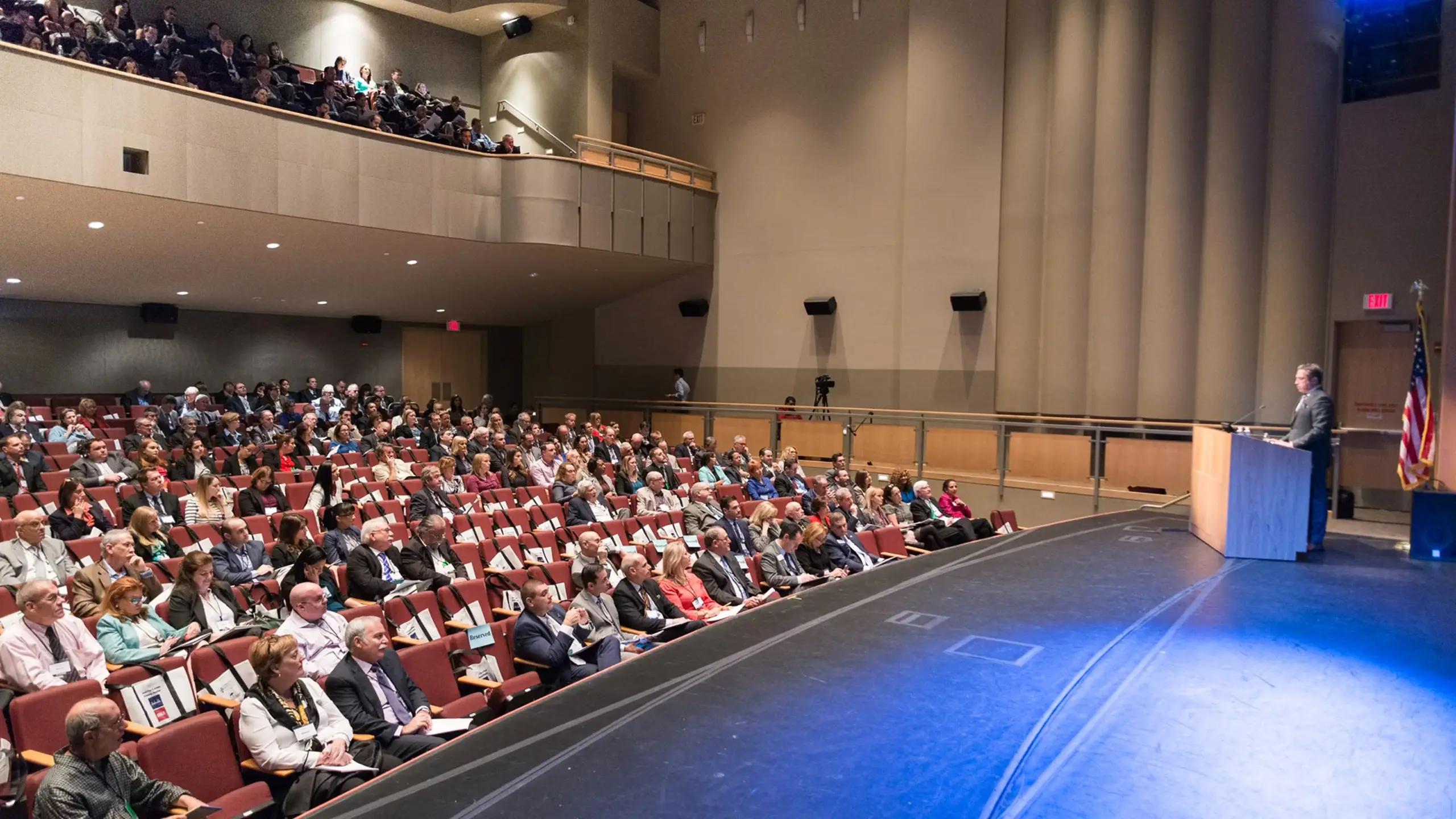
Why the “Near Me” Search Often Leads You Astray
Local SEO rewards proximity, not quality. When you search for a photography studio near your office or shoot location, the top results are usually the businesses that have invested most in Google Business Profile optimization, not necessarily the ones with the best work or infrastructure.
We are not saying local studios are bad. Some are excellent. But a few realities are worth understanding before you commit:
- Most small studios operate out of spaces under 2,000 square feet, which limits set builds, lighting rigs, and the number of concurrent setups you can run.
- Many photographers moonlight as studio owners, meaning they may be talented as individuals but stretched thin managing bookings, equipment, post-production, and client communication simultaneously.
- Pricing transparency is rare. You often have to call, get on a discovery call, and receive a custom quote before you understand the real cost structure.
Understanding this upfront helps you ask better questions and evaluate options more accurately, whether you end up booking a studio two blocks away or one that is worth the commute.
What a Professional Photography Studio Actually Needs
Not all studios are built the same. Here is what separates a professional commercial photography studio from a rented loft with a couple of strobes.
Adequate Square Footage for the Work
Square footage dictates what is physically possible. A product shoot for a small e-commerce brand can work in a tight space. A fashion editorial for a major retailer, a multi-talent campaign for a consumer brand, or a full lifestyle shoot with set builds cannot. Our facility in Fort Lauderdale runs 30,000 square feet, which means we can run multiple productions simultaneously without anyone bumping into each other. That scale is not common at the local level.
Professional Lighting Infrastructure
A real studio has professional-grade continuous and strobe lighting systems built into the space, not just portable kits that a photographer brings in a rolling bag. Dedicated power circuits, ceiling rigs, softboxes, beauty dishes, and cyc walls all matter when you are shooting high-end commercial content. Ask any studio you are considering what their in-house lighting inventory looks like before you book.
A Cyclorama (Cyc) Wall
A cyc wall is a curved, seamless wall-to-floor transition that creates an infinite white (or colored) background. It is standard in any serious commercial photography environment. If a studio does not have one, your options for clean product or portrait photography are significantly limited.
Hair, Makeup, and Wardrobe Support
Production-ready studios have dedicated prep areas for talent, including hair and makeup stations, wardrobe racks, and green rooms. Shoots that involve models, executives, or on-camera talent need this infrastructure to run on schedule. Without it, you are losing time and money.
Post-Production Capabilities On-Site
The shoot is half the job. A studio that can also handle retouching, color grading, and final delivery in-house gives you a faster, more consistent pipeline. Our post-production services are built into the same facility, which means there is no file handoff, no interpretation gaps, and no waiting on a third-party editor to finish your images.
Equipment Depth and Redundancy
Professional shoots do not stop because a camera body goes down. Studios that handle serious commercial work carry redundant gear: multiple camera bodies, backup lenses, extra memory cards, and spare lighting units. Ask specifically about equipment redundancy when you are evaluating a studio for a high-stakes campaign.
Photography Studio Pricing. What to Expect in 2024
This is the section most buyers want to skip to, and for good reason. Pricing is opaque in this industry. Here is a realistic breakdown of what you will encounter.
Hourly Studio Rental Rates
Renting studio time without a photographer typically runs between $75 and $300 per hour depending on the market, the size of the space, and what is included in the rate. Markets like New York and Los Angeles sit at the top of that range. Fort Lauderdale and other secondary markets tend to be more competitive on price without sacrificing quality, which is part of why our photography services in Fort Lauderdale attract clients from across the country.
Full-Day Rates
Most commercial photography is priced as a full-day or half-day rate rather than hourly. A half-day is typically four hours; a full day is eight. Expect full-day studio rental to range from $600 to $2,500 depending on location and included amenities. When a photographer is bundled in, the range moves significantly higher.
Photographer Day Rates
A professional commercial photographer charges a day rate separate from (or inclusive of) the studio fee. Entry-level commercial photographers may charge $500 to $1,500 per day. Mid-level professionals with a strong editorial or advertising portfolio typically run $2,000 to $5,000 per day. Photographers who have shot for major national brands regularly command $7,500 to $20,000 per day or more, not including usage fees.
Usage and Licensing Fees
This catches a lot of buyers off guard. Photography is licensed, not sold outright. When you hire a photographer, you are purchasing specific usage rights: a particular medium (print, digital, social), a territory (regional, national, global), and a time period (one year, three years, in perpetuity). Broader usage rights cost more, and rightfully so. National advertising campaigns with broad usage rights can add 50 to 200 percent of the day rate in licensing fees on top of the base cost.
The American Society of Media Photographers (ASMP) has published extensive guidance on licensing structures that is worth reviewing if you are new to commissioning commercial photography.
Retouching and Post-Production Costs
Budget $50 to $300 per final image for professional retouching depending on complexity. A clean product shot on white requires less work than a lifestyle image with multiple subjects, complex backgrounds, or compositing. Retouching is often sold as a per-image line item in commercial photography quotes.
Total Project Cost Ranges
To give you a practical benchmark: a one-day commercial shoot with a mid-level photographer, studio rental, a small crew, hair and makeup, and basic retouching on 20 to 30 final images typically runs between $5,000 and $15,000 for a regional brand. National campaigns with top-tier talent, broad usage rights, and extensive post-production can easily reach $50,000 to $150,000 or beyond.
The Questions You Should Ask Any Studio Before Booking
Once you have a shortlist of studios, the discovery process matters. Here are the questions that actually separate serious studios from everyone else.
Can I See Your Portfolio?
This should be non-negotiable. A studio should have a robust body of commercial work available for review. Look specifically for work that matches the scale and style of what you need. Our portfolio includes work for clients like H&M, Chaumet, Calvin Klein, and Sunbelt Rentals, which gives you a concrete sense of what we produce at the highest level.
Who Will Be Shooting?
Some studios are booking agencies in disguise. They take your project and assign it to a freelancer from their roster rather than a staff photographer you can vet. Ask specifically who will be on-set leading your shoot and request examples of their individual work.
What Is Included in the Quote?
Itemize everything. Does the quote include studio time, lighting, grip equipment, backdrops, props, hair and makeup, a first assistant, digital tech services, file delivery, and retouching? Or are those add-ons? A low base quote with significant add-ons is a common source of budget surprises.
What Is Your Post-Production Timeline?
Some photographers deliver edited images in 48 hours. Others take three to six weeks. If you are on a campaign deadline, this matters as much as the shoot itself. Studios with in-house post-production workflows, like the integrated approach we use across our professional photography services, can often move faster because there is no handoff delay.
Do You Have Insurance and Model Releases?
A professional studio carries general liability insurance and errors and omissions coverage as a baseline. Any studio working with talent should also have a clear model release process. If you are using images for advertising, you need signed releases before the shoot, not after.
Have You Shot in This Category Before?
A studio that primarily shoots weddings and headshots is a different animal from one that shoots national advertising campaigns. Category experience matters because different product types, brand standards, and output requirements demand different skill sets. A jewelry campaign needs macro lighting expertise. A food shoot needs a stylist and prop department. Ask about relevant category experience specifically.
Photography Studio Services. Beyond the Basics
The best studios are not just spaces for rent. They are production partners. Here is what full-service studio capabilities look like in practice.
Commercial and Advertising Photography
This is the core offering for brands running paid media, print campaigns, or retail marketing. It requires a photographer who understands brand standards, art direction, and the technical requirements of various ad formats. Our advertising services integrate photography directly into broader campaign production, so you are not managing separate vendors for creative strategy, photography, and media placement.
Product Photography
Clean, consistent product photography is the backbone of e-commerce and retail. Volume, speed, and consistency are as important as aesthetics here. Studios that specialize in product photography often have dedicated tabletop setups and a streamlined workflow for shooting large SKU counts efficiently.
Lifestyle and Branded Content Photography
Lifestyle photography places products or brands in authentic-feeling real-world contexts. It requires location scouting, talent casting, wardrobe, and a director with a strong visual point of view. Our branded content work incorporates lifestyle photography as part of integrated content strategies that span both still and motion.
Event Photography
Corporate events, product launches, conferences, and activations all require a photographer who can shoot quickly, unobtrusively, and deliver strong images under variable conditions. Our event photography team handles everything from intimate brand activations to large-scale conference coverage.
Executive and Corporate Portraits
Headshots and executive portraits are a consistent need for brands across every industry. A studio that handles this well understands how to make talent look natural and confident on camera in a short period of time, because executives rarely have hours to spend in front of a lens.
Photography as Part of a Larger Content Strategy
One of the biggest inefficiencies we see in commercial photography is treating it as a completely isolated deliverable. Brands commission a photography shoot, receive a folder of images, and then wonder why the results feel disconnected from the rest of their visual identity.
Photography works best when it is planned as part of a broader content ecosystem. That might mean shooting video and stills simultaneously from the same production setup (a practice we use regularly to maximize efficiency on set). It might mean ensuring that the visual language of your photography aligns with your motion graphics and animation work. It might mean that the assets you shoot today are optimized for specific placements across your social media marketing strategy.
Our content creation services are built around this integrated philosophy. Rather than producing photography in isolation, we think about where every asset lives, how it performs, and how it connects to the larger story a brand is telling across channels.
According to research from the Content Marketing Institute, brands that operate with a documented content strategy consistently outperform those that commission content on a project-by-project basis without a unifying framework. Photography is no exception to that principle.
When Video and Photography Work Together
More brands are discovering that running a photography shoot and a video production concurrently is not only possible but cost-effective. You have the same talent, the same location, the same crew infrastructure, and the same creative brief. Adding a video component to a photography day (or vice versa) often adds 20 to 40 percent to the budget while doubling the output you receive.
Our video production services and photography capabilities are designed to work together seamlessly. The same production management system, the same crew communication protocols, and the same post-production pipeline handle both. If your brand needs a product launch campaign with both a :30 video spot and a suite of static images, we can execute that as a single unified production rather than two separate projects with two separate vendors.
For brands that do documentary or long-form work, our documentary film production team also incorporates high-end still photography into their productions, capturing editorial imagery alongside the moving picture work.
Red Flags to Watch For When Evaluating Studios
Not every studio is what it presents itself to be. Here are specific warning signs we see regularly in this industry.
No Portfolio or Vague Portfolio
If a studio cannot show you a clear body of commercial work that is relevant to your needs, that is a problem. Stock images in a portfolio, heavily watermarked images without client attribution, or a portfolio that consists entirely of personal projects rather than client work should all raise questions.
Unusually Low Quotes Without Explanation
If a quote comes in significantly below what comparable studios are charging and no one can explain why, you are likely looking at hidden costs, inexperienced talent, or a studio that is underpricing to win work it is not qualified to execute. Get full itemization on any quote before you accept it.
Poor Communication in the Sales Process
A studio that is slow to respond, vague in its answers, or disorganized in how it presents proposals will be worse on set. The discovery and booking process is a preview of the production experience. Take it seriously as a signal.
No Pre-Production Planning Process
Any shoot that does not involve a formal pre-production process, including a shot list, call sheet, talent and prop confirmation, and technical brief, is a shoot running on improvisation. That produces inconsistent results. Our creative services team builds out comprehensive pre-production for every photography project before a camera is lifted.
Limited or No Retouching Capabilities
A photographer who delivers raw or lightly processed images and expects you to handle retouching separately is passing a significant cost and coordination burden onto you. Full-service studios include or clearly price retouching as part of the deliverable.
Work with C&I Studios
If you are planning a project like this, our team can take it from concept to final delivery. Explore our photography services, browse our work to see how we tell brand stories, and get in touch when you are ready to start.
Visual Effects Integration: A Production Guide
Visual Effects Integration. A Production Guide
Visual effects integration is one of the most misunderstood phases in modern video production. Clients often assume VFX gets sprinkled on at the end like seasoning. In reality, the best visual effects work starts before the camera ever rolls, runs through the entire shoot, and demands a tight, disciplined pipeline all the way to final delivery. When it is done right, you never notice it. When it is done wrong, every viewer in the room notices immediately.
We have run VFX-integrated productions for major brands, and the single biggest factor separating clean results from expensive disasters is planning. This guide walks through every stage of the process so you understand what actually goes into getting digital elements to live convincingly inside real-world footage.
What Visual Effects Integration Actually Means
The term gets used loosely, so let us define it clearly. Visual effects integration is the process of combining computer-generated imagery, motion graphics, or digitally altered elements with live-action footage so the result reads as a seamless, unified image. This is different from animation produced entirely in software. Integration specifically refers to the handshake between the physical world captured on camera and the digital world built in a workstation.
That handshake requires both environments to agree on lighting, perspective, color, grain, motion blur, and a dozen other physical properties. Miss any of them and the composite falls apart. The eye is extraordinarily good at detecting inconsistency, even when the viewer cannot articulate exactly what is wrong.
Our VFX compositing and animation services cover the full pipeline described in this guide. But whether you are working with us or building an in-house workflow, the steps below apply universally.
Step 1. Pre-Production Planning for VFX Shots
Every VFX shot that succeeds in post was won or lost in pre-production. Before a single light is set up on a stage, the production team, VFX supervisor, and director need to agree on exactly what each shot will contain, what will be shot practically, and what will be added digitally.
This involves creating a detailed VFX breakdown, sometimes called a VFX bid document, that lists every shot requiring digital work, categorizes it by complexity, and flags the on-set requirements needed to support the composite. A shot that adds a digital product replacement is very different from a shot that erases an entire background and replaces it with a photoreal environment. Both need documentation.
Key decisions made at this stage include:
- Which elements will be shot practically versus generated digitally
- What tracking markers or reference data will be captured on set
- What camera and lens data needs to be logged
- Whether a green screen or blue screen environment is required
- What HDR lighting reference photographs need to be captured for 3D lighting
- What the deliverable resolution and color space will be
Our film production services team works with a dedicated VFX supervisor on any project that involves significant integration work. That supervision role exists specifically to bridge pre-production decisions with on-set execution and post-production needs.
Step 2. Storyboarding and Previs
Storyboarding is standard on any scripted production, but for VFX-heavy sequences it needs to go a level deeper. Previsualiation, commonly called previs, is a rough 3D animation of a sequence created before production begins. Think of it as a moving storyboard that lets the director, DP, and VFX team explore camera angles, timing, and the interaction between digital and live-action elements before committing to a shoot day.
Previs is not a luxury. On complex sequences it saves significant money by revealing problems that would otherwise surface during the shoot or, worse, deep into compositing. If a digital character needs to interact with a physical actor, previs determines exactly where the actor needs to stand, where eyeline is, and how the camera needs to move to maintain the illusion.
Our 2D animation and motion design team often collaborates on previs alongside the VFX pipeline, especially when motion graphics will be integrated into live footage. The early-stage conversation between departments makes the downstream work dramatically more efficient.
Step 3. On-Set Supervision and Data Capture
The shoot is where the raw material for visual effects integration is created, and it is also where the most critical mistakes are made. A VFX supervisor on set is not optional for complex work. That person is responsible for capturing everything the compositing team will need later.
Here is what proper on-set VFX data capture looks like in practice:
Tracking Markers
Small dots, crosses, or textured reference points are placed in frame to give the tracking software something to lock onto in post. Their positions in 3D space are often measured and logged so the composite can be geometrically accurate. The placement requires thought; markers need to be well-distributed, visible, and not obstructed by the action.
Camera and Lens Data Logging
Every focal length, focus distance, T-stop, and camera height used in a VFX shot gets logged. This data feeds directly into the 3D match-move process. If the camera data is wrong, the 3D element will not sit correctly in the environment regardless of how well it is modeled or lit.
HDR Lighting Reference
A chrome ball and gray ball are photographed in the actual lighting conditions of each VFX shot. The chrome ball captures a 360-degree reflection of the environment, which is used to create an image-based lighting setup in the 3D software. This is how digital objects pick up the same light as the physical set. It is one of the most important and most overlooked steps in professional visual effects integration.
Photographic Reference
Still photography of the set from every angle, including the areas that will be extended or replaced in post, provides the texture artists and environment builders with real-world reference. Our professional photography services team contributes to this reference capture on productions that require it.
Clean Plates
A clean plate is a photograph or video frame of the set or location with no actors, equipment, or markers present. It gives the compositor a clear background to work with when removing elements or blending digital additions. Clean plates are easy to capture on set and extremely difficult to recreate later.
Step 4. Footage Organization and Handoff to Post
After the shoot wraps, the footage and data captured on set gets organized and transferred to the post-production team. This handoff is more consequential than most productions treat it. Disorganized handoffs waste hours and introduce errors that compound downstream.
A proper VFX handoff package includes:
- Original camera files in the highest available quality
- A shot list that cross-references each VFX shot with its data notes
- All tracking marker data and measurements
- HDR reference images and clean plates
- Camera and lens logs
- Any set survey data (LIDAR scans are increasingly common on large productions)
Our post-production services team at our Fort Lauderdale facility receives this package and builds a project structure that keeps every asset traceable. Naming conventions, folder structures, and version control matter enormously when a single project might involve hundreds of VFX shots across multiple compositors.
Step 5. Tracking and Match-Moving
Match-moving is the process of reconstructing the movement of the camera used on set as a 3D virtual camera. Software like SynthEyes or PFTrack analyzes the footage frame by frame, using the tracking markers and naturally occurring texture in the image to calculate the camera path through space.
The output is a 3D scene that contains the virtual camera and a point cloud representing the geometry of the real environment. When a 3D element is placed into this scene, it inherits the exact perspective and motion of the real camera. This is what makes digital additions feel anchored to the real world rather than floating on top of it.
A clean track is foundational. If the track drifts, everything built on top of it drifts too. Difficult tracks happen when footage is shot without sufficient contrast for the software to find reliable feature points, when the camera moves too fast, or when large portions of the frame are textureless. These are all problems pre-production planning prevents.

Step 6. Rotoscoping and Keying
Once the track is locked, the compositing team begins the process of separating foreground elements from the background. There are two primary methods: keying and rotoscoping.
Keying works on footage shot against a green screen or blue screen. Software identifies the key color and removes it, leaving a transparent alpha channel around the foreground subject. A clean key depends on even lighting on the screen, separation between the subject and the screen, and proper exposure. Wrinkled screens, uneven lighting, and green spill on the subject all complicate the key and add labor to compositing.
Rotoscoping is the frame-by-frame manual isolation of a subject shot without a key color background. It is labor-intensive and rate-limited by the complexity of the subject’s edges and how fast they move. For a slow-moving product shot, rotoscoping is manageable. For a fast-moving athlete with hair and motion blur, it is a significant time commitment.
Many productions use a combination: green screen for primary subjects and rotoscoping for secondary elements or foreground objects that cross in front of the digital additions. According to the Visual Effects Society, the industry continues to develop AI-assisted rotoscoping tools that accelerate the process, though skilled artists still supervise and refine the results.
Step 7. 3D Integration and Lighting
This is where the digital elements, whether product models, environments, characters, or abstract graphic forms, get placed into the scene and lit to match the real-world conditions captured on set.
The 3D artist imports the match-moved camera and point cloud from the tracking stage and uses the HDR reference images to create an image-based lighting environment. The physical properties of the digital surface, its roughness, reflectivity, and translucency, are tuned until the object responds to light in a way consistent with the real footage.
Render quality matters here. The 3D elements are rendered in layers: beauty passes, shadow passes, reflection passes, ambient occlusion passes, and others. This layered approach gives the compositor control over how each physical property integrates with the live footage. Rendering a single flat image gives almost no flexibility. Rendering in passes gives the compositor a full toolkit.
Our team works in industry-standard 3D software and uses the same layered render approach used by major VFX houses. It is a more involved pipeline, but the compositing flexibility it creates is essential for achieving high-quality visual effects integration on demanding commercial and broadcast work.
Step 8. Compositing
Compositing is the stage where all the pieces come together: the live footage, the keyed or rotoscoped foreground elements, the 3D renders, and any 2D graphic elements. The compositor’s job is to make every layer feel like it was captured by the same camera under the same light at the same moment.
Node-based compositing software like Nuke is the industry standard for complex integration work. Layer-based tools like After Effects are well-suited to motion graphics and simpler composites. The choice depends on the complexity of the shot and the pipeline it needs to fit into.
Key compositing tasks include:
- Integrating the foreground key or roto into the background plate
- Adding shadow and reflection passes from the 3D render
- Matching the grain and noise structure of the digital elements to the camera footage
- Color-matching all elements to a unified look
- Adding lens effects: bloom, chromatic aberration, lens distortion
- Ensuring motion blur consistency between digital and practical elements
The grain step is one that separates professional results from amateur ones. Digital renders are clean and noiseless. Camera footage has inherent sensor noise. When a clean digital element is placed over noisy footage, the eye immediately reads the inconsistency. Adding matching grain to the digital element closes that perceptual gap.
Our compositing team treats color science as seriously as visual design. Color-managed pipelines using ACES or similar frameworks keep color consistent from camera through to final output, which is critical when footage originates from multiple cameras or when digital renders need to match physical materials precisely.
Step 9. Color Grading and Final Integration
Color grading is often treated as a purely aesthetic step, but in the context of visual effects integration it is also a technical one. After compositing is complete, the entire sequence goes through final color grading in DaVinci Resolve or a comparable platform. The colorist makes a final pass that unifies all elements under a consistent look and resolves any remaining discrepancies between digital and practical elements.
This is also when the overall grade for the project, whether cinematic, clean and commercial, or stylized, gets applied consistently across all shots. VFX shots that were technically solid but slightly off in color temperature or saturation get their final adjustment here.
Good communication between the compositor and the colorist is essential. The colorist needs to understand what has been done digitally in each shot so they do not inadvertently break the composite with an aggressive grade. On our productions, VFX and color work in direct dialogue throughout post.
For branded content and commercial work, where color is tied directly to brand standards, this final stage is where we ensure the product, environment, and visual tone all align with what the client has approved. Our branded content series work demands that level of precision on every delivery.
Step 10. Review, Iteration, and Delivery
No VFX shot is approved on the first pass. The review and iteration cycle is a normal, built-in part of the pipeline. Clients review composites, provide notes, and the team addresses them. The number of revision rounds is usually defined in the production agreement, but the structure of that process matters as much as the number.
Effective review workflows use frame-accurate annotation tools that let clients mark specific frames with specific notes rather than describing timecodes verbally over a call. Tools like Frame.io have become standard in professional post-production pipelines for exactly this reason. Clear notes lead to faster, more accurate revisions.
Final delivery formats vary by use case. Broadcast deliveries have specific technical requirements around codec, frame rate, color space, and audio. Digital platform deliveries, particularly for social media, have their own specifications. VFX-heavy content destined for large-scale screens like LED installations or cinema may require significantly higher resolution outputs than a standard 4K master. Our team confirms all technical specifications before post-production begins so delivery does not become a last-minute scramble.
Common Visual Effects Integration Mistakes and How to Avoid Them
After working on VFX-integrated productions across commercial, broadcast, and branded content, a few failure patterns come up consistently. Awareness of them is the first step toward avoiding them.
Leaving VFX Planning to Post
This is the most expensive mistake. When a director decides after the fact that they want a digital sky replacement or a product swap, the post team has to work without tracking markers, clean plates, or HDR reference. The result is more labor, more time, and typically a lower-quality composite. Plan every VFX shot before production begins.
Underestimating Rotoscoping Time
Rotoscoping is priced by the hour for a reason. Complex edges, fast motion, and hair or fabric are time-intensive to isolate. If a budget does not account for rotoscoping labor accurately, the schedule suffers. When green screen is available and practical, using it correctly saves significant post time.
Ignoring Color Science
Shooting in a color-managed pipeline and handing LOG or RAW footage to the VFX team is the right approach. Handing baked-in footage with heavy in-camera processing limits the compositor’s ability to match digital elements to the plate and limits the colorist’s ability to make final adjustments without breaking the composite.
Skipping On-Set HDR Reference
It takes ten minutes to photograph chrome balls and gray balls in each unique lighting setup on set. Skipping this step means 3D artists have to guess at the lighting environment, which costs far more than ten minutes in additional render iterations and lighting tweaks.
Poor Communication Between Departments
VFX integration fails when production, VFX, and post operate in silos. The DP needs to know what the compositor will need. The compositor needs to know what color decisions the colorist will make. The colorist needs to know what is digital and what is practical. Integrated, communicating teams produce better work than siloed specialists operating independently.
Work with C&I Studios
If you are planning a project like this, our team can take it from concept to final delivery. Explore our post-production services, browse our work to see how we tell brand stories, and get in touch when you are ready to start.